Type text, add images, blackout confidential details, add comments, highlights and more.

02. Sign it in a few clicks
Draw your signature, type it, upload its image, or use your mobile device as a signature pad.

03. Share your form with others
Send it via email, link, or fax. You can also download it, export it or print it out.

How to use or fill out mazda import with our platform
Ease of Setup
DocHub User Ratings on G2
Ease of Use
DocHub User Ratings on G2
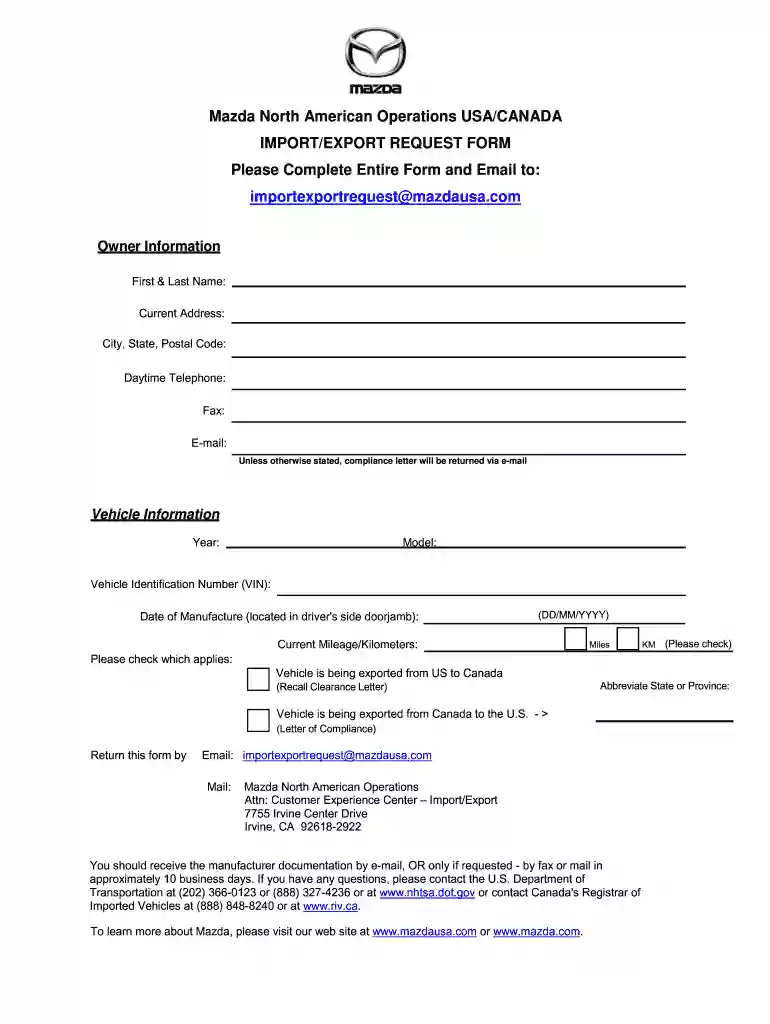
Click ‘Get Form’ to open the mazda import request form in the editor.
Begin by filling out the Owner Information section. Enter your first and last name, current address, city, state, postal code, daytime telephone number, fax number, and email address. Ensure all details are accurate as the compliance letter will be sent via email unless specified otherwise.
Next, move to the Vehicle Information section. Input the year and model of your vehicle along with the Vehicle Identification Number (VIN). You can find the date of manufacture on the driver's side doorjamb; enter it in DD/MM/YYYY format.
Indicate the current mileage or kilometers by selecting either 'Miles' or 'KM'. Then check which option applies regarding your vehicle's export status: from US to Canada or from Canada to the U.S.
Finally, review all entered information for accuracy before submitting. Return this form via email to importexportrequest@mazdausa.com or mail it to Mazda North American Operations at the provided address.
Start using our platform today for free to streamline your mazda import process!
2021 Made in America Auto Index - Kogod School of Business
A total of 21 vehicles make the top 10 with the most US domestic content. In the top spot with 88.5 percent domestic content is the manual transmission-Read more
Cookie consent notice
This site uses cookies to enhance site navigation and personalize your experience.
By using this site you agree to our use of cookies as described in our Privacy Notice.
You can modify your selections by visiting our Cookie and Advertising Notice.