Type text, add images, blackout confidential details, add comments, highlights and more.
02. Sign it in a few clicks
Draw your signature, type it, upload its image, or use your mobile device as a signature pad.
03. Share your form with others
Send it via email, link, or fax. You can also download it, export it or print it out.
How to use or fill out nj perfusion license form with our platform
Ease of Setup
DocHub User Ratings on G2
Ease of Use
DocHub User Ratings on G2
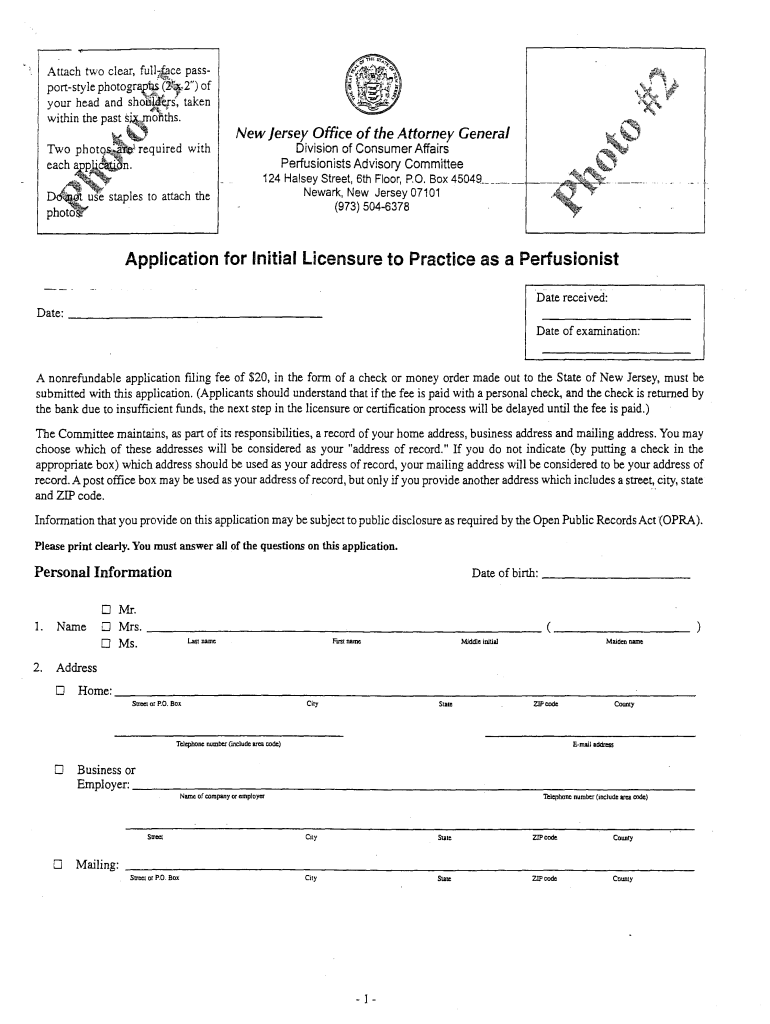
Click ‘Get Form’ to open the nj perfusion license form in the editor.
Begin by entering your personal information, including your name, date of birth, and contact details. Ensure all fields are filled out clearly.
In the 'Citizenship / Immigration Status' section, select the appropriate option that reflects your status. If applicable, attach any required documentation.
Proceed to answer questions regarding your professional history and any legal issues. Be honest and thorough; you may need to provide additional documentation for certain answers.
Complete the medical conditions section by answering truthfully about any impairments or treatments that may affect your ability to practice as a perfusionist.
Finally, review all entries for accuracy before signing the affidavit at the end of the form. Use our platform’s tools to ensure everything is correct.
Start filling out your nj perfusion license form today for free using our platform!
Fill out nj perfusion license form online It's free
1. A completed application form; 2. A transcript sent directly from the perfusion program; 3. A letter from the medical director of the perfusion programRead more
by X Zhang 2018 Cited by 45 Numerous studies are required to further understand the role of ROCKs in oncology. Our study may suggest a new potential application for ROCKRead more
Cookie consent notice
This site uses cookies to enhance site navigation and personalize your experience.
By using this site you agree to our use of cookies as described in our Privacy Notice.
You can modify your selections by visiting our Cookie and Advertising Notice.