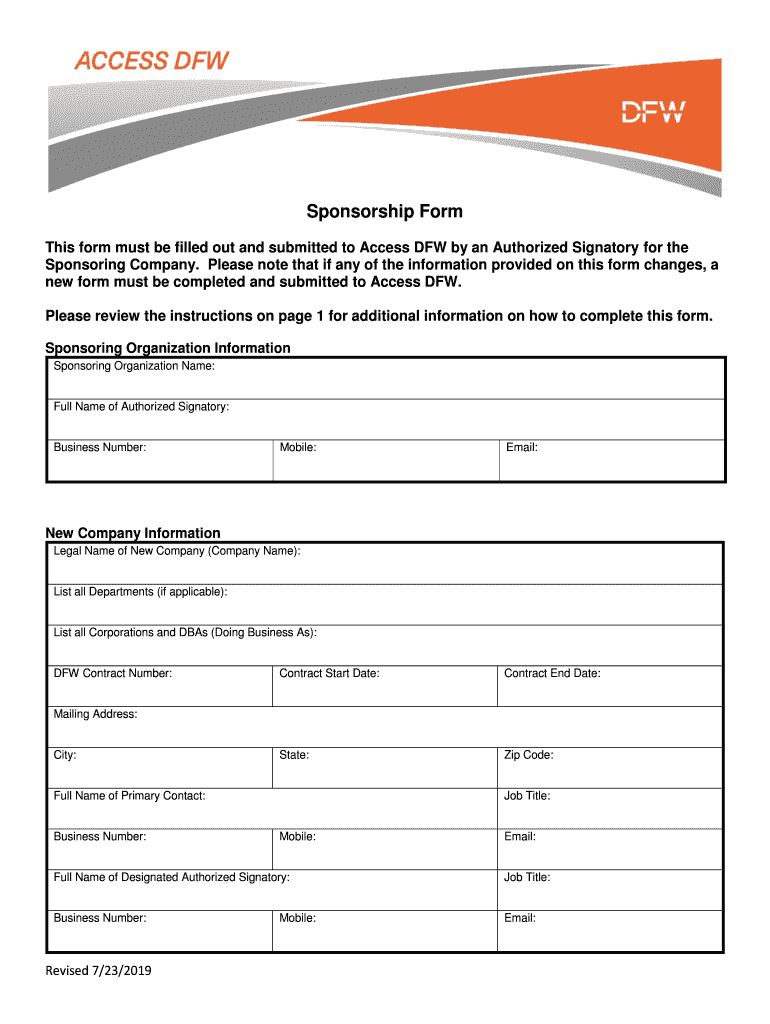
Sponsorship Form - DFW Airport 2026

Get Form
Sponsorship Form - DFW Airport Preview on Page 1

Here's how it works

01. Edit your form online
Type text, add images, blackout confidential details, add comments, highlights and more.
02. Sign it in a few clicks
Draw your signature, type it, upload its image, or use your mobile device as a signature pad.
03. Share your form with others
Send it via email, link, or fax. You can also download it, export it or print it out.

How to use or fill out Sponsorship Form - DFW Airport with our platform

Form edit decoration
9.5
Ease of Setup
DocHub User Ratings on G2
9.0
Ease of Use
DocHub User Ratings on G2
  1. Click ‘Get Form’ to open the Sponsorship Form in the editor.
  2. Begin by filling out the 'Sponsoring Organization Information' section. Enter the name, contact information, and authorized signatory details of the sponsoring organization.
  3. Next, move to the 'New Company Information' section. Provide the legal name of the new company, any DBAs, and contract details if applicable.
  4. Indicate the required access privileges for badge holders under 'New Company Access Requirements'. Specify if driving privileges or other escort options are needed.
  5. Complete the job titles section by listing all relevant positions and their respective access needs.
  6. Finally, ensure that both the new company representative and sponsoring company authorized signatory provide their signatures before submitting.

Start using our platform today to easily complete your Sponsorship Form - DFW Airport for free!

be ready to get more

Complete this form in 5 minutes or less

Get form

Got questions?

We have answers to the most popular questions from our customers. If you can't find an answer to your question, please contact us.
Contact us
Your badge type requires an FBI fingerprint background check and TSA security threat assessment. These must be completed before the badging process can continue. A warrants check will also be conducted. If you have any outstanding warrants, they must be resolved before the badge can be issued.
Please refer all SAFE Web Portal questions to the Dallas Love Field Badging Office. For after-hours badge deactivations, please contact the Airport Communication Center: (214) 670-5683.
Customers who do not wish to utilize their Tolltag at DFW Airport should only enter through a Ticket Only lane located on the right side of entry plazas. The customer will be required to obtain a ticket for entry. Customers without a Tolltag can obtain a ticket from any lane designated as Ticket.
Access DFW serves as the central hub for all badging processes for employees and individuals that do business at DFW. The Access DFW office is located at Terminal B, B17 (outside security). Browse this page to easily book an appointment and view resources regarding your badge.
No, Dfw International Airport Board is not an employer that has a certain number of H-1B nonimmigrant workers relative to its total workforce.

Security and compliance

At DocHub, your data security is our priority. We follow HIPAA, SOC2, GDPR, and other standards, so you can work on your documents with confidence.

Learn more
ccpa2
pci-dss
gdpr-compliance
hipaa
soc-compliance

People also ask

The Badge Office is the designated security credentialing authority for LAX. and Van Nuys airports. This office effectively manages access control in restricted. areas by operating a public service counter for all employees working at LAX and.

Related links