Fed ex domestic waybill 2026

Get Form
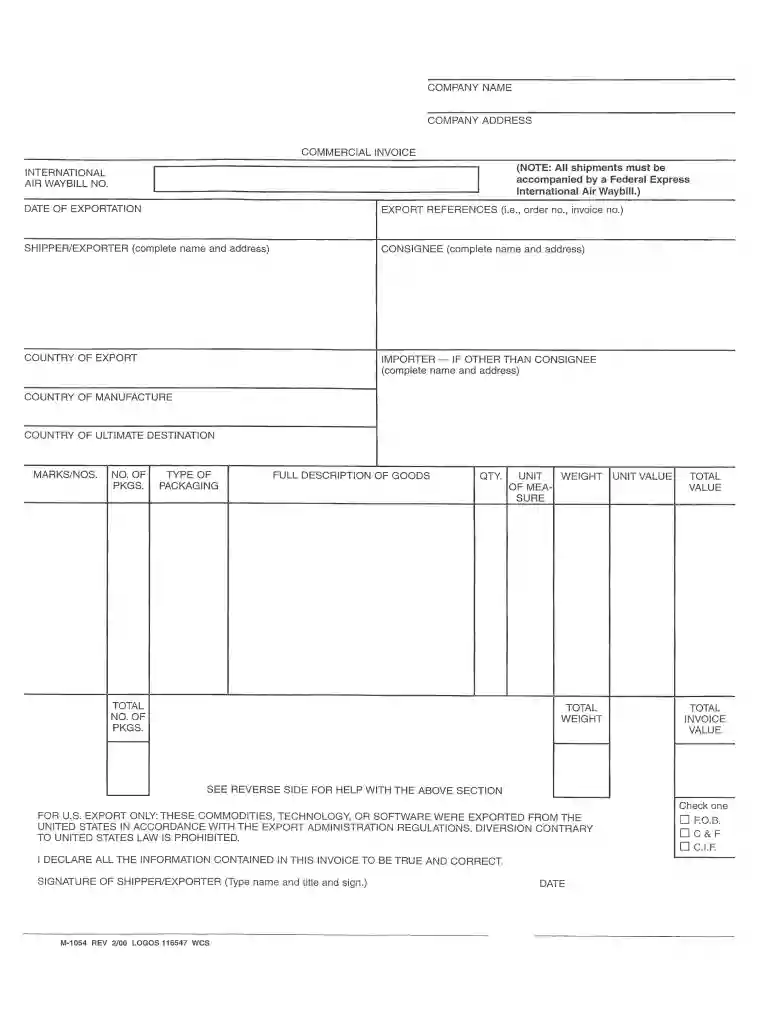
domestic waybill Preview on Page 1

Here's how it works

01. Edit your domestic waybill online
Type text, add images, blackout confidential details, add comments, highlights and more.

02. Sign it in a few clicks
Draw your signature, type it, upload its image, or use your mobile device as a signature pad.

03. Share your form with others
Send 9 digit shipper or payer fedex account number via email, link, or fax. You can also download it, export it or print it out.

How to use or fill out FedEx Domestic Waybill with our platform

Form edit decoration
9.5
Ease of Setup
DocHub User Ratings on G2
9.0
Ease of Use
DocHub User Ratings on G2
  1. Click ‘Get Form’ to open the FedEx Domestic Waybill in the editor.
  2. Begin by entering the International Air Waybill number and the date of exportation at the top of the form.
  3. Fill in the Shipper/Exporter section with your complete name, address, telephone number, and any required business registration or tax ID numbers.
  4. Next, provide the Consignee's details, including their complete name, address, telephone number, and relevant registration or tax ID numbers.
  5. Indicate the country of export and if applicable, fill in details for an importer other than the consignee.
  6. Specify the reason for export (e.g., personal gift) and include both the country of ultimate destination and country of origin.
  7. Detail the goods being shipped by filling out marks/numbers, type of packaging, full description of goods, HS code, quantity, unit of weight measure, total packages weight in lb/kg, unit value currency, and total invoice value.
  8. Select your payment method and ensure you declare that all information is true by signing at the bottom with your printed name and title along with the date.

Start using our platform today to easily fill out your FedEx Domestic Waybill for free!

be ready to get more

Complete this form in 5 minutes or less

Get form

Got questions?

We have answers to the most popular questions from our customers. If you can't find an answer to your question, please contact us.
Contact us
To retrieve a PDF version of your invoice with FedEx Billing Online to be saved or printed, click the invoice number from the account summary, click the Download invoice button, choose PDF from the download dropdown, and click the Create Download button.
1 to 5 business days
A common question we get from clients is: Is a waybill number the same as a tracking number? The answer: theyre related, but not identical. Waybill number: Refers to the shipments internal record within the carriers system. Tracking number: Is what customers typically see to monitor their package online.Dec 17, 2025
An Air Waybill is more commonly known as your FedEx shipping label or tracking number; It contains all of the package information as well as its barcoding and the 12 digit number used to track your shipment on its journey. Did this information help you? YES.
If youre a FedEx account holder, log in to FedEx Billing Online with your user ID and password. Then download your airway bill and other relevant shipping documents. If you dont have a FedEx account, please contact FedEx Customer Service to obtain a copy of your air waybill.

Security and compliance

At DocHub, your data security is our priority. We follow HIPAA, SOC2, GDPR, and other standards, so you can work on your documents with confidence.

Learn more
ccpa2
pci-dss
gdpr-compliance
hipaa
soc-compliance
be ready to get more

Complete this form in 5 minutes or less

Get form

People also ask

Supplier and Recipient Details Provide a valid GSTIN for both the supplier and recipient (or full name and address if the recipient is unregistered). Include the invoice number, invoice date, taxable value, and total invoice value. An E-Way Bill is required when the consignment value exceeds ₹50,000.

fed ex commercial invoice