Type text, add images, blackout confidential details, add comments, highlights and more.
02. Sign it in a few clicks
Draw your signature, type it, upload its image, or use your mobile device as a signature pad.
03. Share your form with others
Send phq 9 score interpretation via email, link, or fax. You can also download it, export it or print it out.
How to use or fill out PHQ-9 with our platform
Ease of Setup
DocHub User Ratings on G2
Ease of Use
DocHub User Ratings on G2
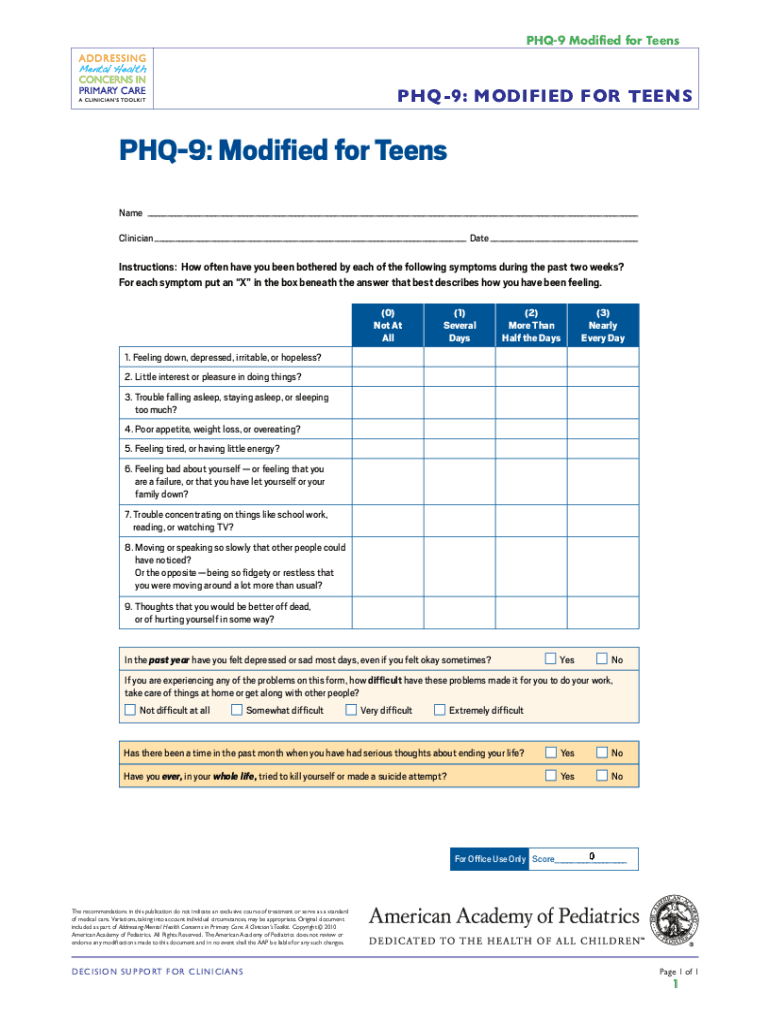
Click ‘Get Form’ to open the PHQ-9 Modified for Teens in the editor.
Begin by entering your name, clinician's name, and the date at the top of the form. This personal information is essential for tracking your responses.
For each symptom listed, mark an 'X' in the box that best describes how you have felt over the past two weeks. The options range from 'Not At All' to 'Nearly Every Day'.
After addressing all nine symptoms, answer the follow-up questions regarding your feelings over the past year and any difficulties these problems may have caused in your daily life.
Finally, respond to the last two questions about serious thoughts of self-harm or previous attempts. These are crucial for understanding your mental health needs.
Start using our platform today to fill out your PHQ-9 form online for free!
PATIENT HEALTH QUESTIONNAIRE-9. (PHQ-9). Over the last 2 weeks, how often have you been bothered by any of the following problems? (Use ✓ to indicateRead more
Behavioral Health Toolkit for Primary Care Providers
A component of the longer Patient Health Questionnaire, the PHQ-‐9 is a multipurpose instrument for screening, diagnosing, monitoring and measuring the severityRead more
The PHQ-9: Validity of a Brief Depression Severity Measure
by K Kroenke 2001 Cited by 54403 The PHQ-9 is also a reliable and valid measure of depression severity. These characteristics plus its brevity make the PHQ-9 a useful clinical and researchRead more
Cookie consent notice
This site uses cookies to enhance site navigation and personalize your experience.
By using this site you agree to our use of cookies as described in our Privacy Notice.
You can modify your selections by visiting our Cookie and Advertising Notice.