Type text, add images, blackout confidential details, add comments, highlights and more.
02. Sign it in a few clicks
Draw your signature, type it, upload its image, or use your mobile device as a signature pad.
03. Share your form with others
Send dochub download via email, link, or fax. You can also download it, export it or print it out.
How to use or fill out To Download - Durvet with our platform
Ease of Setup
DocHub User Ratings on G2
Ease of Use
DocHub User Ratings on G2
Click ‘Get Form’ to open it in the editor.
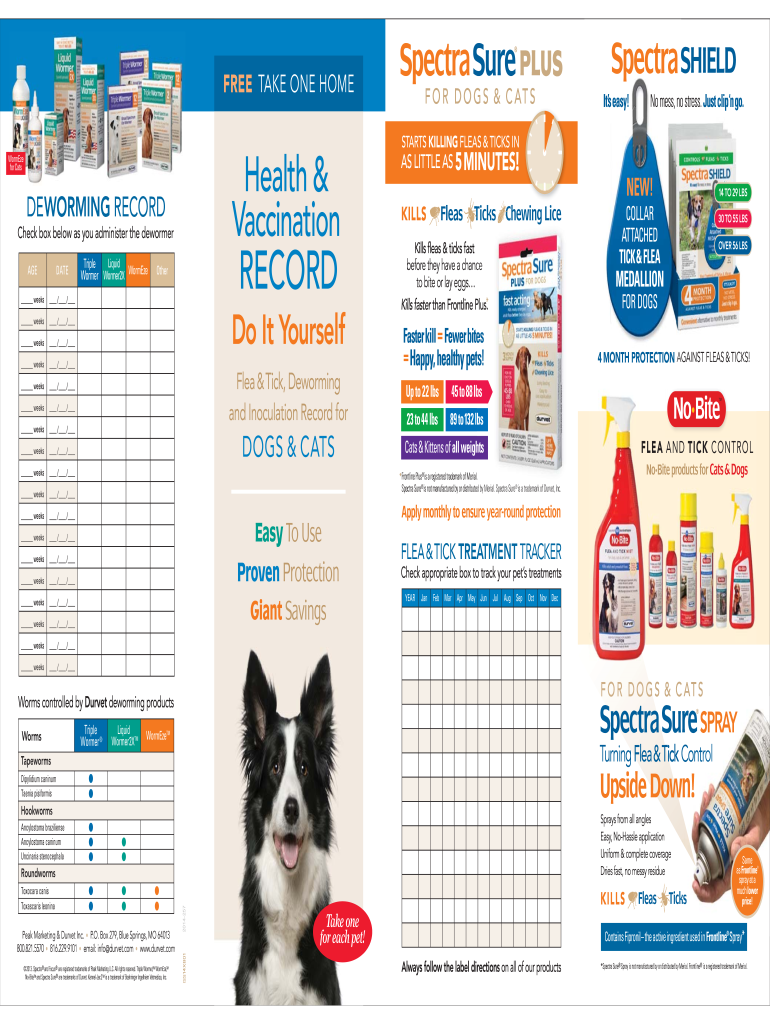
Begin by filling out the 'Deworming Record' section. Enter the age of your pet in weeks and the corresponding date for each dewormer administered. Use the checkboxes to track which treatments have been given.
Next, navigate to the 'Flea & Tick Treatment Tracker'. Here, select the appropriate month and check off each treatment as it is applied throughout the year.
Complete the 'Vaccination Record' section by entering your pet's information, including name, breed, and date of birth. Document each vaccination date and check off the vaccines administered.
Start using our platform today for free to easily manage your pet's health records!
Believe It Durvet Focus Cat Vax 3 Plus Felv Collection
Durvet Focus Cat Vax 3 PLUS FeLV is a high-quality vaccine formulated to stimulate a robust immune response. It contains purified antigens that are safe and
Call a poison control center or doctor for treatment advice. Page 1 of 5. DISTRIBUTOR: DURVET, INC., 100 SE MAGELLAN DRIVE, BLUE SPRINGS, MO 64014.Read more
Label: DURVET FELINE TAPE TABS FOR CATS - DailyMed
Feline Tape Tabs (praziquantel tablets) may be given directly in the mouth or crumbled and mixed with the food. Administer to cats and kittens only as follows:Read more
Cookie consent notice
This site uses cookies to enhance site navigation and personalize your experience.
By using this site you agree to our use of cookies as described in our Privacy Notice.
You can modify your selections by visiting our Cookie and Advertising Notice.