Type text, add images, blackout confidential details, add comments, highlights and more.
02. Sign it in a few clicks
Draw your signature, type it, upload its image, or use your mobile device as a signature pad.
03. Share your form with others
Send ex150 court fees via email, link, or fax. You can also download it, export it or print it out.
How to use or fill out ex160 with our platform
Ease of Setup
DocHub User Ratings on G2
Ease of Use
DocHub User Ratings on G2
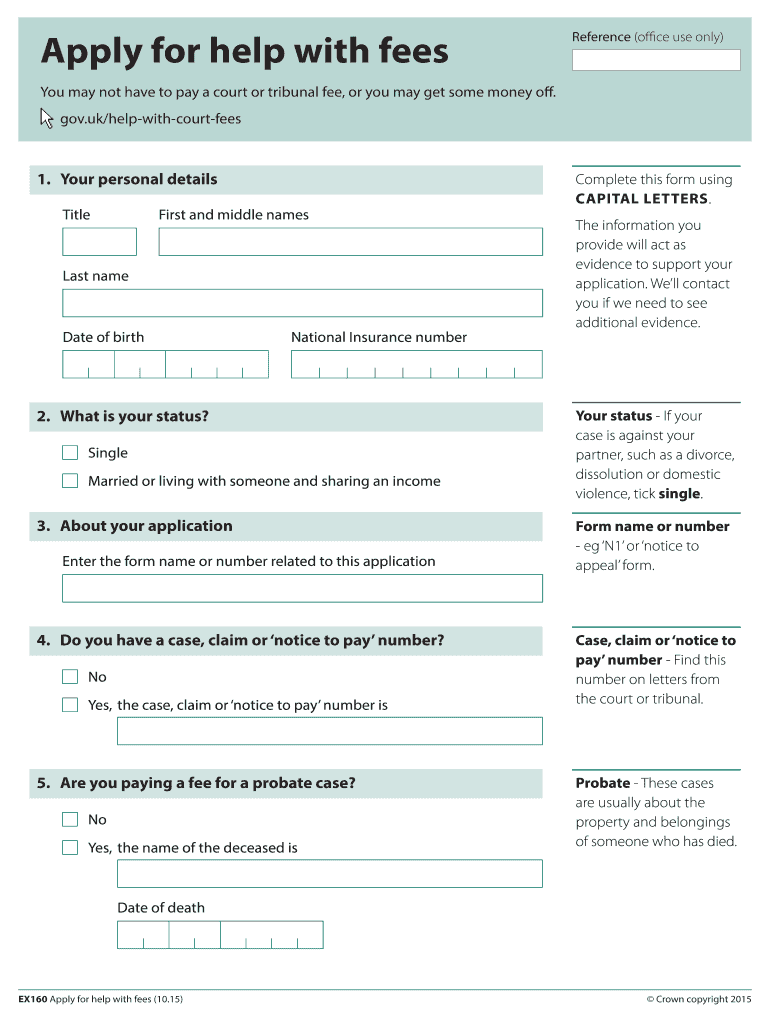
Click ‘Get Form’ to open the ex160 in the editor.
Begin by entering your personal details in Section 1, including your title, first and last names, date of birth, and National Insurance number.
In Section 2, indicate your status by selecting either 'Single' or 'Married/living with someone'. This is crucial for determining eligibility.
Proceed to Section 3 and enter the form name or number related to your application. This could be something like 'N1' or 'notice to appeal'.
For Section 4, specify if you have a case, claim, or notice to pay number. If yes, provide that number as it is essential for processing your application.
Continue through Sections 5 to 12 by answering questions about fees paid, savings and investments, benefits received, children supported, and total monthly income. Ensure all figures are accurate.
Finally, complete Section 13 by signing the declaration and providing your contact details. Review all entries for accuracy before submission.
Start filling out your ex160 form online for free today!
In 2004 the model name was changed to Zaxis. Excavators. Serial Number Location. Combatting Heavy Equipment Theft. 17. EX100. EX110. EX160. EX200. EX230.Read more
Vaccination against the HDL receptor of S. japonicum
by J Zhu 2023 Immunization with rEx160 induced consistent anti-Ex160 IgG antibody and DocHub reduction in development of the liver granulomatosis lesionsRead more
Cookie consent notice
This site uses cookies to enhance site navigation and personalize your experience.
By using this site you agree to our use of cookies as described in our Privacy Notice.
You can modify your selections by visiting our Cookie and Advertising Notice.