Armls forms 2026

Get Form
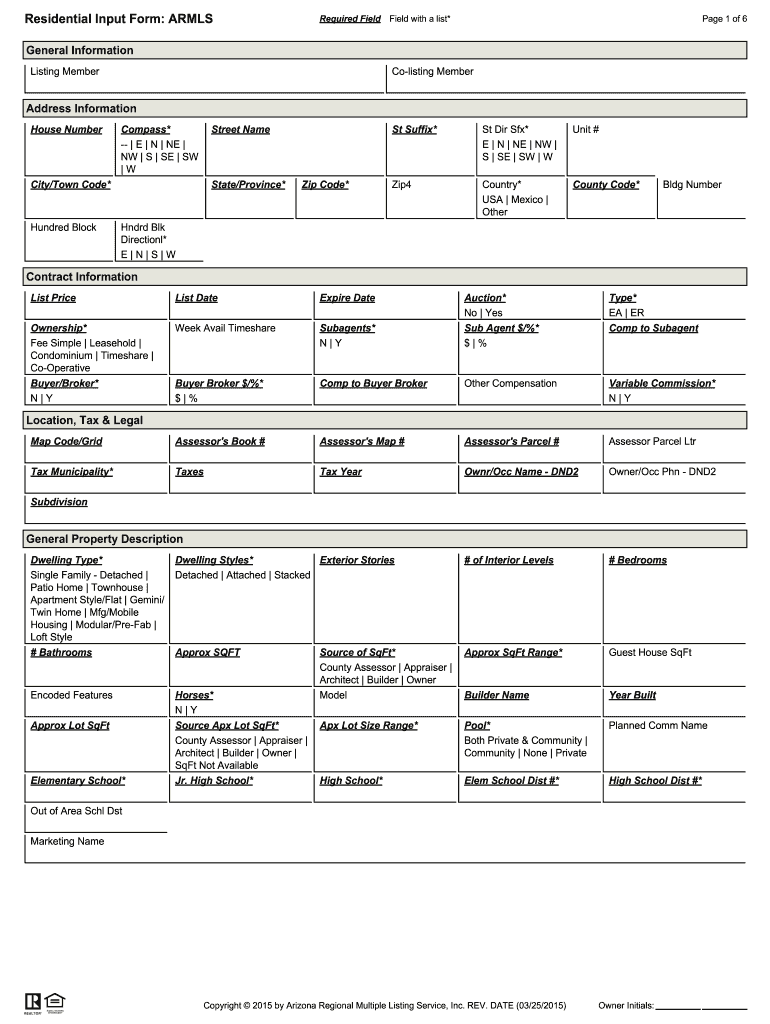
armls Preview on Page 1

Here's how it works

01. Edit your armls online
Type text, add images, blackout confidential details, add comments, highlights and more.
02. Sign it in a few clicks
Draw your signature, type it, upload its image, or use your mobile device as a signature pad.
03. Share your form with others
Send armls flexmls via email, link, or fax. You can also download it, export it or print it out.

How to use or fill out armls forms with our platform

Form edit decoration
9.5
Ease of Setup
DocHub User Ratings on G2
9.0
Ease of Use
DocHub User Ratings on G2
  1. Click ‘Get Form’ to open the Residential Input Form in the editor.
  2. Begin by filling out the 'General Information' section. Enter the Listing Member and Co-listing Member details, followed by the complete address including House Number, Street Name, City/Town Code, State/Province, and Zip Code.
  3. Proceed to 'Contract Information'. Here, input the List Price, List Date, and Expiration Date. Indicate if there are subagents involved and specify any auction details if applicable.
  4. In the 'General Property Description', select the Dwelling Type and provide information on the number of Bedrooms and Bathrooms. Include Approximate Square Footage and any additional features like a Pool or Guest House.
  5. Complete the 'Remarks & Misc' section with Cross Street directions and Public Remarks that will be visible in listings. Ensure all required fields are filled accurately before submission.

Start using our platform today for free to streamline your armls forms completion!

be ready to get more

Complete this form in 5 minutes or less

Get form

Got questions?

We have answers to the most popular questions from our customers. If you can't find an answer to your question, please contact us.
Contact us

Most eSignature services require users to have a paid subscription. With DocHub, there are two options for you to add an electronic signature to your armls forms at no cost:

  • You can do it during a 7-day trial period;
  • You can sign up for a free plan.

The second option, though, has limitations on the number of signatures, sign requests, emails, and documents for editing available per month. You can check for full details here.

Document editing with DocHub is equally convenient on desktop and mobile devices. You just need an internet browser to edit your armls login on Android. Open our site and sign in to access the tools you require. Add your document and introduce your intended modifications. Next, you can keep your form in your document storage or send it out right away.

Arizona Regional Multiple Listing Service Now, ARMLS is the largest MLS in Arizona and serves 40,000 subscribers all across the state. ARMLS is consistently expanding and currently covers many Arizona cities such as Phoenix, Scottsdale, Mesa, Chandler, Tempe, and Glendale.
0:12 4:01 Now what exactly does an MLS sheet include typically you will find the propertys. Address askingMoreNow what exactly does an MLS sheet include typically you will find the propertys. Address asking price number of bedrooms. And bathrooms.
CurbView, including the CurbView Tax functionality, is available as a stand-alone mobile app in the Apple and Android app stores.

Security and compliance

At DocHub, your data security is our priority. We follow HIPAA, SOC2, GDPR, and other standards, so you can work on your documents with confidence.

Learn more
ccpa2
pci-dss
gdpr-compliance
hipaa
soc-compliance
be ready to get more

Complete this form in 5 minutes or less

Get form

People also ask

As an ARMLS subscriber, you gain access to a wide range of services, products and benefits. Core systems like Flexmls, Monsoon, Aligned Showings and RapidStats are backed by our support department seven days a week. We offer various training options tailored to meet the needs of every subscriber.

Related links