Type text, add images, blackout confidential details, add comments, highlights and more.
02. Sign it in a few clicks
Draw your signature, type it, upload its image, or use your mobile device as a signature pad.
03. Share your form with others
Send medicare signature attestation form via email, link, or fax. You can also download it, export it or print it out.
How to use or fill out billing attestation form with our platform
Ease of Setup
DocHub User Ratings on G2
Ease of Use
DocHub User Ratings on G2
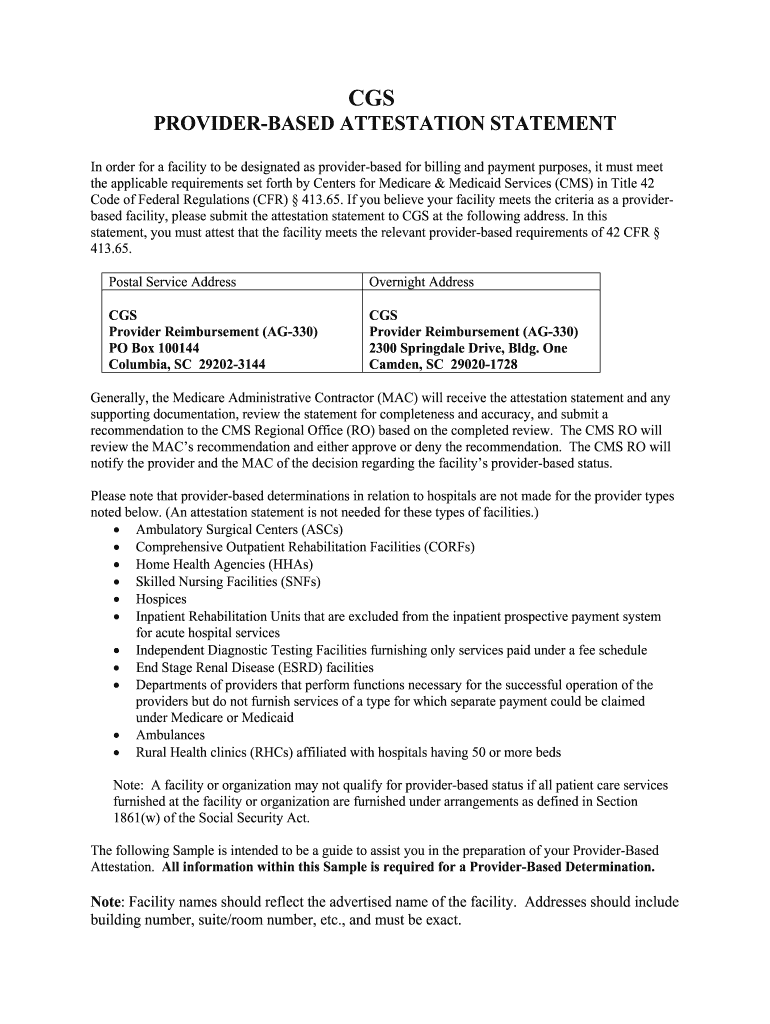
Click ‘Get Form’ to open the billing attestation form in the editor.
Begin by entering the Main Provider’s Medicare Provider Number and Name in the designated fields. Ensure accuracy as this information is crucial for identification.
Fill in the Main Provider’s Address, including any specific building or suite numbers, to avoid processing delays.
Provide contact details for the Application Contact, including their name, phone number, and email address. This ensures that any follow-up can be conducted smoothly.
Complete the Facility/Organization’s Name and Exact Physical Address. Be meticulous about including all necessary details such as building or room numbers.
Indicate whether your facility is a remote location, satellite facility, or hospital outpatient department by checking the appropriate box.
Review all entries for completeness and accuracy before submitting your attestation statement to ensure compliance with CMS requirements.
Start filling out your billing attestation form today for free using our platform!
Fill out billing attestation form online It's free
Billing attestation form templateBilling attestation form pdfCMS signature attestation form PDFMedicare attestation formMedicare attestation form PDFPhysician Signature Attestation formSignature Attestation statement exampleCMS Attestation Form
Security and compliance
At DocHub, your data security is our priority. We follow HIPAA, SOC2, GDPR, and other standards, so you can work on your documents with confidence.
Aug 9, 2018 Must be submitted in a new claim form and all applicable fields completed. Adjustment field needs to be marked. The TCN# of the claim youRead more
Cookie consent notice
This site uses cookies to enhance site navigation and personalize your experience.
By using this site you agree to our use of cookies as described in our Privacy Notice.
You can modify your selections by visiting our Cookie and Advertising Notice.