Type text, add images, blackout confidential details, add comments, highlights and more.

02. Sign it in a few clicks
Draw your signature, type it, upload its image, or use your mobile device as a signature pad.

03. Share your form with others
Send iso templates via email, link, or fax. You can also download it, export it or print it out.

How to use or fill out iso template resume with our platform
Ease of Setup
DocHub User Ratings on G2
Ease of Use
DocHub User Ratings on G2
Click ‘Get Form’ to open the iso template resume in the editor.
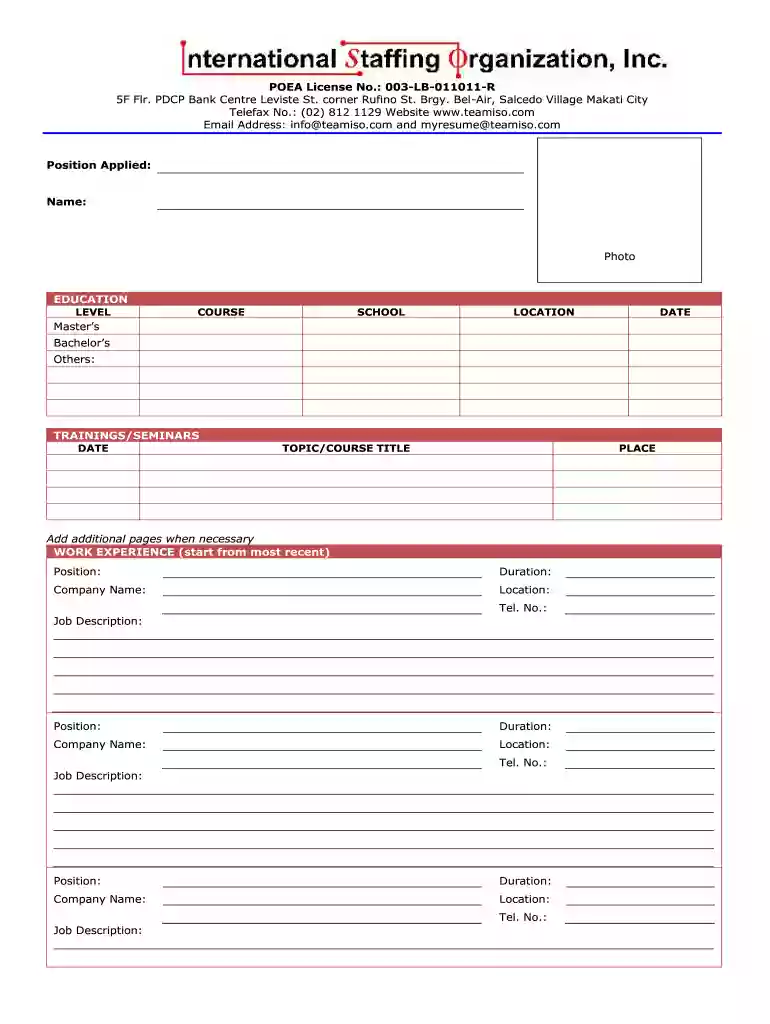
Begin by entering your personal data, including your name, age, date of birth, and contact information. Ensure accuracy as this is crucial for potential employers.
Upload a professional photo in the designated area to enhance your resume's visual appeal.
Fill out the education section by listing your highest level of education first. Include the course, school name, location, and dates attended.
In the work experience section, start with your most recent job. Provide details such as position held, duration of employment, company name, location, and a brief job description.
Complete the work references section by adding names, addresses, telephone numbers, relationships to you, and their occupations.
Address any legal history or medical history questions honestly. Use additional sheets if necessary for detailed explanations.
Finally, review all entries for accuracy before signing at the bottom to confirm the truthfulness of your information.
Start using our platform today to create a standout iso template resume for free!
Cookie consent notice
This site uses cookies to enhance site navigation and personalize your experience.
By using this site you agree to our use of cookies as described in our Privacy Notice.
You can modify your selections by visiting our Cookie and Advertising Notice.