




Here's how it works

01. Edit your veterans preference form raton online
Type text, add images, blackout confidential details, add comments, highlights and more.

02. Sign it in a few clicks
Draw your signature, type it, upload its image, or use your mobile device as a signature pad.

03. Share your form with others
Send preference letter sample via email, link, or fax. You can also download it, export it or print it out.
How to use or fill out the claim for veterans preference

- Click ‘Get Form’ to open it in the editor.
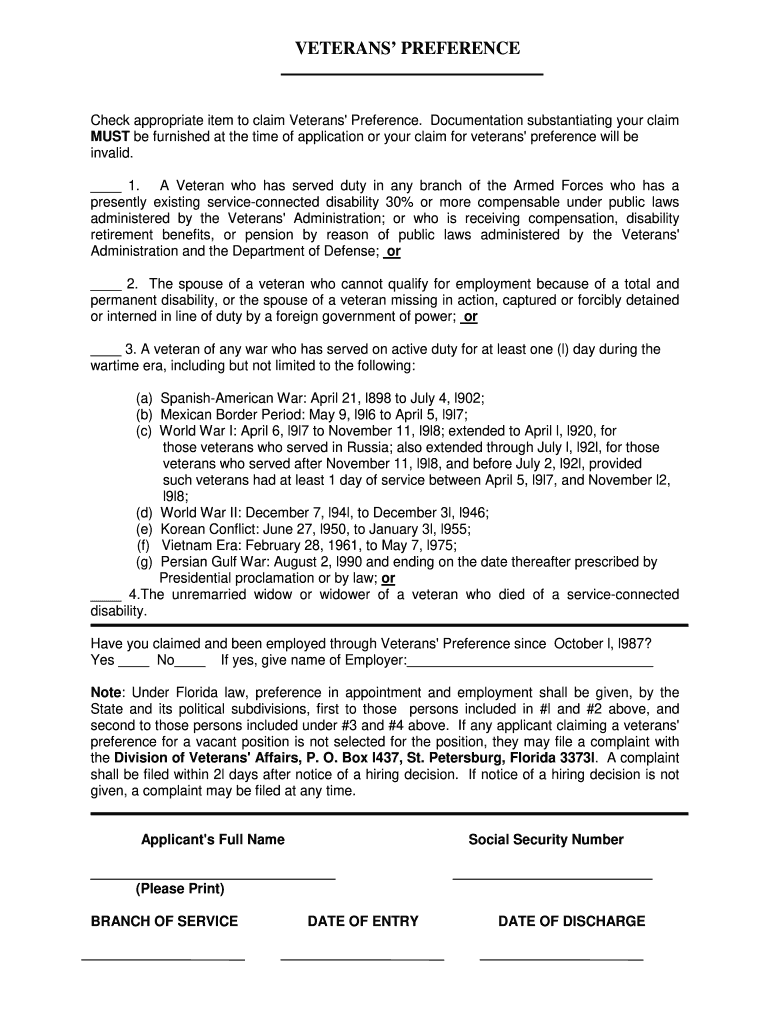
- Begin by checking the appropriate box to claim Veterans' Preference. Ensure you have the necessary documentation ready, as it must be submitted with your application.
- Fill in your full name and Social Security Number clearly in the designated fields.
- Indicate your branch of service, along with your date of entry and date of discharge from military service.
- If applicable, answer whether you have claimed and been employed through Veterans' Preference since October 1, 1987. If yes, provide the name of your employer.
- Review all entries for accuracy before submitting. Utilize our platform's features to save or print your completed form for your records.
Start using our editor today to easily complete your veterans preference claim form online for free!
Fill out how do you file a claim for veterans preference online
It's free
It's free
Security and compliance
At DocHub, your data security is our priority. We follow HIPAA, SOC2, GDPR, and other standards, so you can work on your documents with confidence.
Learn more




