




Here's how it works



How to use or fill out OMB No. 1845-0110 with our platform

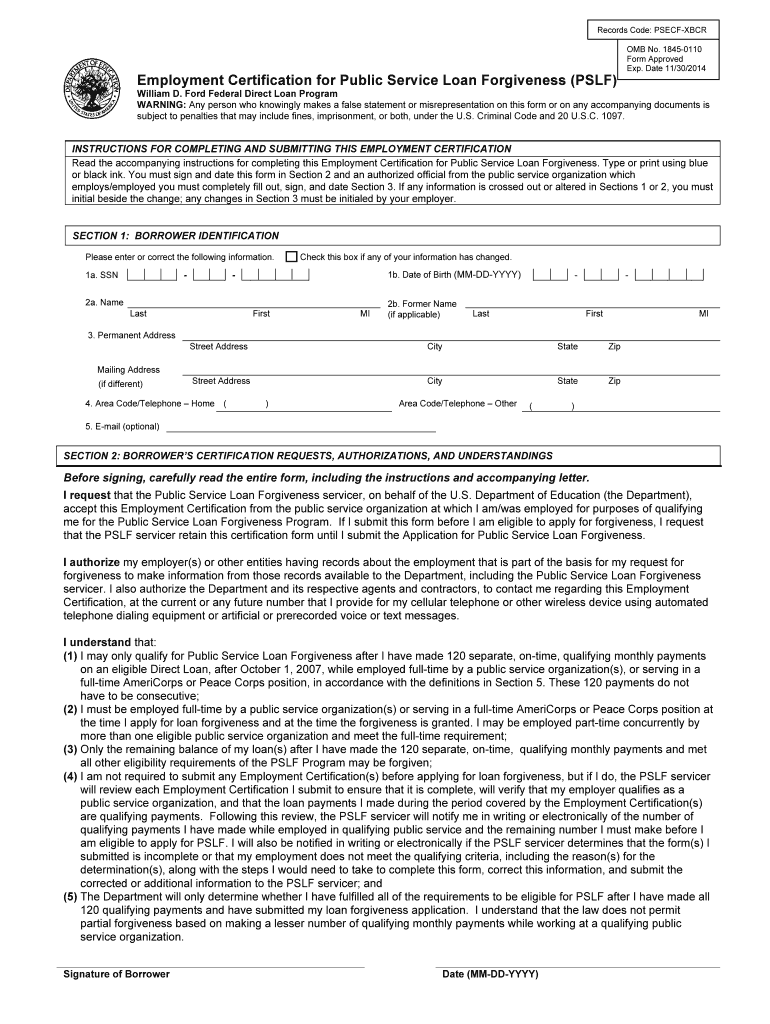
- Click ‘Get Form’ to open the Employment Certification for Public Service Loan Forgiveness in the editor.
- In Section 1, enter your Borrower Identification details including your Social Security Number, Date of Birth, and Name. Ensure all information is accurate and check the box if any details have changed.
- Proceed to Section 2 where you will certify your requests and authorizations. Carefully read the statements before signing and dating the form.
- In Section 3, if applicable, have an authorized official from your public service organization complete this section. They must provide their signature and date as well.
- Review all sections for completeness. If any changes are made, initial beside them as required. Once finalized, submit the form as instructed in Section 6.
Start using our platform today to streamline your form completion process for free!
It's free
Got questions?
Is it safe to sign my omb 1845 form electronically?
You need to use only trustworthy software solutions with strong data protection compliance to approve your documents electronically. DocHub is just the type of software you need! It stores data on Amazon Web Servers and complies with all necessary security standards and eSignature laws, so it’s a trusted way to eSign your omb 1845 form or other documents with this tool.
Can I edit 1845 0110 on my phone?
As a comprehensive document modifying platform, DocHub is available on mobile devices. Open DocHub in your choice of mobile browser and use our intelligent mobile-friendly toolset to fill out your 1845 0110.
Security and compliance
At DocHub, your data security is our priority. We follow HIPAA, SOC2, GDPR, and other standards, so you can work on your documents with confidence.
Learn more




