Type text, add images, blackout confidential details, add comments, highlights and more.
02. Sign it in a few clicks
Draw your signature, type it, upload its image, or use your mobile device as a signature pad.
03. Share your form with others
Send 47sp via email, link, or fax. You can also download it, export it or print it out.
How to use or fill out 47sp form with our platform
Ease of Setup
DocHub User Ratings on G2
Ease of Use
DocHub User Ratings on G2
Click ‘Get Form’ to open the 47sp form in the editor.
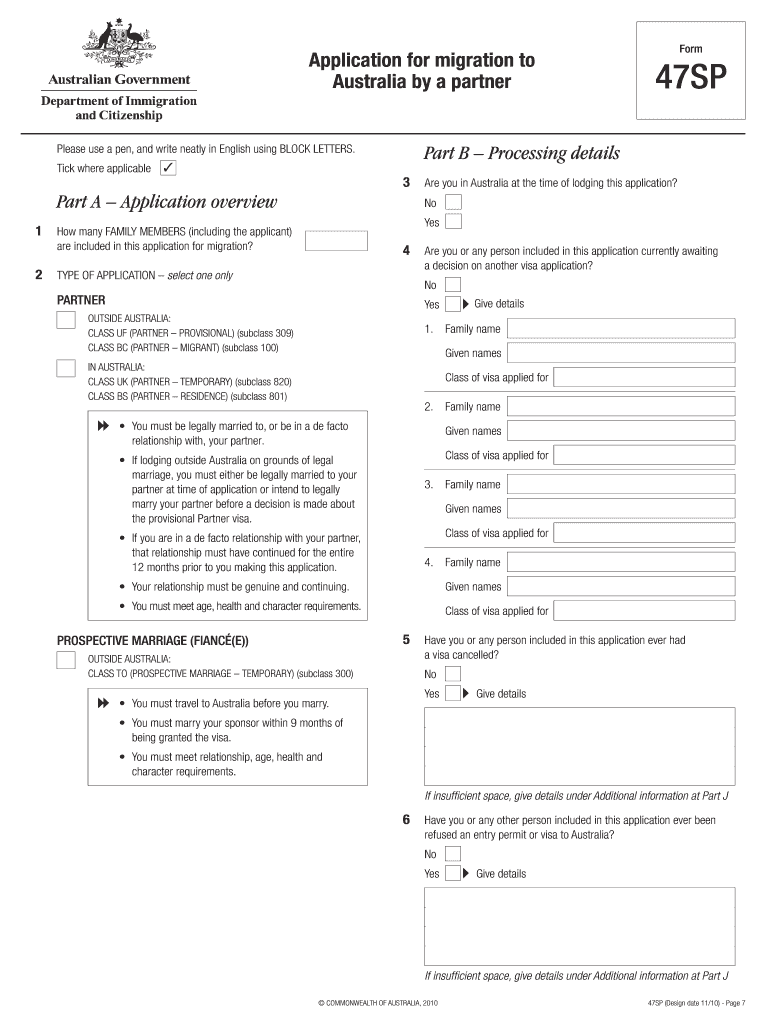
Begin by filling out Part A, which includes your application overview. Select the type of application you are submitting and provide details about your family members included in the application.
In Part B, provide processing details such as whether you are currently in Australia and any previous visa applications.
Complete Part C with your personal details, including your full name, date of birth, and current residential address. Ensure that all information is accurate and written in English.
Proceed to Part D to list your family details. Include information about parents, siblings, and children. If necessary, attach additional sheets for more information.
In Part E, provide details about your fiancé(e) or partner. This includes their full name, citizenship status, and contact information.
Finally, review all sections for completeness before signing the declaration in Part N. Make sure to save a copy of your completed form for your records.
Start using our platform today to simplify your form completion process!
Upon request, the Employer will provide the tort claim form to the employee. Employees will be granted work time to complete and submit the claim form.Read more
Form 47 (Rev. 11/15) Spanish. Pgina 1. Divisin de Servicios para Familias y Nios. EN. GEORGIA. Programa de Asistencia de Nutricin. Suplementaria-SNAP (Read more
Cookie consent notice
This site uses cookies to enhance site navigation and personalize your experience.
By using this site you agree to our use of cookies as described in our Privacy Notice.
You can modify your selections by visiting our Cookie and Advertising Notice.