




Here's how it works



How to use or fill out firstmonie agent portal with DocHub

- Click ‘Get Form’ to open the firstmonie agent portal in our platform's editor.
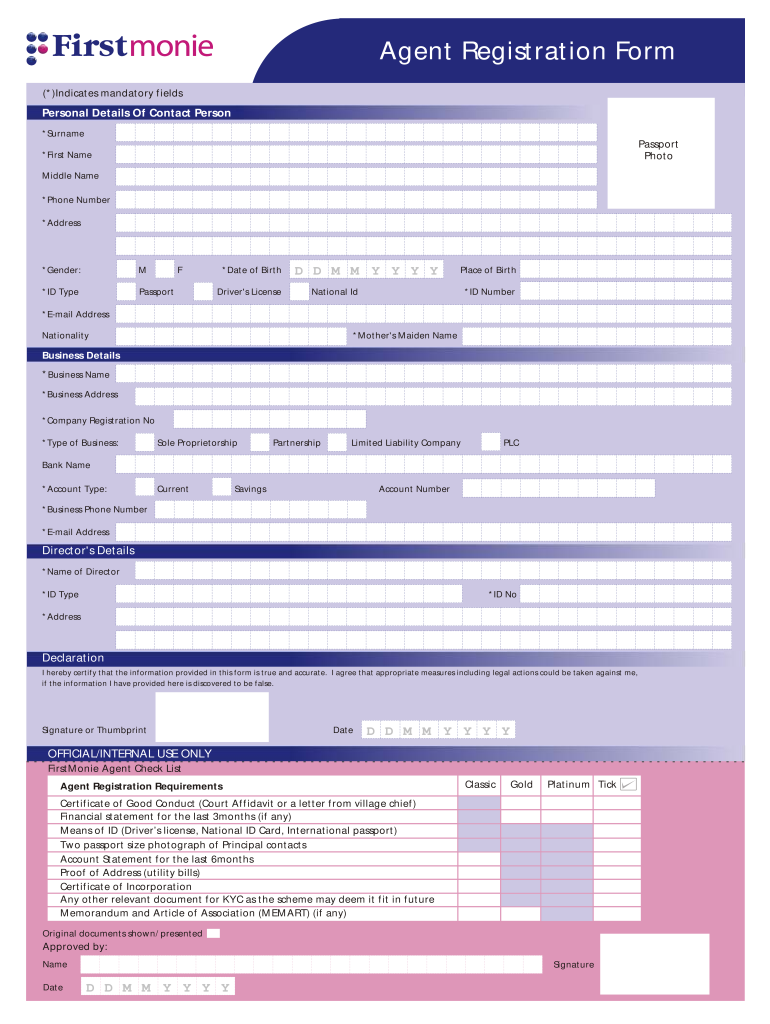
- Begin by filling out the 'Personal Details Of Contact Person' section. Ensure you complete all mandatory fields marked with an asterisk (*), including your surname, first name, phone number, and email address.
- Upload a passport-sized photo in the designated area and select your gender. Choose your ID type from the options provided and enter your date of birth along with your place of birth.
- Proceed to the 'Business Details' section. Enter your business name, address, and company registration number. Select the type of business you operate and provide banking details including bank name and account type.
- In the 'Director's Details' section, input the director's name, ID type, ID number, and address. Make sure all information is accurate as it will be verified.
- Finally, read through the declaration statement carefully. By signing or providing a thumbprint, you confirm that all information is true. Don't forget to include the date.
Start using our platform today for free to streamline your document editing and form completion!
It's free
Got questions?
Can I draw my electronic signature to approve my how to unlock firstmonie agent account?
Of course, electronically drawing your signature is acceptable, but only if you use a tool that complies with industry regulations and policies. Try DocHub, which ensures eSignature validity under ESIGN and UETA requirements. All you need to approve your how to unlock firstmonie agent account electronically is an account with DocHub and an internet connection. After you open your document in our editor, click Sign and select the Draw tool.
Can I print my firstmonie agent portal login and complete it on my own?
When you choose analog ways of completing your firstmonie agent portal login, it is simple to download your file for printing. Search DocHub’s Forms & Templates catalog to find the exact document template you need and open it for editing or download it on your device in the format of your liking. It is possible to complete your form electronically and place your handwritten signature on it right after printing or eSign your document with DocHub.
Security and compliance
At DocHub, your data security is our priority. We follow HIPAA, SOC2, GDPR, and other standards, so you can work on your documents with confidence.
Learn more




