Type text, add images, blackout confidential details, add comments, highlights and more.
02. Sign it in a few clicks
Draw your signature, type it, upload its image, or use your mobile device as a signature pad.
03. Share your form with others
Send brookhill ranch via email, link, or fax. You can also download it, export it or print it out.
How to use or fill out brookhill ranch with our platform
Ease of Setup
DocHub User Ratings on G2
Ease of Use
DocHub User Ratings on G2
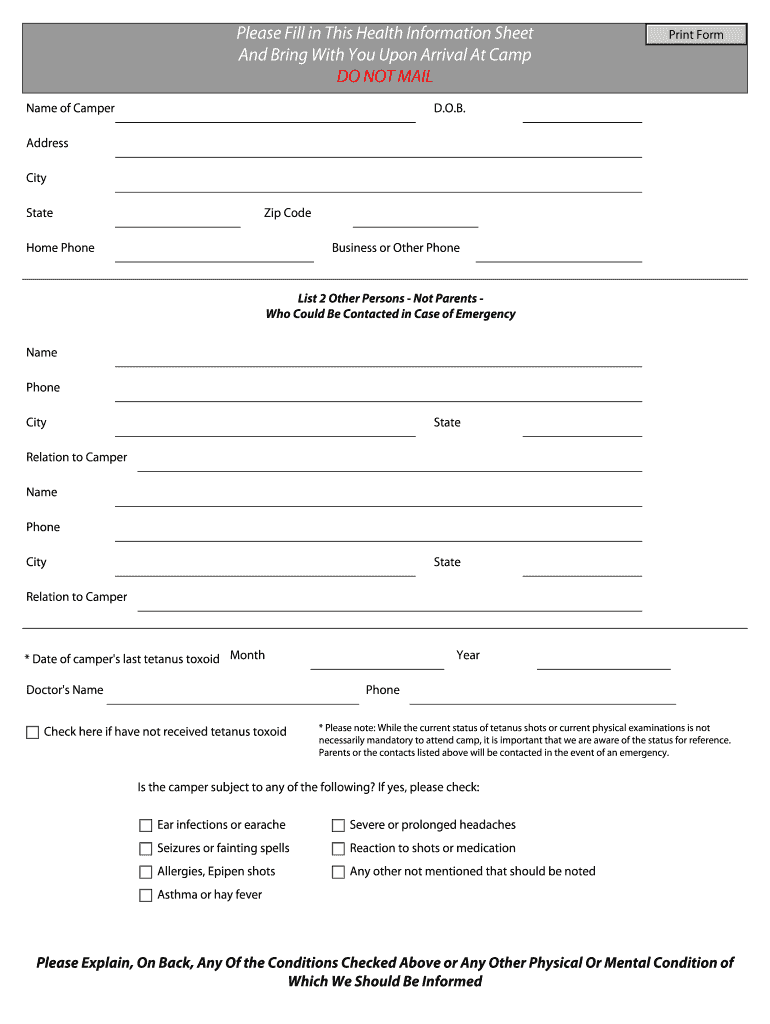
Click ‘Get Form’ to open the brookhill ranch health information sheet in the editor.
Begin by entering the camper's name in the designated field. Ensure it is clearly printed for easy reading.
Fill in the date of birth (D.O.B.) and address details, including city, state, and zip code. This information is crucial for identification.
Provide home and business phone numbers for contact purposes. Make sure these numbers are current.
List two emergency contacts who are not parents. Include their names, phone numbers, cities, states, and relation to the camper.
Indicate the date of the camper's last tetanus toxoid shot by filling in the month and year. If they have not received it, check the provided box.
Answer any health-related questions by checking applicable conditions such as allergies or asthma. Use the back of the form to provide additional explanations if necessary.
Start filling out your brookhill ranch form online for free today!
Inspection: 315174342 - Tnt Contracting And Erecting, LLC
Site Address: Tnt Contracting And Erecting, L.L.C. 548 Brookhill Ranch Road Hot Springs, AR 71909 ; Mailing Address: 100 Woodland Cove, Malvern, AR 72104.
Cookie consent notice
This site uses cookies to enhance site navigation and personalize your experience.
By using this site you agree to our use of cookies as described in our Privacy Notice.
You can modify your selections by visiting our Cookie and Advertising Notice.