




Here's how it works

01. Edit your md child support login online
Type text, add images, blackout confidential details, add comments, highlights and more.

02. Sign it in a few clicks
Draw your signature, type it, upload its image, or use your mobile device as a signature pad.

03. Share your form with others
Send maryland child support login via email, link, or fax. You can also download it, export it or print it out.
How to use or fill out Maryland Child Support Direct Deposit with our platform

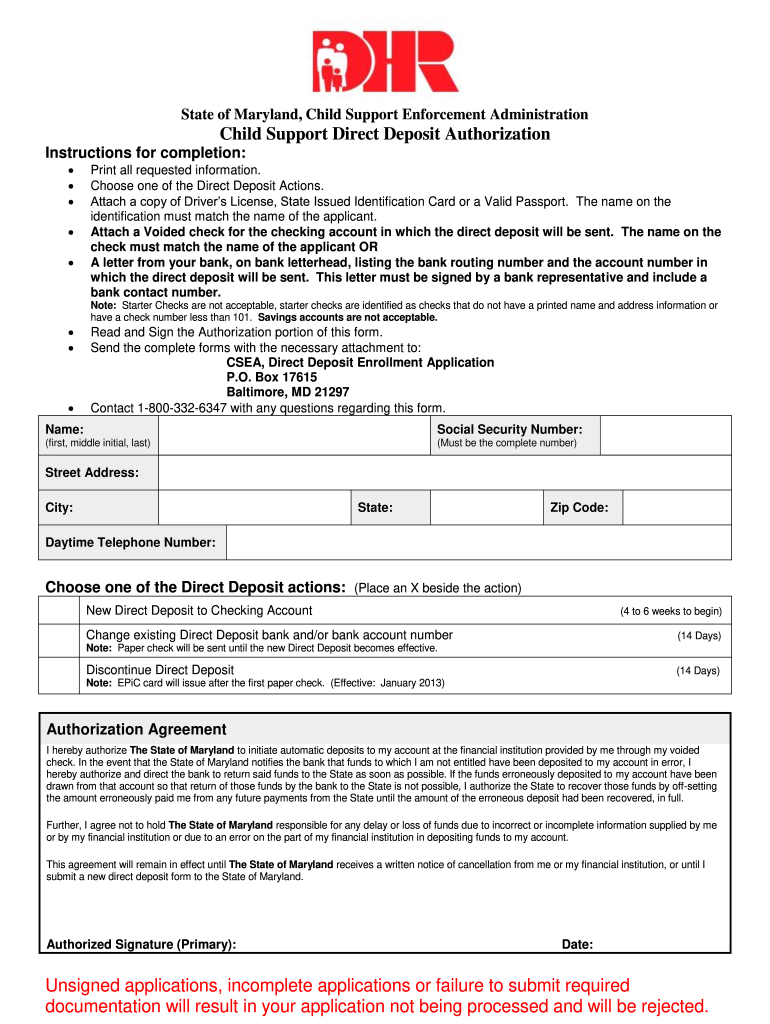
- Click ‘Get Form’ to open the Maryland Child Support Direct Deposit Authorization form in the editor.
- Begin by printing all requested information clearly. Fill in your name, Social Security Number, and address accurately.
- Select one of the Direct Deposit actions by placing an 'X' beside your choice: New Direct Deposit, Change Existing Direct Deposit, or Discontinue Direct Deposit.
- Attach a copy of your Driver’s License, State Issued ID, or Valid Passport ensuring that the name matches the applicant's name on the form.
- Include a voided check for your checking account or a signed letter from your bank on official letterhead that lists your bank routing number and account number.
- Read and sign the Authorization Agreement section at the bottom of the form to confirm your understanding and agreement.
- Finally, send the completed form along with all attachments to CSEA at the provided address. Ensure you keep a copy for your records.
Start using our platform today to streamline your Maryland Child Support Direct Deposit process for free!
Fill out maryland child support direct deposit online
It's free
Security and compliance
At DocHub, your data security is our priority. We follow HIPAA, SOC2, GDPR, and other standards, so you can work on your documents with confidence.
Learn more


