




Here's how it works

01. Edit your how many points do you need to get into lane tech online
Type text, add images, blackout confidential details, add comments, highlights and more.

02. Sign it in a few clicks
Draw your signature, type it, upload its image, or use your mobile device as a signature pad.

03. Share your form with others
Send service hour forms via email, link, or fax. You can also download it, export it or print it out.
How to use or fill out lane tech service hours with our platform

- Click ‘Get Form’ to open the lane tech service hours document in the editor.
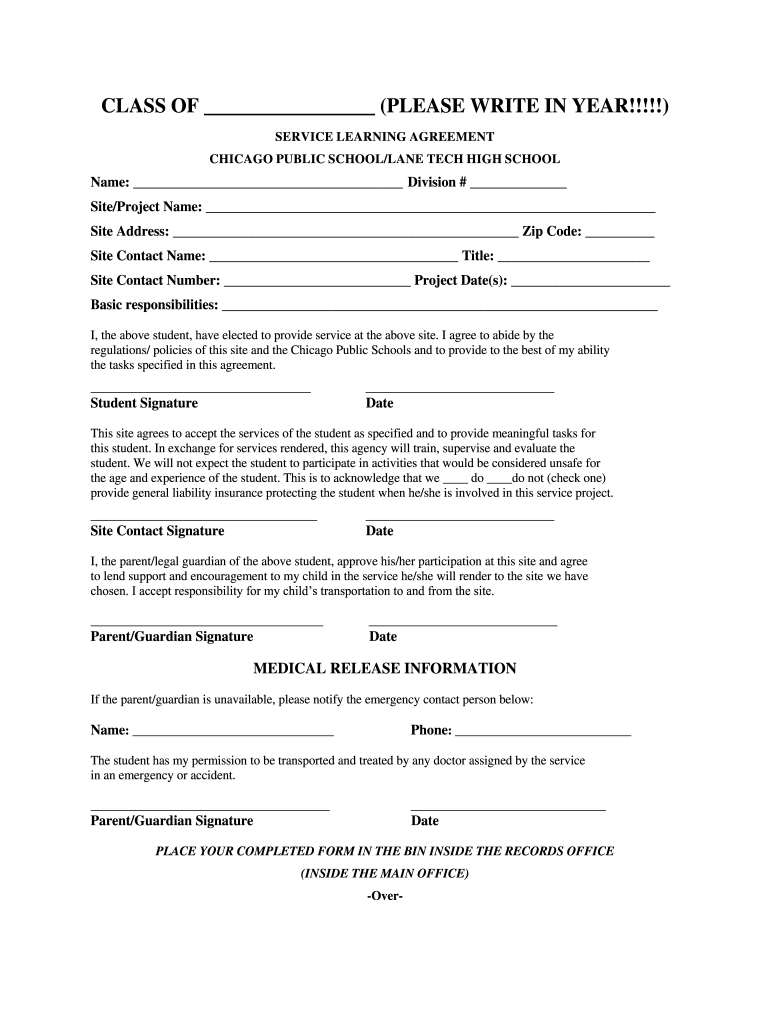
- Begin by filling in the 'CLASS OF' section at the top, ensuring you write in the correct year.
- In the 'Name' field, enter your full name and provide your division number.
- Complete the 'Site/Project Name' and 'Site Address' sections, including the zip code for accuracy.
- Fill in the 'Site Contact Name', their title, and contact number to ensure proper communication.
- Specify the project date(s) and outline your basic responsibilities clearly in the designated area.
- Sign and date where indicated as a commitment to your service agreement.
- Ensure that a site contact representative signs off on their acceptance of your services.
- If applicable, have your parent or guardian sign to approve your participation and responsibility for transportation.
- Complete the medical release information if necessary, providing an emergency contact's details.
- Document your service hours accurately in the time sheet section, including supervisor’s signature for verification.
- Finally, reflect on your experience in writing as prompted before submitting your completed form.
Start using our platform today to easily fill out and manage your lane tech service hours!
Fill out lane tech service hours online
It's free
It's free
Security and compliance
At DocHub, your data security is our priority. We follow HIPAA, SOC2, GDPR, and other standards, so you can work on your documents with confidence.
Learn more




