Consultations - Kalish Wellness 2026

Get Form
Consultations - Kalish Wellness Preview on Page 1

Here's how it works

01. Edit your form online
Type text, add images, blackout confidential details, add comments, highlights and more.
02. Sign it in a few clicks
Draw your signature, type it, upload its image, or use your mobile device as a signature pad.
03. Share your form with others
Send it via email, link, or fax. You can also download it, export it or print it out.

How to use or fill out Consultations - Kalish Wellness with DocHub

Form edit decoration
9.5
Ease of Setup
DocHub User Ratings on G2
9.0
Ease of Use
DocHub User Ratings on G2
  1. Click ‘Get Form’ to open the Consultations - Kalish Wellness document in our platform.
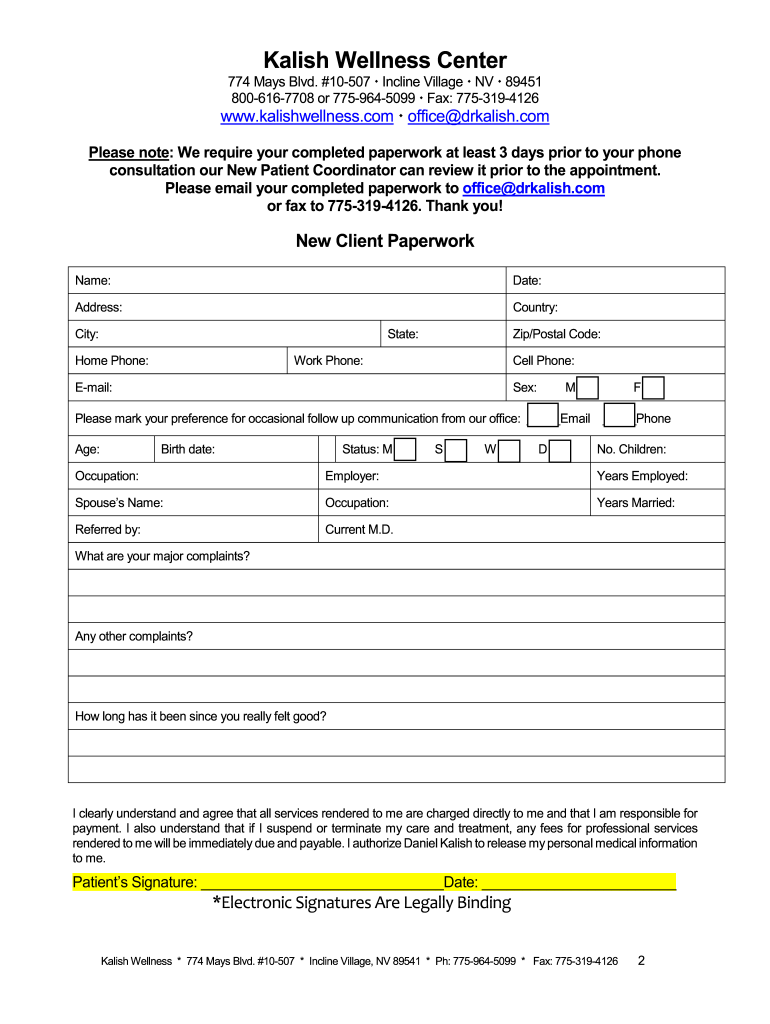
  2. Begin by entering your personal information in the designated fields, including your name, address, and contact details. Ensure accuracy for effective communication.
  3. Fill out the health history section thoroughly. This includes major complaints, current medications, and any allergies. Providing detailed information will help tailor your consultation.
  4. Review the policies and procedures outlined in the document. Acknowledge your understanding by signing electronically where indicated.
  5. Once completed, save your form and submit it via email or fax as instructed. Make sure to do this at least three days prior to your consultation.

Start using our platform today to streamline your wellness journey effortlessly!

be ready to get more

Complete this form in 5 minutes or less

Get form

Got questions?

We have answers to the most popular questions from our customers. If you can't find an answer to your question, please contact us.
Contact us

With DocHub, it’s quite simple. The editor offers users an add-on called DocHub for Gmail, which you can locate in the Google Workspace Marketplace without being charged. Set it up and grant it access to your Google account. Open your email with your Consultations - Kalish Wellness attached and click on the add-on button in the right-side panel. Log in to your DocHub account, and import the form to our editor, where you can fill it out and sign.

When you go for analog ways of completing your Consultations - Kalish Wellness, it is simple to download your file for printing. Search DocHub’s Forms & Templates catalog to locate the exact document template you require and open it for editing or download it on your gadget in the format of your choice. It is possible to complete your form electronically and place your handwritten signature on it right after printing or eSign your document with DocHub.

Dr. Kalish has published a research study on his clinical methods with the Mayo Clinic and has authored three books on Functional Medicine, and is a notable speaker at Integrative Medicine conferences.
The Kalish method uses scientific lab tests and designs specific individualized supplement and nutritional programs for a varied group of patients, ranging from Olympic athletes to new moms. This program works for everyone.
Kalish teaches a logical sequence of therapeutic programs using the best lab tests available and focuses on how to communicate effectively with patients to correct chronic health conditions, and, importantly, how to build a thriving practice.

Security and compliance

At DocHub, your data security is our priority. We follow HIPAA, SOC2, GDPR, and other standards, so you can work on your documents with confidence.

Learn more
ccpa2
pci-dss
gdpr-compliance
hipaa
soc-compliance