Missouri proctor 2026

Get Form
proctor information form Preview on Page 1

Here's how it works

01. Edit your proctor information form online
Type text, add images, blackout confidential details, add comments, highlights and more.

02. Sign it in a few clicks
Draw your signature, type it, upload its image, or use your mobile device as a signature pad.

03. Share your form with others
Send it via email, link, or fax. You can also download it, export it or print it out.

How to use or fill out missouri proctor with our platform

Form edit decoration
9.5
Ease of Setup
DocHub User Ratings on G2
9.0
Ease of Use
DocHub User Ratings on G2
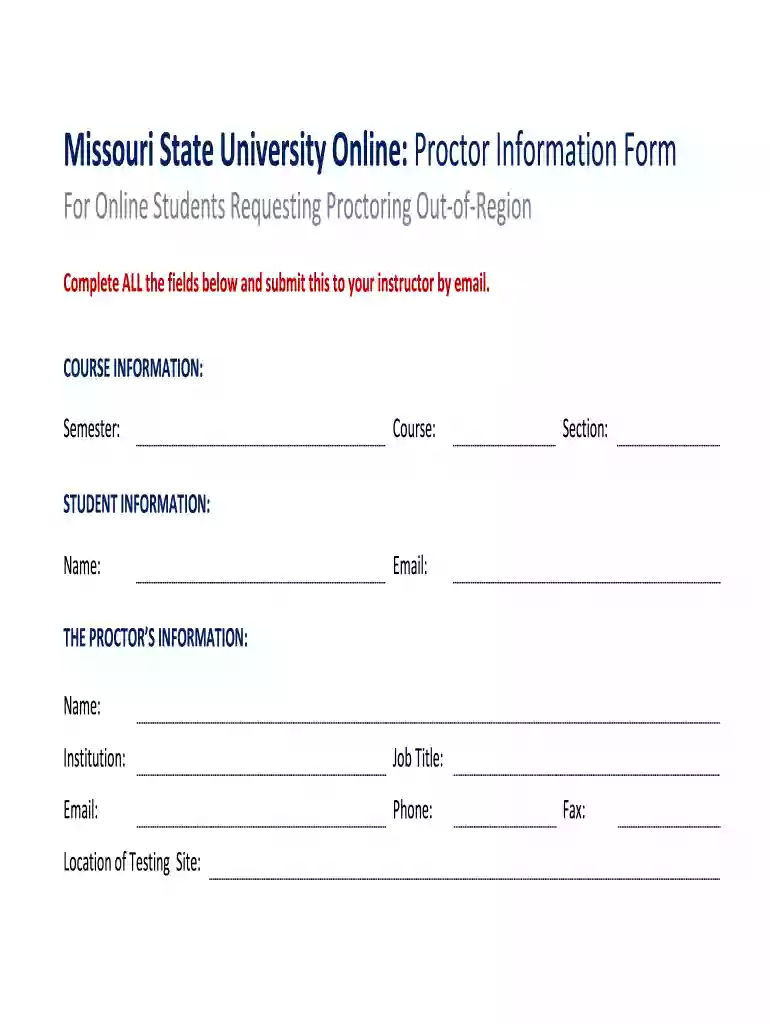
  1. Click ‘Get Form’ to open the Missouri Proctor Information Form in the editor.
  2. Begin by filling out the COURSE INFORMATION section. Enter the Semester, Course, and Section details accurately to ensure proper identification of your course.
  3. Next, move to the STUDENT INFORMATION section. Provide your Name and Email address. This information is crucial for communication regarding your proctoring request.
  4. In THE PROCTOR’S INFORMATION section, input the Proctor's Name, Institution, Job Title, Email, Phone number, and Location of Testing Site. Ensure all details are correct to facilitate a smooth proctoring process.
  5. If applicable, include the Fax number for additional communication needs. Review all entries for accuracy before submission.
  6. Once completed, submit the form to your instructor via email as instructed.

Start using our platform today for free to streamline your document editing and submission process!

be ready to get more

Complete this form in 5 minutes or less

Get form

Got questions?

We have answers to the most popular questions from our customers. If you can't find an answer to your question, please contact us.
Contact us
🚫 Eating, drinking, smoking, and chewing gum are prohibited during the exam. 🚫 Written notes, published materials, and other testing aids are strictly prohibited. on the workstation desktop. Outerwear such as heavy coats, parkas, raincoats, etc., is not permitted in the immediate testing area. ProProctor User Guide ssih.org sites default files ssih.org sites default files
Anti-cheating identity verification and screenings Our test centers thoroughly screen candidates via IDs and optional biometrics, scan for cheat sheets, electronic devices, and monitor for other cheating methods.
Remote Proctor Now (RPNow) is an exam monitoring service that reviews videos created as students complete online exams. RPNow reviewers flag any suspicious activity or rule violation that might have occurred during the exam. Remote Proctor Now for Students | Gordon State College Gordon State College academics e-learning r Gordon State College academics e-learning r
Although you will not see your Prometric Proctor, he/she will monitor you throughout the testing process and will be available to provide assistance at any point during your exam. Using the LIVE PROCTOR feature on the right of your screen, you can speak with or send a message to your Proctor when you need help.
Proctors have the ability to view the screen and utilize the mouse and keyboard as if they were sitting next to you. Once the exam starts, your proctor will monitor everything on the computer screen, but can no longer utilize the your mouse and keyboard.

Security and compliance

At DocHub, your data security is our priority. We follow HIPAA, SOC2, GDPR, and other standards, so you can work on your documents with confidence.

Learn more
ccpa2
pci-dss
gdpr-compliance
hipaa
soc-compliance

People also ask

ProProctor from Prometric is a user-friendly remote assessment platform protected by top-rated security.

Related links