




Here's how it works



How to use or fill out dance team tryout score sheet with our platform

- Click ‘Get Form’ to open the dance team tryout score sheet in the editor.
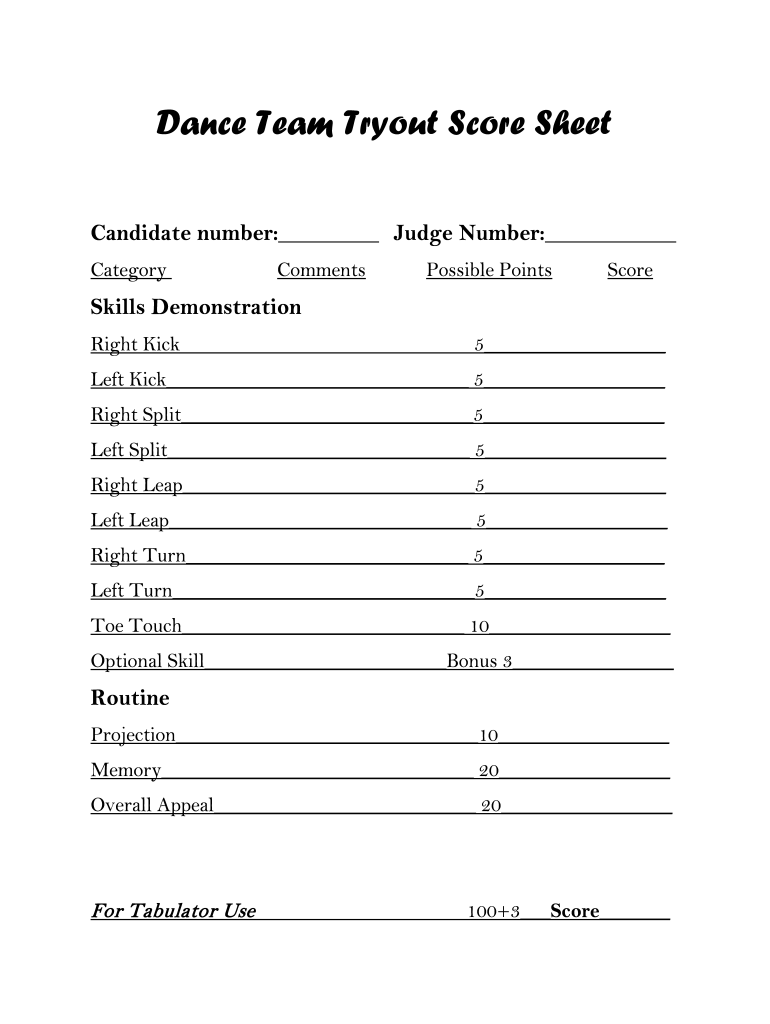
- Begin by entering the candidate number and judge number at the top of the form. This helps in organizing and identifying each participant.
- In the 'Skills Demonstration' section, assess each skill listed. For example, rate the right kick by placing a score out of 5 in the corresponding field. Repeat this for all skills including left kick, splits, leaps, and turns.
- For the 'Routine' section, evaluate projection, memory, and overall appeal. Assign scores based on your assessment—10 points for projection, 20 for memory, and 20 for overall appeal.
- Finally, calculate the total score by adding up all scores from both sections. Don’t forget to include any bonus points from optional skills!
Start using our platform today to streamline your dance team tryout scoring process for free!
It's free
Got questions?
Can I sign my dance team tryout score sheet electronically?
Based on eSignature regulations, documents approved electronically have the same validity as traditionally approved ones. You can electronically sign almost any business and private documentation. Four types of paperwork still call for wet signatures only - wills and testamentary trusts, court orders and other court papers, state statutes governing divorce, adoption, or other family law, and notice of cancellation of utility services. If you adhere to the regulations and use a secure and compliant software solution, like DocHub, you can eSign your dance team tryout score sheet without printing it.
Can I print my dance audition score sheet template and complete it on my own?
If you go for analog methods of completing your dance audition score sheet template, it is simple to download your file for printing. Search DocHub’s Forms & Templates catalog to find the exact file template you require and open it for editing or download it on your device in the format of your liking. It is easy to complete your form electronically and place your handwritten signature on it after printing or eSign your file with DocHub.
What are dance auditions like?
What should I do before dance tryouts?
What do you wear to dance team tryouts?
Security and compliance
At DocHub, your data security is our priority. We follow HIPAA, SOC2, GDPR, and other standards, so you can work on your documents with confidence.
Learn more




