




01. Edit your robbery description form online
Type text, add images, blackout confidential details, add comments, highlights and more.

Type text, add images, blackout confidential details, add comments, highlights and more.

Draw your signature, type it, upload its image, or use your mobile device as a signature pad.

Send bank robbery suspect description form via email, link, or fax. You can also download it, export it or print it out.

Start using our platform today to fill out your robbery description form easily and for free!
Based on eSignature laws, forms signed electronically have the same validity as traditionally approved ones. You can electronically sign almost any business and personal paperwork. Four types of paperwork still require wet signatures only - wills and testamentary trusts, court orders and other court forms, state statutes governing divorce, adoption, or other family law, and notice of cancellation of utility services. If you adhere to the rules and use a reliable and compliant software solution, like DocHub, you can eSign your physical description of the robber without printing it.
You can find and modify your robbery description online by using DocHub. Its simple yet feature-rich design enables you to start effective work immediately after you register your account. Create your account and add your file, then our interface will guide you through our stress-free form completion experience.
At DocHub, your data security is our priority. We follow HIPAA, SOC2, GDPR, and other standards, so you can work on your documents with confidence.
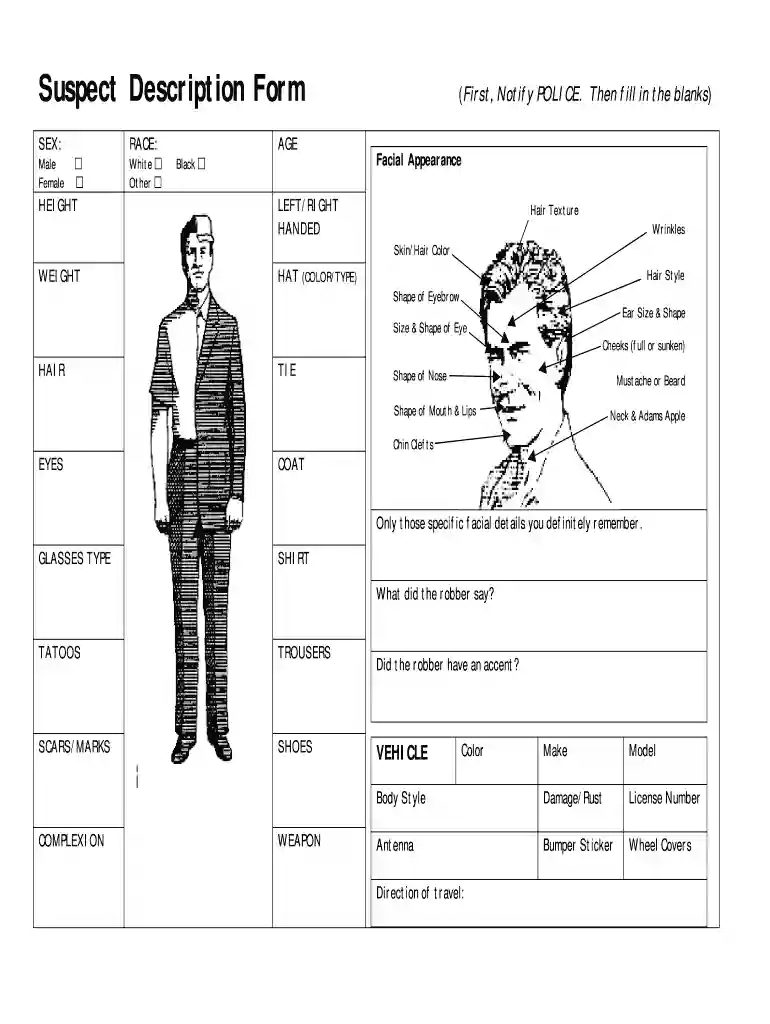
Suspect Description Form. (First, Notify POLICE. Then fill in the blanks) What did the robber say? Did the robber have an accent? VEHICLE. Color. Make.Read more
May 20, 2016 In criminal cases such as burglary, assault, and robbery, also notifies local law enforcement officers. The Postal Inspection ServiceRead more
handle anything? Describe? . Have you seen him/her before? Where? When? Is he/she a customer?Read more


