




Here's how it works

01. Edit your form online
Type text, add images, blackout confidential details, add comments, highlights and more.

02. Sign it in a few clicks
Draw your signature, type it, upload its image, or use your mobile device as a signature pad.

03. Share your form with others
Send it via email, link, or fax. You can also download it, export it or print it out.
How to use or fill out NOMINATION FORM APPOINTMENT TO STUDENT COUNCIL with our platform

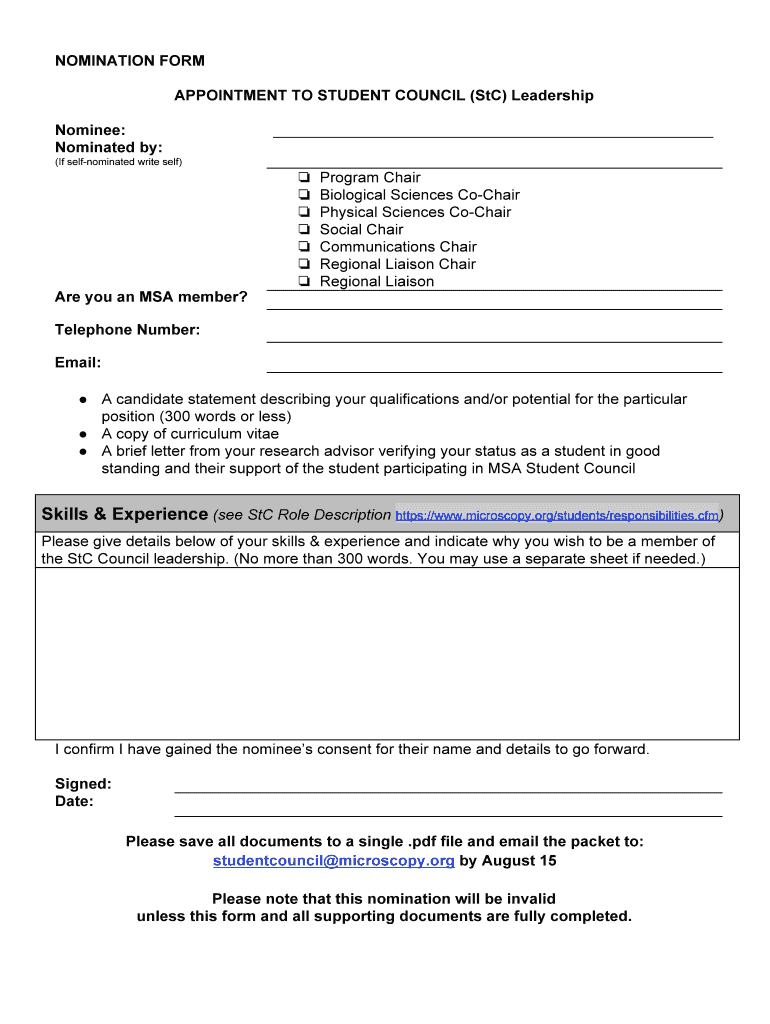
- Click ‘Get Form’ to open the NOMINATION FORM APPOINTMENT TO STUDENT COUNCIL in the editor.
- Begin by entering the nominee's name and the name of the person nominating them. If self-nominated, simply write 'self' in the designated field.
- Indicate whether the nominee is an MSA member by checking the appropriate box next to their program chair position.
- Fill in the nominee's telephone number and email address accurately to ensure proper communication.
- Prepare a candidate statement (300 words or less) detailing qualifications for the position and upload it as a document within our platform.
- Attach a copy of the curriculum vitae and a brief letter from your research advisor verifying student status and support for participation in MSA Student Council.
- In the skills & experience section, provide details on why you wish to be part of StC Council leadership, adhering to the 300-word limit. You may use a separate sheet if necessary.
- Confirm consent by signing and dating at the bottom of the form before saving all documents as a single PDF file.
- Email your completed nomination packet to studentcouncil@microscopy.org by August 15 to ensure validity.
Start using our platform today for free to streamline your nomination process!
Fill out NOMINATION FORM APPOINTMENT TO STUDENT COUNCIL online
It's free
It's free
Security and compliance
At DocHub, your data security is our priority. We follow HIPAA, SOC2, GDPR, and other standards, so you can work on your documents with confidence.
Learn more




