Type text, add images, blackout confidential details, add comments, highlights and more.
02. Sign it in a few clicks
Draw your signature, type it, upload its image, or use your mobile device as a signature pad.
03. Share your form with others
Send rd 1924 19 via email, link, or fax. You can also download it, export it or print it out.
How to use or fill out rd 1924 19 with our platform
Ease of Setup
DocHub User Ratings on G2
Ease of Use
DocHub User Ratings on G2
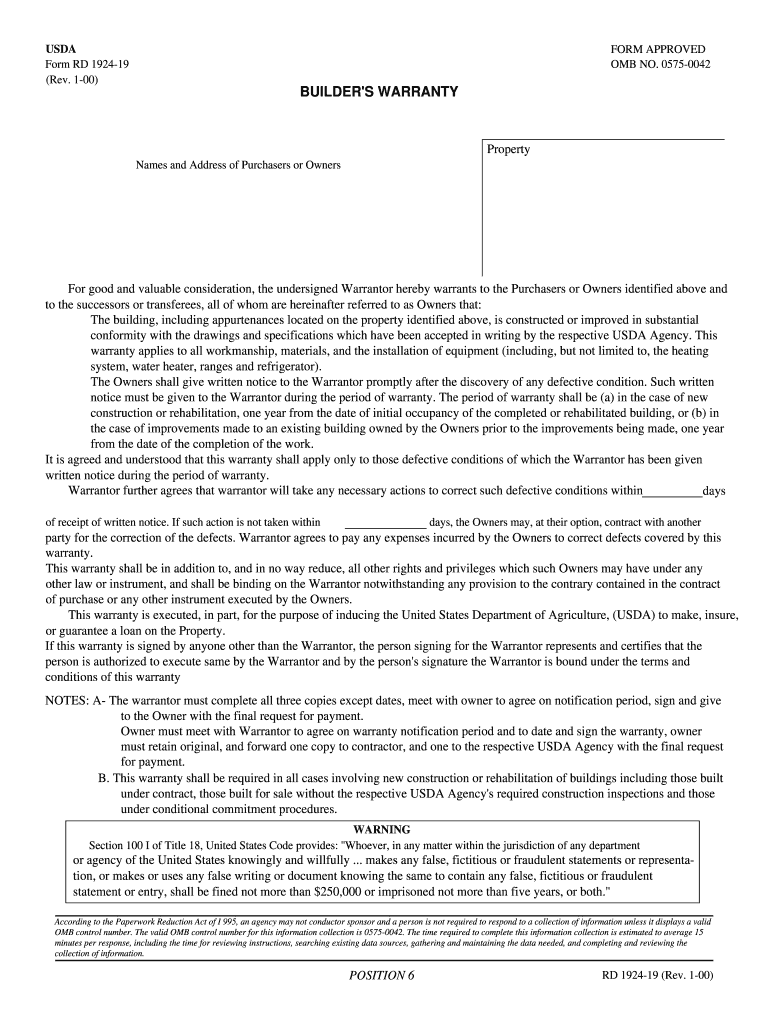
Click ‘Get Form’ to open the RD 1924-19 in the editor.
Begin by entering the property details, including the names and addresses of the purchasers or owners in the designated fields.
In the warranty section, ensure you accurately describe any defective conditions that may arise. Remember to provide written notice promptly if issues occur.
Fill in the warranty period based on whether it’s new construction or improvements, specifying one year from occupancy or completion as applicable.
Complete the section regarding corrective actions by indicating how many days the Warrantor has to address defects after receiving notice.
Finally, have both parties sign and date the document. Ensure that copies are distributed as required: one for the owner, one for the contractor, and one for submission to the USDA Agency.
Start using our platform today to streamline your form completion process for free!
Rd 1924 19 form pdfRd 1924 19 formRd 1924 19 templateRd 1924 19 pdfRD 1924-9One year builders warranty new construction1-2-10 builder warranty TexasHUD-92544 Warranty of Completion of Construction
Security and compliance
At DocHub, your data security is our priority. We follow HIPAA, SOC2, GDPR, and other standards, so you can work on your documents with confidence.
A completed Form RD 1924-19, with warranty protection for 1 year, must be provided by the builder upon final acceptance of the work by the owner and the Agency.Read more
Goldwyn Pictures Corporation was founded on November 19, 1916 by Samuel In 1924, Goldwyn Pictures merged with Metro Pictures and Louis B. MayerRead more
Form RD 1924-19. (Rev. 1-00). BUILDERS WARRANTY. Property. Names and Any questions on this burden can be sent to ICRMTRequests@usda.gov. RD 1924-19 (Rev.Read more
Cookie consent notice
This site uses cookies to enhance site navigation and personalize your experience.
By using this site you agree to our use of cookies as described in our Privacy Notice.
You can modify your selections by visiting our Cookie and Advertising Notice.