Type text, add images, blackout confidential details, add comments, highlights and more.
02. Sign it in a few clicks
Draw your signature, type it, upload its image, or use your mobile device as a signature pad.
03. Share your form with others
Send girl membership form via email, link, or fax. You can also download it, export it or print it out.
How to use or fill out scout newmember joining form with our platform
Ease of Setup
DocHub User Ratings on G2
Ease of Use
DocHub User Ratings on G2
Click ‘Get Form’ to open it in the editor.
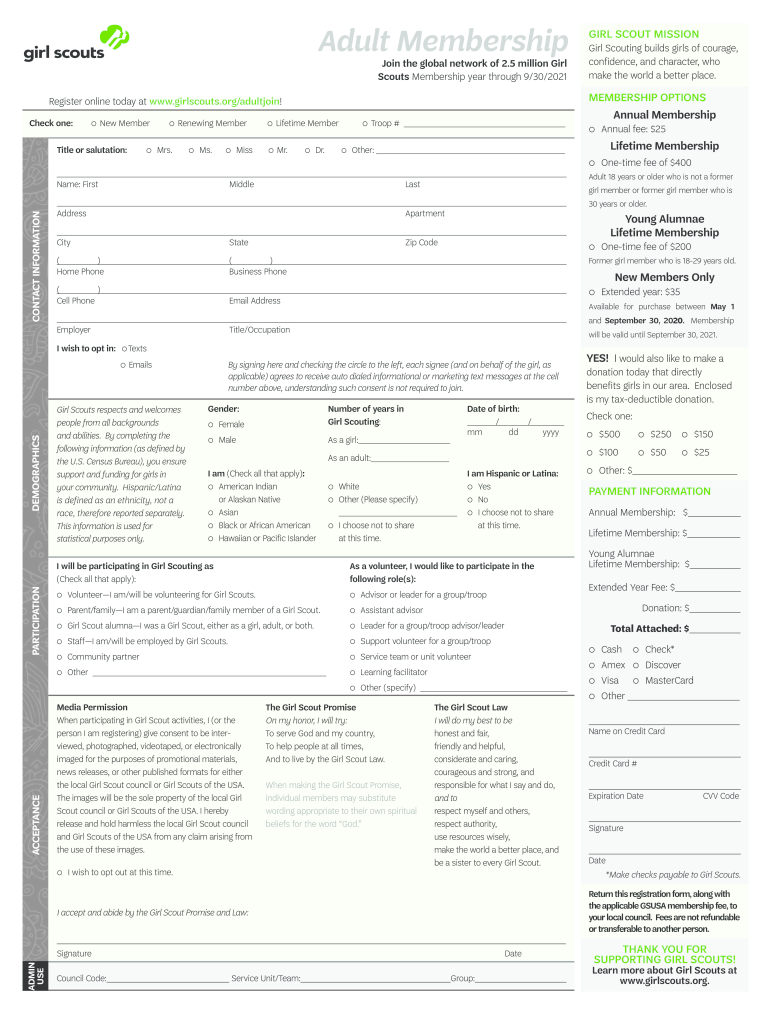
Begin by selecting your membership option. Choose between 'New Member', 'Renewing Member', or 'Lifetime Member' and fill in your title or salutation.
Provide your personal information, including your first, middle, and last name, along with your contact details such as address, phone numbers, and email address.
Complete the demographics section by indicating your gender and age. This helps support funding for girls in your community.
In the participation section, check all applicable roles you wish to participate in as a volunteer or supporter of Girl Scouts.
Review the payment information section carefully. Enter the total amount for your selected membership type and provide credit card details if applicable.
Finally, read through the Girl Scout Promise and Law. Sign and date where indicated to confirm your acceptance.
Start filling out the scout newmember joining form today for free using our platform!
Fill out scout newmember joining fotm online It's free
Find a Scouting Unit by entering you zip and selecting your preferred program. On the results page, select Apply Now. Complete a Youth Application by creating an account with my.scouting.org and submitting your payment. Once complete, you will be ready to begin your Scouting journey!
How to make a membership application form?
To make a form, you should do the following: Gather personal information like date of birth, phone number and mailing address. Describe the application process and any membership requirements. Provide information about membership levels. Tell them all about membership benefits. Explain membership fees and payment options.
What is the 72 hour rule for BSA?
While this may be inconvenient for some, it reflects the BSAs commitment to the safety of all youth. Adults accompanying units on activities who are present at the activity for 72 hours or more, must also take Youth Protection Training. The 72 hours need not be consecutive.
girl adult form
Boy scout new member joining formBSA adult leader application onlineBSA application onlineScouting America adult applicationScouting America Youth ApplicationScouting america adult application formScouting America adult application pdfBSA application online login
Security and compliance
At DocHub, your data security is our priority. We follow HIPAA, SOC2, GDPR, and other standards, so you can work on your documents with confidence.
New Scouts can learn the basics of hiking and low-impact camping so that many thousands of people can enjoy the same trail for decades to come. SCOUTINGRead more
Scout Program Registration Form. Thank you for your interest in our enriching Scout programs! Please note that programs cost $5 per scout, with a minimum ofRead more
Cookie consent notice
This site uses cookies to enhance site navigation and personalize your experience.
By using this site you agree to our use of cookies as described in our Privacy Notice.
You can modify your selections by visiting our Cookie and Advertising Notice.