




Here's how it works

01. Edit your chicken salad chick menu with prices pdf online
Type text, add images, blackout confidential details, add comments, highlights and more.

02. Sign it in a few clicks
Draw your signature, type it, upload its image, or use your mobile device as a signature pad.

03. Share your form with others
Send chicken salad chick menu with prices via email, link, or fax. You can also download it, export it or print it out.
How to use or fill out chicken salad chick w2 with our platform

- Click ‘Get Form’ to open the chicken salad chick W2 in the editor.
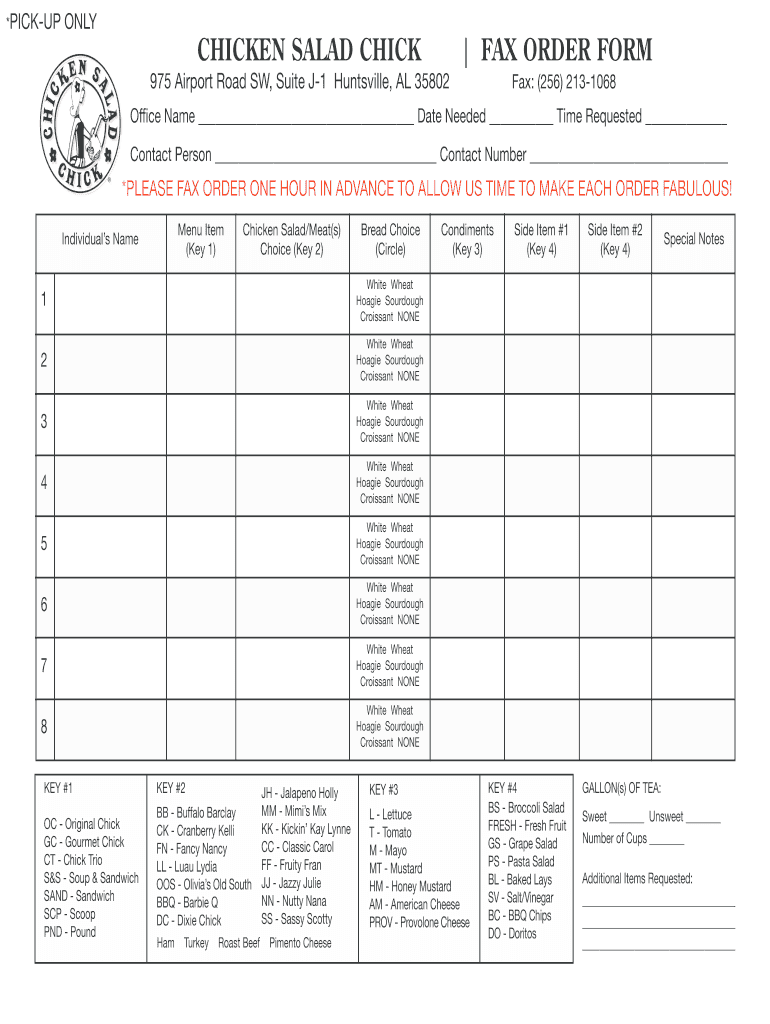
- Begin by filling in the 'Office Name' and 'Date Needed' fields. Ensure that you provide accurate information for timely processing.
- Next, enter the 'Contact Person' and 'Contact Number'. This information is crucial for any follow-up regarding your order.
- For each menu item, select the individual's name and choose their preferred chicken salad or meat option from Key #2. Make sure to circle the desired bread choice for each item.
- Indicate any condiments needed by referencing Key #3. You can select multiple options based on preferences.
- Select two side items from Key #4. Be sure to check availability if necessary.
- Add any special notes or additional items requested in the designated section at the bottom of the form.
- Finally, specify the number of gallons of tea required and whether they should be sweetened or unsweetened.
Start using our platform today to effortlessly complete your chicken salad chick W2 form online for free!
Fill out chicken salad chick w2 online
It's free
It's free
Security and compliance
At DocHub, your data security is our priority. We follow HIPAA, SOC2, GDPR, and other standards, so you can work on your documents with confidence.
Learn more




