




Here's how it works

01. Edit your congratulations message for new appointment online
Type text, add images, blackout confidential details, add comments, highlights and more.

02. Sign it in a few clicks
Draw your signature, type it, upload its image, or use your mobile device as a signature pad.

03. Share your form with others
Send congratulations wishes for new appointment via email, link, or fax. You can also download it, export it or print it out.
How to use or fill out Congratulations on your new appointment with the

- Click ‘Get Form’ to open it in the editor.
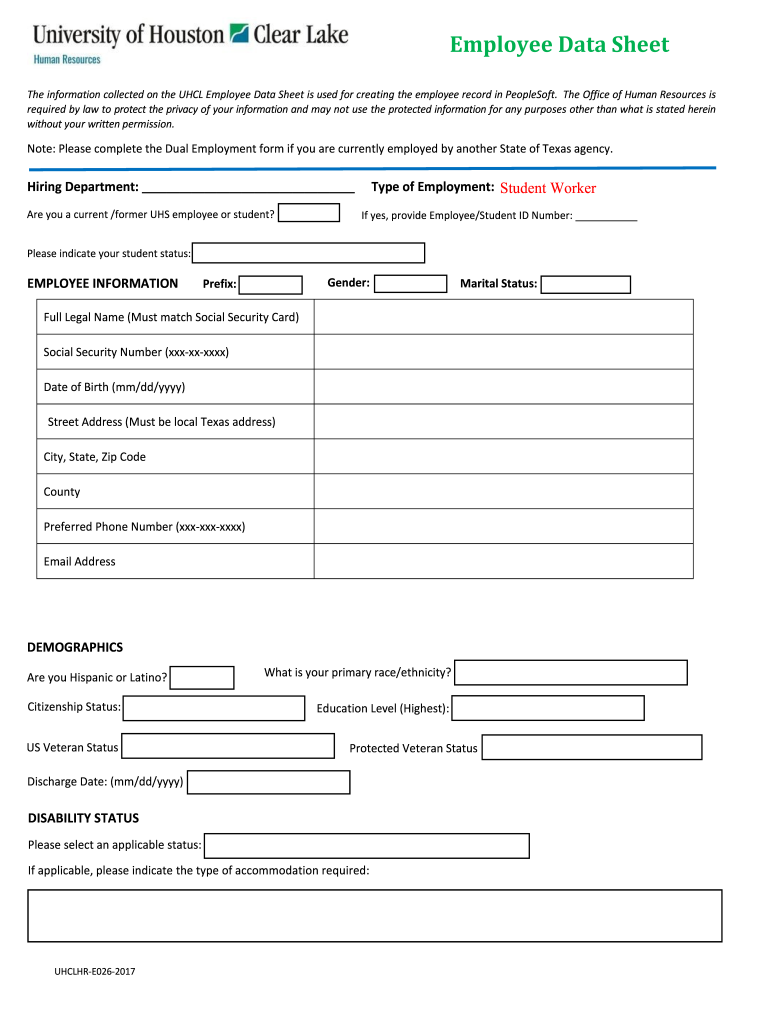
- Begin by entering your Employee ID and Student ID number. If you do not know this number, you may leave it blank.
- Select your Student Status from the provided options: Non-affiliated student, Currently enrolled student, or Continuing student.
- Fill in your personal information including Gender, Marital Status, Full Legal Name (matching your Social Security Card), Social Security Number, Date of Birth, and local Texas address.
- Complete the Demographics section by indicating your race/ethnicity and citizenship status.
- If applicable, provide details regarding Disability Status and any required accommodations.
- Review all sections for completeness before printing. Ensure to sign where appropriate and submit the completed packet to your hiring department.
Start using our platform today to streamline your form completion process for free!
Fill out Congratulations on your new appointment with the online
It's free
It's free
Got questions?
We have answers to the most popular questions from our customers. If you can't find an answer to your question, please contact us.
Contact us
How to write the perfect congratulations note?
Guidelines for writing congratulations: Make sure you mention the occasion that is being celebrated. Do not add other news or information in the message, with the exception of birthday cards. Express how happy you are for the person and how you learned about the delightful news. Avoid going overboard on flattery.
How do you congratulate someone for their achievement?
How do you congratulate someone on an achievement? Congratulations on your incredible achievementyour hard work truly paid off! Well done on docHubing this milestone; youve earned every bit of it! Kudos to you for this amazing accomplishmentsuch an inspiration! Bravo!
How to congratulate someone on a new appointment?
So if someone you know landed a new role its great news. Let your friend, colleague or family member know youre happy for them by saying congratulations on the new job.
How do you congratulate uniquely?
Conclusion Kudos to you for this remarkable achievement! Cheers to your well-deserved success! Bravo! Your hard work has truly paid off. Your accomplishment fills my heart with joy! Hats off to you on your astounding achievement! Way to go! Heres to you and your incredible feat! A toast to your success!
What is a good sentence for congratulate?
Examples of congratulate in a Sentence Id like to congratulate you on your success. She congratulated us on our test results. She congratulated herself for getting the best grade in her class.
Security and compliance
At DocHub, your data security is our priority. We follow HIPAA, SOC2, GDPR, and other standards, so you can work on your documents with confidence.
Learn more


People also ask
What is the best congratulatory message?
Cant wait to cheer you on! Best of luck today! Youve practiced hard, and youre going to do great! Good luck at your appointment.


