Type text, add images, blackout confidential details, add comments, highlights and more.
02. Sign it in a few clicks
Draw your signature, type it, upload its image, or use your mobile device as a signature pad.
03. Share your form with others
Send it via email, link, or fax. You can also download it, export it or print it out.
How to use or fill out ATTACHMENT A - Nebraska Department of Health and with our platform
Ease of Setup
DocHub User Ratings on G2
Ease of Use
DocHub User Ratings on G2
Click ‘Get Form’ to open it in the editor.
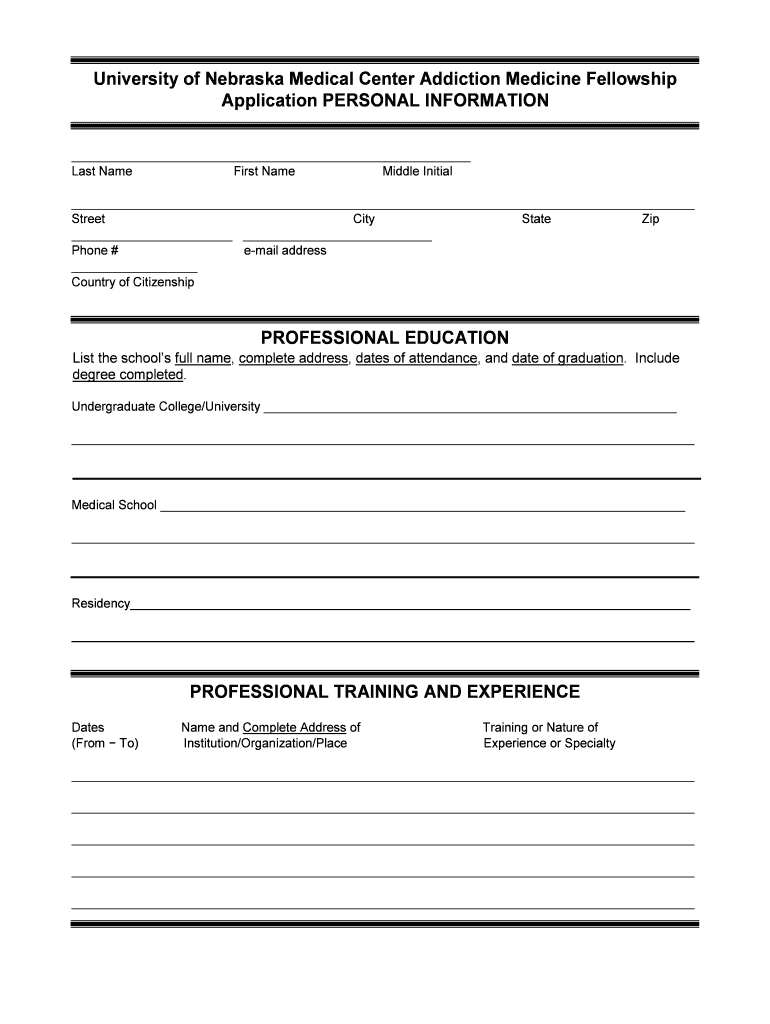
Begin by entering your personal information, including your last name, first name, middle initial, address, phone number, email address, and country of citizenship. Ensure all fields are filled accurately.
In the Professional Education section, list your educational background. Include the full names and addresses of your undergraduate college/university and medical school along with dates of attendance and graduation.
For Professional Training and Experience, provide details about your training institutions or organizations. Include dates of training and a brief description of your experience or specialty.
Complete the Medical Licensure section by listing all states where you hold a medical license or controlled substance number. If applicable, include your federal DEA number.
Answer the questions regarding any investigations or disciplinary actions against you. Attach explanations if necessary.
Fill in Current Employer Information if you are currently employed. Provide details about your employer and supervisor.
List references with their names, titles, addresses, and phone numbers in the References section.
Prepare your Personal Statement on a separate sheet as instructed and ensure to email it along with your CV to the provided address.
Finally, review the Agreement section carefully before signing and dating the application to confirm its accuracy.
Start using our platform today for free to streamline your application process!
Fill out ATTACHMENT A - Nebraska Department of Health and online It's free
Attachment a nebraska department of health and numberAttachment a nebraska department of health and phone numberAttachment a nebraska department of health and formDepartment of Health and Human Services OmahaAccess nebraska phone numberDepartment of Health and Human Services Lincoln NEDHHS LoginState of nebraska login
Security and compliance
At DocHub, your data security is our priority. We follow HIPAA, SOC2, GDPR, and other standards, so you can work on your documents with confidence.
NEBHANDS Nebraska Behavioral Health Integration Project
Attachment A provides a list of second year sub-awardees including the name and location of each, type of organization, and description of project, as well asRead more
The contractor must also attach a copy of a properly completed Purchasing Agent Appointment and Delegation of Authority for Sales and Use Tax, Form 17, to theRead more
Cookie consent notice
This site uses cookies to enhance site navigation and personalize your experience.
By using this site you agree to our use of cookies as described in our Privacy Notice.
You can modify your selections by visiting our Cookie and Advertising Notice.