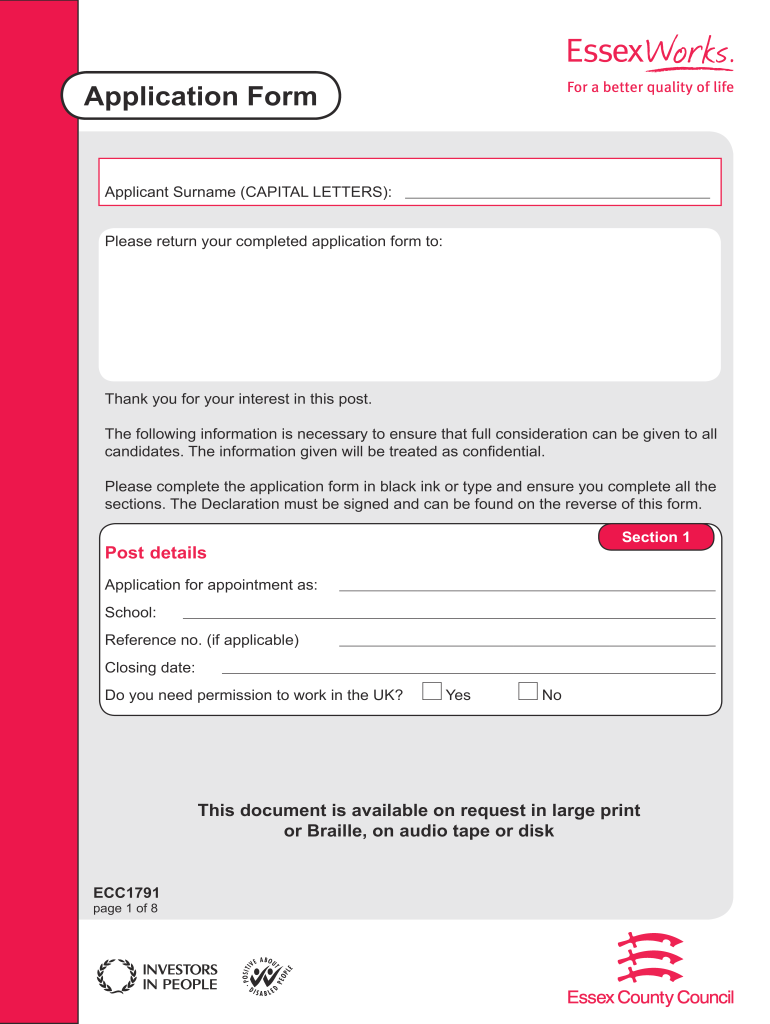
Ecc1791 application form 2026

Get Form
boyfriend application form Preview on Page 1

Here's how it works

01. Edit your boyfriend application form online
Type text, add images, blackout confidential details, add comments, highlights and more.
02. Sign it in a few clicks
Draw your signature, type it, upload its image, or use your mobile device as a signature pad.
03. Share your form with others
Send boyfriend application via email, link, or fax. You can also download it, export it or print it out.

How to use or fill out the ecc1791 application form with our platform

Form edit decoration
9.5
Ease of Setup
DocHub User Ratings on G2
9.0
Ease of Use
DocHub User Ratings on G2
  1. Click ‘Get Form’ to open the ecc1791 application form in the editor.
  2. Begin with Section 1, where you will provide post details such as the position you are applying for, school name, reference number, and closing date. Ensure to indicate if you need permission to work in the UK.
  3. In Section 2, fill out your personal details including your last name, first name(s), date of birth, contact numbers, email addresses, and home address. Don’t forget to include your National Insurance number.
  4. Proceed to Section 3 for current employment information. Include your employer's name and address, job title, salary details, and a brief outline of your duties.
  5. Continue through Sections 4 to 11 by detailing previous employment history, education qualifications, and any relevant training or professional memberships.
  6. In Section 12, describe your skills and experiences that align with the job requirements. Use this space effectively to showcase your suitability for the role.
  7. Finally, complete Sections 13 to 15 by providing references and signing the declaration. Make sure all information is accurate before submitting.

Start filling out your ecc1791 application form today on our platform for free!

be ready to get more

Complete this form in 5 minutes or less

Get form

Got questions?

We have answers to the most popular questions from our customers. If you can't find an answer to your question, please contact us.
Contact us

With DocHub, it’s quite simple. The platform offers users an add-on called DocHub for Gmail, which you can locate in the Google Workspace Marketplace without being charged. Install it and give it access to your Google account. Open your email with your bf application form attached and click on the add-on button in the right-side panel. Log in to your DocHub account, and import the form to our editor, where you can complete it and sign.

It is a no-brainer on a computer or via a mobile device to complete a boyfriend application form pdf with DocHub. All you need to do is open any installed web browser on your smartphone and proceed to the DocHub site. Once authenticated, add your file and open it in editing mode. Use our toolbar to make your edits and save modifications. Optionally, keep your document in your files or send it to a recipient immediately.

The form required to be completed by all employees prior to departing is Form 132-01, DHS Exit Checklist. The Federal legislation that supports the DHS records management mission is the Federal Records Act of 1950.
I-131F, Application for Parole in Place for Certain Noncitizen Spouses and Stepchildren of U.S. Citizens.
DHS Form 250-02 - Joint Duty Assignment Application Applicants must use DHS Form 250-02 to apply to an open DHS Joint Duty Assignment. Visit the Joint Duty Program website for more information. If you have questions, contact jointdutyprogramoffice@hq.dhs.gov.

Security and compliance

At DocHub, your data security is our priority. We follow HIPAA, SOC2, GDPR, and other standards, so you can work on your documents with confidence.

Learn more
ccpa2
pci-dss
gdpr-compliance
hipaa
soc-compliance
be ready to get more

Complete this form in 5 minutes or less

Get form

People also ask

The DHS Joint Duty Program is an intra- and inter-departmental program which offers civilian personnel professional and developmental opportunities. Joint duty assignments enhance operations and mission execution through unity of effort and collaboration.