Type text, add images, blackout confidential details, add comments, highlights and more.
02. Sign it in a few clicks
Draw your signature, type it, upload its image, or use your mobile device as a signature pad.
03. Share your form with others
Send it via email, link, or fax. You can also download it, export it or print it out.
How to use or fill out sewanee incident with our platform
Ease of Setup
DocHub User Ratings on G2
Ease of Use
DocHub User Ratings on G2
Click ‘Get Form’ to open the sewanee incident report in the editor.
Begin by entering today’s date and your name in the 'Report filed by' section. This ensures proper documentation of who is reporting the incident.
Fill in the 'Program Name', 'Date and time of incident', and 'Location of incident' fields accurately to provide context for the report.
List all individuals involved, including students and others, in the designated field. This helps identify those affected by the incident.
Select the nature of the incident from options such as Alcohol/drugs, Illness, Vehicle accident, etc. If applicable, specify any other incidents in the provided space.
Assess and indicate the level of severity (2-4) based on guidelines provided. This classification is crucial for appropriate response coordination.
Describe what happened during the incident in detail, including how you obtained this information. This narrative is vital for understanding circumstances.
Document any actions taken and individuals contacted (like police or family members) to ensure a comprehensive account of responses to the situation.
Finally, sign and date at the bottom of the form before submitting it to ensure authenticity and accountability.
Start filling out your sewanee incident report today using our platform for free!
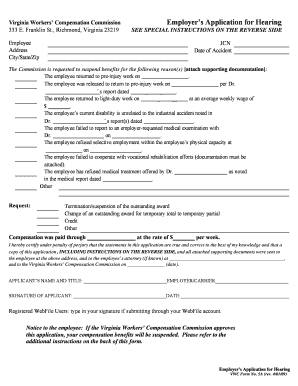
Virginia Workers' Compensation Commission Employer Application for Hearing (Form 5A). Virginia Workers' Compensation Commission Employer Application for Hearing (Form 5A)
Virginia Workers' Compensation Commission Employer Application for Hearing (Form 5A). Virginia Workers' Compensation Commission Employer Application for Hearing (Form 5A)
The document is an Employer's Application for Hearing form from the Virginia Workers’ Compensation Commission, used to r ...
This action arises out of an early morning August 30, 2008 incident, after which a female university student (Complainant) accused Plaintiff John Doe of sexualRead more
Report an incident use this form to report information about behavior that could potentially violate policies at Sewanee; this form can be used forRead more
Albondocani Press | Joe Brainard | Tom Clark | Anvil
(Sewanee, TN: Proctors Hall Press, 2001). Plath met Luke Myers at Cambridge, where she and Myers were studying, and admired his poetry and fiction. In herRead more
Cookie consent notice
This site uses cookies to enhance site navigation and personalize your experience.
By using this site you agree to our use of cookies as described in our Privacy Notice.
You can modify your selections by visiting our Cookie and Advertising Notice.