




Here's how it works



How to use or fill out Application for final invoice issuing - UniCredit Leasing with our platform

- Click ‘Get Form’ to open it in the editor.
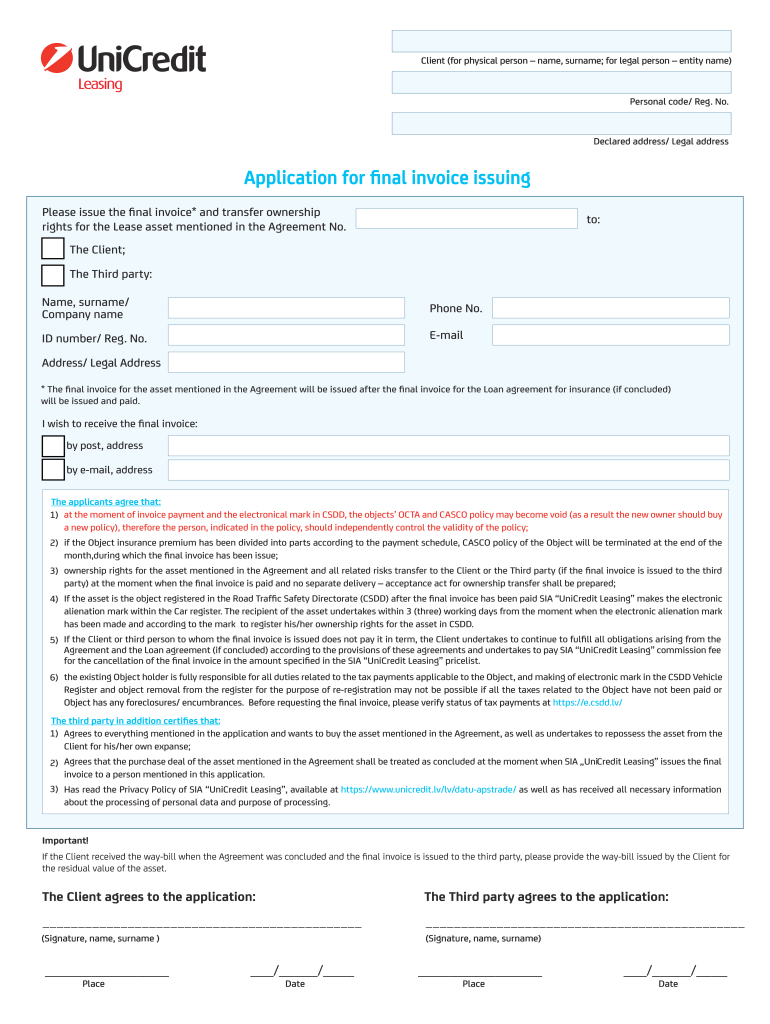
- Begin by entering the Client's name and surname (for individuals) or entity name (for companies) in the designated field.
- Fill in the Personal code or Registration Number, followed by the Declared address or Legal address of the Client.
- Indicate whether you wish to receive the final invoice by post or email, and provide the relevant address details.
- Complete the section regarding ownership transfer by specifying if it is to be issued to The Client or a Third party. If it's a Third party, include their name, phone number, ID number/Reg. No., email, and address.
- Review and agree to all terms outlined in the application regarding ownership rights and responsibilities before signing.
- Finally, ensure both parties sign and date the application where indicated.
Start using our platform today for free to streamline your document editing and form completion!
It's free
Got questions?
How can I create an electronic signature in my Application for final invoice issuing - UniCredit Leasing on Android?
Approving documents on a mobile device is fast, simple, and doesn’t require software installation if you have an account with DocHub. Log in from any browser, fill in your empty fields with your data, and click on Sign → Create your signature. You can draw your electronic signature just as you usually do on paper, add its image to your Application for final invoice issuing - UniCredit Leasing, or type in your name and stylize its look. No matter what option you choose, your form will be valid.
What internet browser do I need to edit Application for final invoice issuing - UniCredit Leasing online?
If you need to edit your Application for final invoice issuing - UniCredit Leasing online quickly, it does not matter what browser you employ. DocHub’s straightforward editing tools are accessible using any internet browser. Simply open the appropriate tab in the editor, add your file, and fill it out without stress.
Security and compliance
At DocHub, your data security is our priority. We follow HIPAA, SOC2, GDPR, and other standards, so you can work on your documents with confidence.
Learn more




