
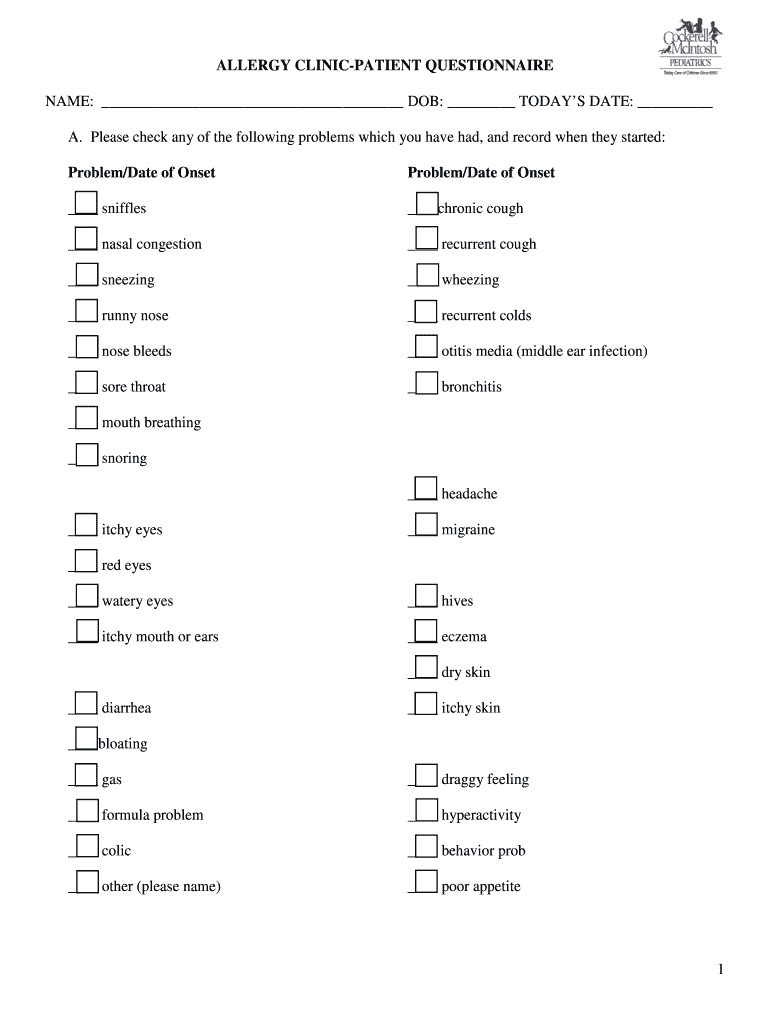



Download your Health History document here to print and fill 2026

Get Form
Download your Health History document here to print and fill Preview on Page 1

Here's how it works

01. Edit your form online
Type text, add images, blackout confidential details, add comments, highlights and more.

02. Sign it in a few clicks
Draw your signature, type it, upload its image, or use your mobile device as a signature pad.

03. Share your form with others
Send it via email, link, or fax. You can also download it, export it or print it out.

How to use or fill out Download your Health History document here to print and fill with our platform

Form edit decoration
9.5
Ease of Setup
DocHub User Ratings on G2
9.0
Ease of Use
DocHub User Ratings on G2
  1. Click ‘Get Form’ to open it in the editor.
  2. Begin by entering your name, date of birth, and today's date at the top of the form.
  3. In section A, check any symptoms you have experienced and note when they started. This helps provide a clear health history.
  4. Proceed to section B, where you will indicate if symptoms occur at specific times or locations. Be as detailed as possible for accurate assessment.
  5. Continue through sections C to K, checking relevant boxes and providing additional information as needed. Each section is designed to gather comprehensive details about your health history.
  6. Finally, review all entries for accuracy before saving or printing the completed document for your records.

Start using our platform today to easily fill out your Health History document online for free!

be ready to get more

Complete this form in 5 minutes or less

Get form

Got questions?

We have answers to the most popular questions from our customers. If you can't find an answer to your question, please contact us.
Contact us
Smart Patient Portal. It is an online portal where a user can access his/her medical records; view laboratory tests, radiology reports, and other related documents; check schedule for medicines and vaccinations; verify health problems and allergies; and book, cancel or change upcoming appointments.
Depending on the computer system your practice uses, you will be able to access GP medical records online in the myGP app. If it is not currently supported at your practice, you will see a coming soon screen.
Medical certificates in Kenya can be issued by: General Practitioners (GPs): Licensed medical doctors providing primary healthcare services. Specialists: Medical professionals with advanced training in specific fields.
You can view your GP health record using the NHS App or by logging into your account on the NHS website. You can create an account if you do not already have one. To view your GP record online, you must be: registered with a GP surgery.
Check their website: Information about how to get your health record may be found under the Contact Us section of a providers website. It may direct you to an online portal, a phone number, an email address, or a form. Phone or visit: You can also call or visit your provider and ask them how to get your health record.

Security and compliance

At DocHub, your data security is our priority. We follow HIPAA, SOC2, GDPR, and other standards, so you can work on your documents with confidence.

Learn more
ccpa2
pci-dss
gdpr-compliance
hipaa
soc-compliance

People also ask

You can use your NHS account (through the NHS website or NHS App) or Patient Access to access your Summary Care records. Using our online patient service called Patient Access, you can: View parts of your GP record, including information about medication, allergies, vaccinations and test results.

Related links

