Type text, add images, blackout confidential details, add comments, highlights and more.
02. Sign it in a few clicks
Draw your signature, type it, upload its image, or use your mobile device as a signature pad.
03. Share your form with others
Send maryland assessments taxation via email, link, or fax. You can also download it, export it or print it out.
How to use or fill out md maryland with our platform
Ease of Setup
DocHub User Ratings on G2
Ease of Use
DocHub User Ratings on G2
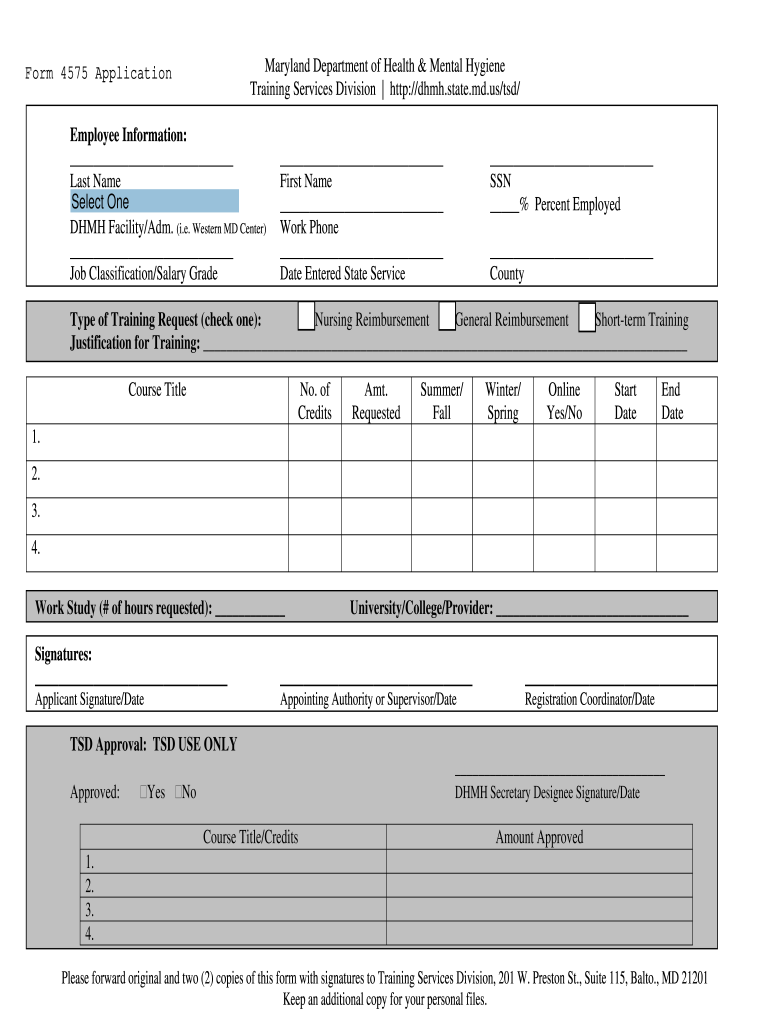
Click ‘Get Form’ to open the Tuition Reimbursement Application – Form 4575 in the editor.
Begin by filling out the Employee Information section. Enter your Last Name, First Name, Work Phone, and Date Entered State Service. Ensure that you also provide your Social Security Number (SSN) and indicate your employment percentage.
Select your Job Classification/Salary Grade and County from the provided options. This information is crucial for processing your application.
In the Type of Training Request section, check one option: Nursing Reimbursement, General Reimbursement, or Short-term Training. Provide a justification for training in the designated area.
List the Course Title, Number of Credits, Amount Requested, and specify if it’s Online (Yes/No). Include Start and End Dates for each course you are applying for.
Complete the Work Study section by indicating the number of hours requested and provide details about the University/College/Provider.
Finally, ensure all required signatures are obtained before submitting. Click ‘Submit’ to send your completed form directly through our platform.
Start using our platform today to streamline your form completion process for free!
Md state in usUs state md time nowBaltimore md stateMaryland collegesMydhr maryland loginMD gov loginMaryland medical license lookupMd State number taxes
Security and compliance
At DocHub, your data security is our priority. We follow HIPAA, SOC2, GDPR, and other standards, so you can work on your documents with confidence.
University of Maryland: Our Research Changes Lives
Our Research Changes Lives ; #10. among public universities. Forbes Americas Top Colleges ; 69. colleges, schools and programs ranked in the top 25 nationwide.Read more
Cookie consent notice
This site uses cookies to enhance site navigation and personalize your experience.
By using this site you agree to our use of cookies as described in our Privacy Notice.
You can modify your selections by visiting our Cookie and Advertising Notice.