




Here's how it works

01. Edit your india metlife withdrawal online
Type text, add images, blackout confidential details, add comments, highlights and more.

02. Sign it in a few clicks
Draw your signature, type it, upload its image, or use your mobile device as a signature pad.

03. Share your form with others
Send india metlife partial via email, link, or fax. You can also download it, export it or print it out.
How to use or fill out insurance policy form with our platform

- Click ‘Get Form’ to open the insurance policy form in the editor.
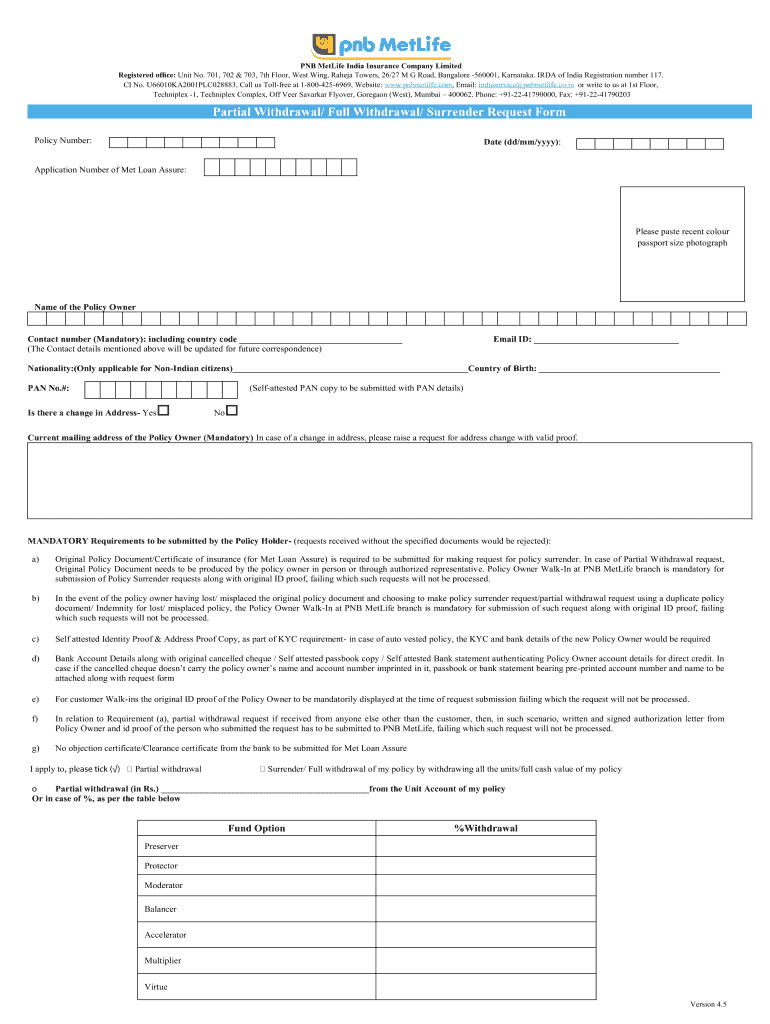
- Begin by entering your Policy Number and Date (dd/mm/yyyy) at the top of the form. This information is crucial for identifying your specific policy.
- Paste a recent color passport-sized photograph in the designated area. Ensure it meets the required specifications for identification purposes.
- Fill in your Name, Contact Number (including country code), and Email ID. These details are mandatory for future correspondence regarding your policy.
- If applicable, provide your Nationality and Country of Birth. Non-Indian citizens must complete this section accurately.
- Indicate if there is a change in your address by selecting 'Yes' or 'No'. If yes, provide your current mailing address.
- Review the mandatory requirements listed on the form carefully. Ensure you have all necessary documents ready for submission, such as original policy documents and identity proof.
- Select whether you are applying for Partial Withdrawal or Full Withdrawal by ticking the appropriate box and filling in any required amounts or percentages.
- Complete the Payment Details section with accurate bank account information to facilitate direct credit of funds upon approval of your request.
- Finally, sign and date the form at the bottom to confirm that all information provided is true and complete before submitting it through our platform.
Start using our platform today to fill out your insurance policy form easily and efficiently!
Fill out insurance policy form online
It's free
It's free
Security and compliance
At DocHub, your data security is our priority. We follow HIPAA, SOC2, GDPR, and other standards, so you can work on your documents with confidence.
Learn more




