Names class 2026

Get Form
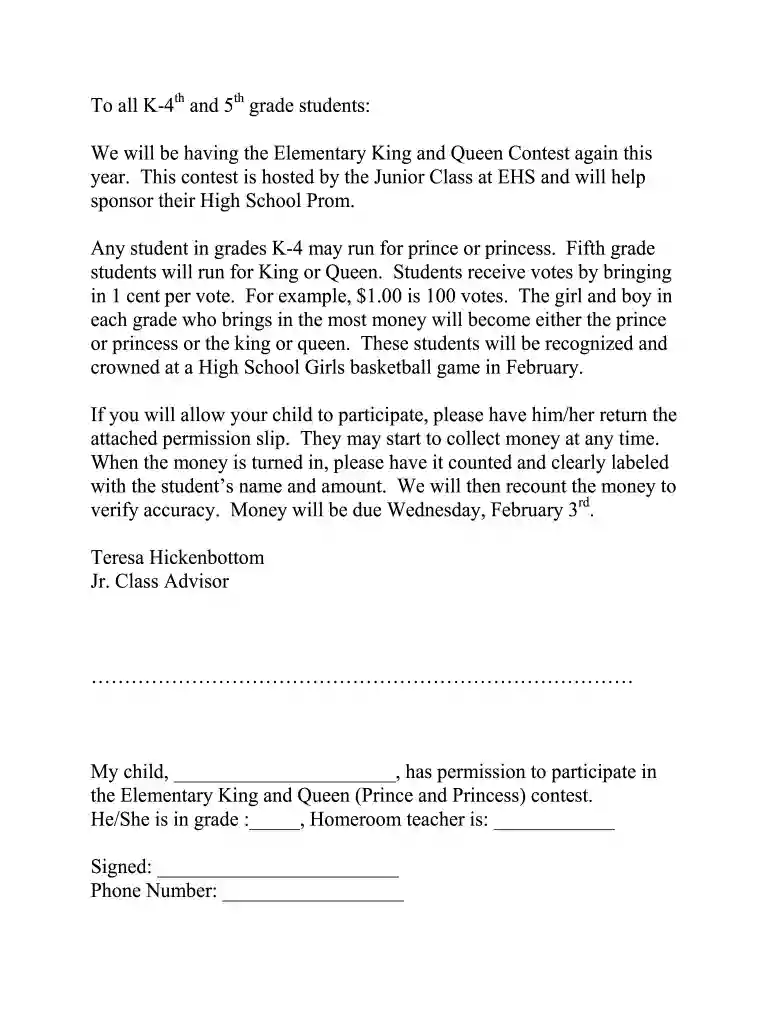
names class Preview on Page 1

Here's how it works

01. Edit your names class online
Type text, add images, blackout confidential details, add comments, highlights and more.

02. Sign it in a few clicks
Draw your signature, type it, upload its image, or use your mobile device as a signature pad.

03. Share your form with others
Send it via email, link, or fax. You can also download it, export it or print it out.

How to use or fill out names class with our platform

Form edit decoration
9.5
Ease of Setup
DocHub User Ratings on G2
9.0
Ease of Use
DocHub User Ratings on G2
  1. Click ‘Get Form’ to open the names class document in the editor.
  2. Locate the section for your child's name. Enter their full name in the designated field.
  3. In the next field, indicate your child's grade by selecting or typing the appropriate number.
  4. Find the homeroom teacher's section and enter the teacher's name clearly.
  5. Sign your name in the signature field to provide permission for participation.
  6. Lastly, input your phone number in the provided space for contact purposes.

Start using our platform today to easily complete and submit your forms online for free!

be ready to get more

Complete this form in 5 minutes or less

Get form

Got questions?

We have answers to the most popular questions from our customers. If you can't find an answer to your question, please contact us.
Contact us
In the HTML document, the className property is used to set or return the value of an elements class attribute. Using this property, the user can change the class of an element to the desired class. Syntax: returns the className property.
A class in C++ is a user-defined type or data structure declared with any of the keywords class , struct or union (the first two are collectively referred to as non-union classes) that has data and functions (also called member variables and member functions) as its members whose access is governed by the three access
Names are non-unique, ClassNames are unique. You cant change the class name of an instance, but you can change its name.
Class names should be nouns, in mixed case with the first letter of each internal word capitalized. Try to keep your class names simple and descriptive. Use whole words-avoid acronyms and abbreviations (unless the abbreviation is much more widely used than the long form, such as URL or HTML).
Its a reserved keyword The only reason behind the fact that it uses className over class is that the class is a reserved keyword in JavaScript and since we use JSX in React which itself is the extension of JavaScript, we have to use className instead of the class attribute.

Security and compliance

At DocHub, your data security is our priority. We follow HIPAA, SOC2, GDPR, and other standards, so you can work on your documents with confidence.

Learn more
ccpa2
pci-dss
gdpr-compliance
hipaa
soc-compliance

People also ask

The className attribute may be a deviation from traditional HTML, but it provides a clear way to style React components and keeps the semantic meaning of applying CSS classes intact. Its proof of Reacts commitment to developer experience, so common tasks like styling components remain intuitive and conflict-free.
Class Group Names Brainy Badgers Youre smart and hard working. Intelligent Iguanas You think youre the smartest group. Clever Cats Youre clever and you know it. Canny Cougars You are quick witted thinkers. Thinking Tarantulas You think and youre scary. Talented Turtles, Dude!
Proper nouns are also called naming nouns. They refer to the actual name of an individual example of a common noun. Names of people, places, companies, institutions, rivers (and more) are all proper nouns. Proper nouns begin with a capital letter.

Related links