Type text, add images, blackout confidential details, add comments, highlights and more.

02. Sign it in a few clicks
Draw your signature, type it, upload its image, or use your mobile device as a signature pad.

03. Share your form with others
Send guam attachment via email, link, or fax. You can also download it, export it or print it out.

How to use or fill out guam attachment with our platform
Ease of Setup
DocHub User Ratings on G2
Ease of Use
DocHub User Ratings on G2
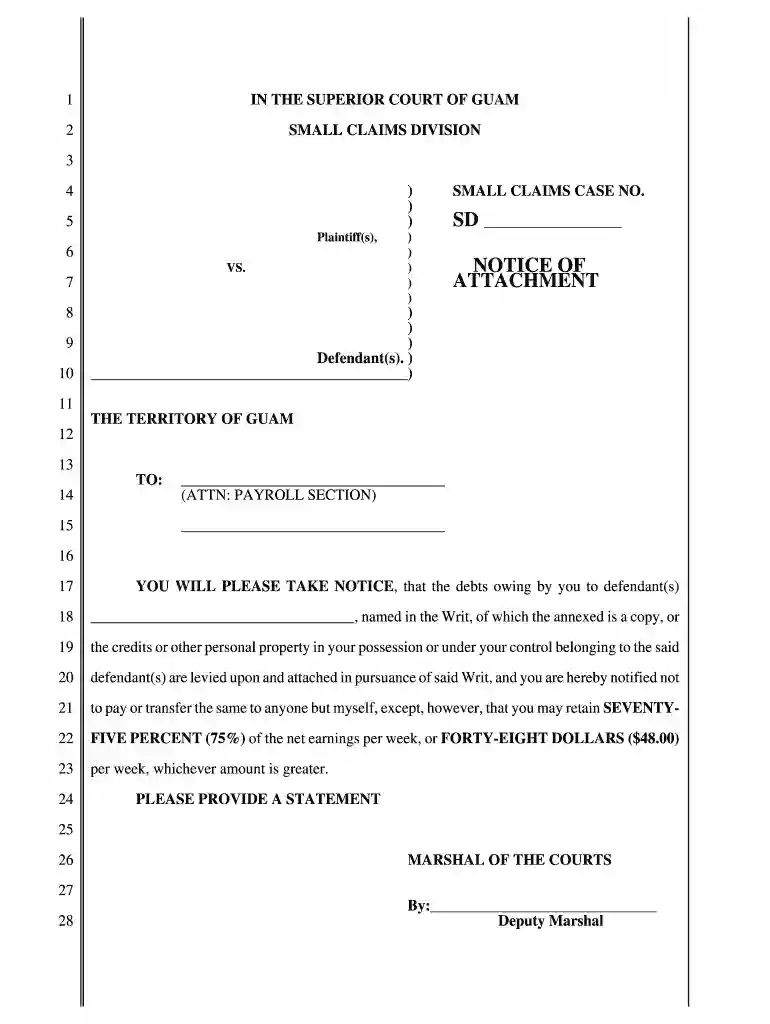
Click ‘Get Form’ to open the guam attachment in the editor.
Begin by entering the names of the plaintiff(s) and defendant(s) in the designated fields. Ensure that all names are spelled correctly to avoid any legal issues.
Fill in the SMALL CLAIMS CASE NO. in the appropriate section. This number is crucial for tracking your case within the court system.
In the 'TO:' section, input the name and address of the entity you are notifying, specifically targeting the Payroll Section as indicated.
Clearly state the debts or credits owed by the defendant(s) in the provided space, ensuring accuracy to reflect what is being claimed.
Review your entries for completeness and correctness before finalizing. Use our platform’s tools to make any necessary adjustments easily.
Once satisfied, save your document and proceed to print or share it directly from our editor for free.
Start using our platform today to streamline your document editing and signing process!
The recipient will provide a Monthly Exposure Report. (MER) and attach to the monthly billing request. The CATR will submit a copy of the MER to the SW EVRead more
Cookie consent notice
This site uses cookies to enhance site navigation and personalize your experience.
By using this site you agree to our use of cookies as described in our Privacy Notice.
You can modify your selections by visiting our Cookie and Advertising Notice.