Type text, add images, blackout confidential details, add comments, highlights and more.
02. Sign it in a few clicks
Draw your signature, type it, upload its image, or use your mobile device as a signature pad.
03. Share your form with others
Send it via email, link, or fax. You can also download it, export it or print it out.
How to use or fill out practice note 41b with our platform
Ease of Setup
DocHub User Ratings on G2
Ease of Use
DocHub User Ratings on G2
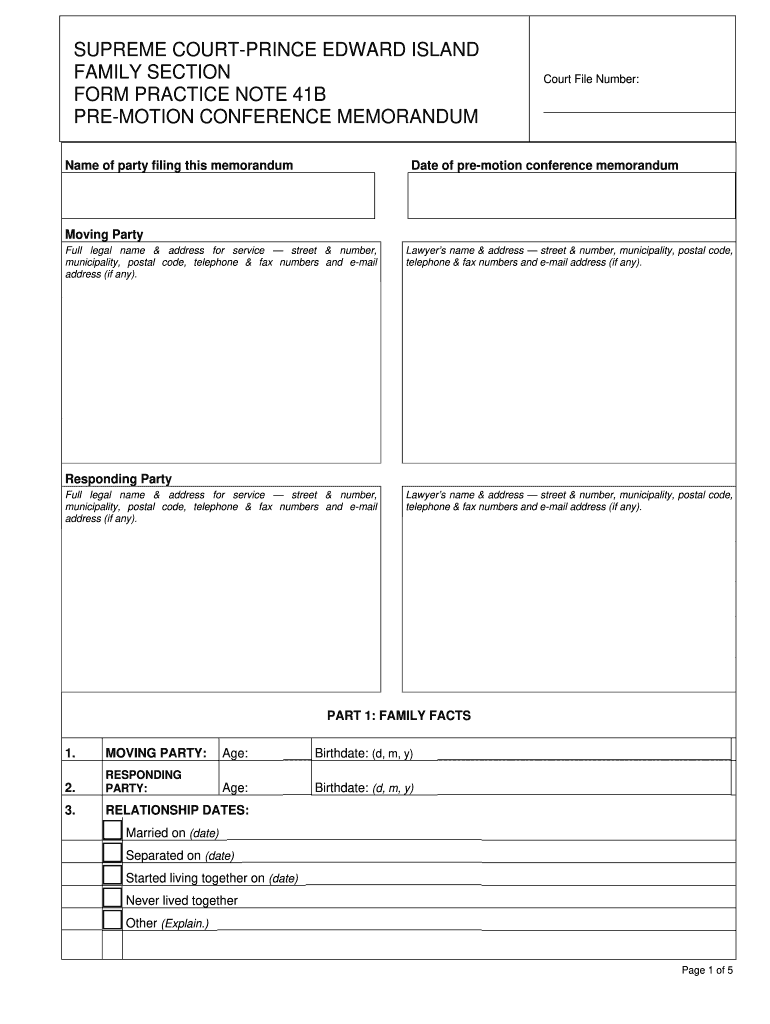
Click ‘Get Form’ to open practice note 41b in the editor.
Begin by entering the name of the party filing the memorandum and the court file number at the top of the form.
Fill in the date of the pre-motion conference memorandum, followed by the full legal name and address for service of both the moving and responding parties, including contact details.
In Part 1, provide family facts such as ages and birthdates for both parties. Include relationship dates and information about any children involved.
Move to Part 2 to outline settled issues and those pending for discussion during the pre-motion conference. Be sure to check all relevant boxes.
If applicable, provide income details for both parties regarding child or spousal support claims, attaching necessary proof.
Complete any additional sections regarding proposals for resolution, financial information, and procedural issues as required.
Finally, ensure all signatures are included before saving your completed document.
Start using our platform today to easily fill out practice note 41b online for free!
Frcp 41bFRCP 41(a)Federal Rule of Civil Procedure 41 a 1 A iiWhat is a notice of dismissal in courtNotice OF VOLUNTARY DISMISSAL formNotice of voluntary dismissal with prejudice FloridaNotice of Voluntary dismissal ncRule 41 notice of dismissal
Security and compliance
At DocHub, your data security is our priority. We follow HIPAA, SOC2, GDPR, and other standards, so you can work on your documents with confidence.
Rule 41. Dismissal of Actions | Federal Rules of Civil Procedure
The plaintiff may dismiss an action without a court order by filing: (i) a notice of dismissal before the opposing party serves either an answer or a motionRead more
28 USC App Fed R Civ P Rule 41: Dismissal of Actions
Rule 41. Dismissal of Actions. (a) Voluntary Dismissal. (1) By the Plaintiff. (A) Without a Court Order. Subject to Rules 23(e), 23.1(c), 23.2,Read more
Technical Protocol for Evaluating Natural Attenuation of
The information in this document was developed through a collaboration between the U.S.. EPA (Subsurface Protection and Remediation Division, National RiskRead more
Cookie consent notice
This site uses cookies to enhance site navigation and personalize your experience.
By using this site you agree to our use of cookies as described in our Privacy Notice.
You can modify your selections by visiting our Cookie and Advertising Notice.