




Here's how it works



How to use or fill out moe's blank applications with our platform

- Click ‘Get Form’ to open it in the editor.
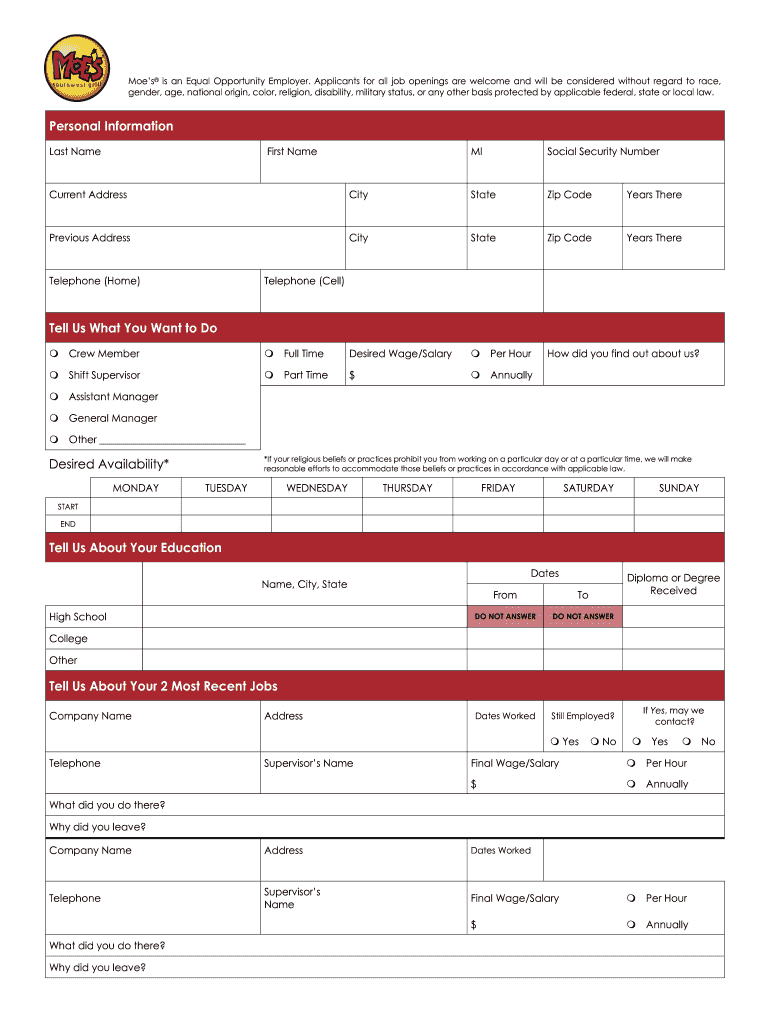
- Begin by filling out the 'Personal Information' section. Enter your last name, first name, middle initial, and social security number. Provide your current address, city, state, zip code, and how long you've lived there.
- Next, complete the 'Tell Us What You Want to Do' section. Select your desired position and indicate whether you prefer full-time or part-time work. Specify your desired wage/salary.
- In the 'Desired Availability' section, mark the days and times you are available to work.
- Proceed to 'Tell Us About Your Education.' Fill in the details of your high school and any college education including dates attended and degrees received.
- For 'Tell Us About Your 2 Most Recent Jobs,' provide information about your previous employers including company names, addresses, job titles, final wages, and reasons for leaving.
- Complete the 'Other Stuff We Need To Know' section by answering questions regarding citizenship status and age requirements.
- Finally, review all sections for accuracy before signing at the bottom of the form to certify that all information is true.
Start filling out moe's blank applications today for free using our platform!
It's free
Got questions?
How can I create an electronic signature in my moe format on Android?
Signing paperwork on a mobile device is quick, straightforward, and doesn’t require software installation when you have an account with DocHub. Log in from any browser, complete your blank fields with your information, and click on Sign → Create your signature. You can draw your eSignature just as you usually do on paper, add its image to your moe format, or type in your name and stylize its look. No matter what option you choose, your documentation will be valid.
How do you edit moe's blank applications on Android?
Document editing with DocHub is equally convenient on desktop and mobile devices. You only need an internet browser to revise your moe's blank applications on Android. Open our website and sign in to access the tools you need. Add your file and introduce your intended changes. After that, you can keep your form in your file storage or send it out instantly.
Security and compliance
At DocHub, your data security is our priority. We follow HIPAA, SOC2, GDPR, and other standards, so you can work on your documents with confidence.
Learn more




