Nv requisition eighth judicial district family 2026

Get Form
nv requisition eighth judicial district family Preview on Page 1

Here's how it works

01. Edit your nv requisition eighth judicial district family online
Type text, add images, blackout confidential details, add comments, highlights and more.
02. Sign it in a few clicks
Draw your signature, type it, upload its image, or use your mobile device as a signature pad.
03. Share your form with others
Send it via email, link, or fax. You can also download it, export it or print it out.

How to use or fill out nv requisition eighth judicial district family with our platform

Form edit decoration
9.5
Ease of Setup
DocHub User Ratings on G2
9.0
Ease of Use
DocHub User Ratings on G2
  1. Click ‘Get Form’ to open it in the editor.
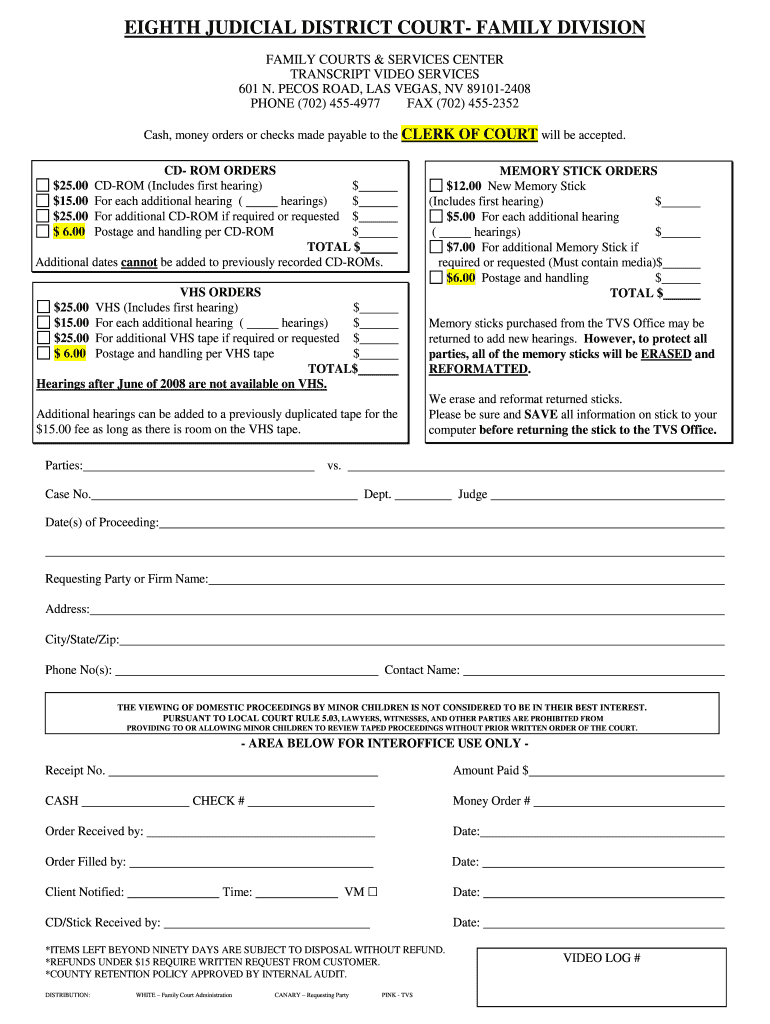
  2. Begin by entering the case number, department, and judge's name at the top of the form. This information is crucial for identifying your request.
  3. Fill in the date(s) of proceeding. Ensure accuracy as this will determine which hearings you are requesting transcripts for.
  4. In the 'Requesting Party or Firm Name' section, provide your full name or firm name along with your address, city/state/zip, and phone number. This helps in processing your request efficiently.
  5. Complete the 'Contact Name' field with a relevant contact person for follow-up communications regarding your order.
  6. Select the type of media you wish to order (CD-ROM, Memory Stick, VHS) and fill in the corresponding costs based on your selections. Be mindful of additional fees for extra hearings or postage.
  7. Review all entered information for accuracy before submitting your request through our platform.

Start using our platform today to streamline your document editing and submission process for free!

be ready to get more

Complete this form in 5 minutes or less

Get form

Got questions?

We have answers to the most popular questions from our customers. If you can't find an answer to your question, please contact us.
Contact us
We recommend that you email your record requests to recordsc@clarkcountynv.gov. You may also request a record search by mail. Include a self-addressed, stamped envelope for the request to be returned via mail. To complete the Record Request form click here.
The Legal Records Department is responsible for legal documents which are filed as public record. At the courthouse, most documents are maintained from 1795 to present.
To serve on the Nevada District Courts, a person must: be at least 25 years old; be licensed and admitted to practice law in Nevada, and have been licensed and admitted to practice law in the United States for at least 10 years, including at least two years in Nevada; be a qualified elector; and.
Current judges #TitleJudge 26 Chief Judge Andrew P. Gordon 24 District Judge Gloria Navarro 25 District Judge Miranda Du10 more rows
Civil record information may be obtained in person by visiting the Las Vegas Justice Court. We recommend that you email your record requests to recordsc@clarkcountynv.gov. You may also request a record search by mail.

Security and compliance

At DocHub, your data security is our priority. We follow HIPAA, SOC2, GDPR, and other standards, so you can work on your documents with confidence.

Learn more
ccpa2
pci-dss
gdpr-compliance
hipaa
soc-compliance

People also ask

Justice Court also hears misdemeanor traffic cases, restraining orders, small claims, evictions, and all other civil matters that amount in controversy to less than $10,000. District Court hears all civil cases beyond this.
Be sure to write the case number on the cashiers check or money order. Preparing any copy of any record, proceeding or paper$0.50 per page Certificate of the clerk, under the seal of the court $3.00 each certificate For searching records or files $1.00 each year
You may search for your case by name, case number, or ticket number. Be aware that citations may take 2 to 3 weeks to post from the citation date. For the best experience, the use of the Chrome or Edge browser is recommended.

Related links