




Here's how it works



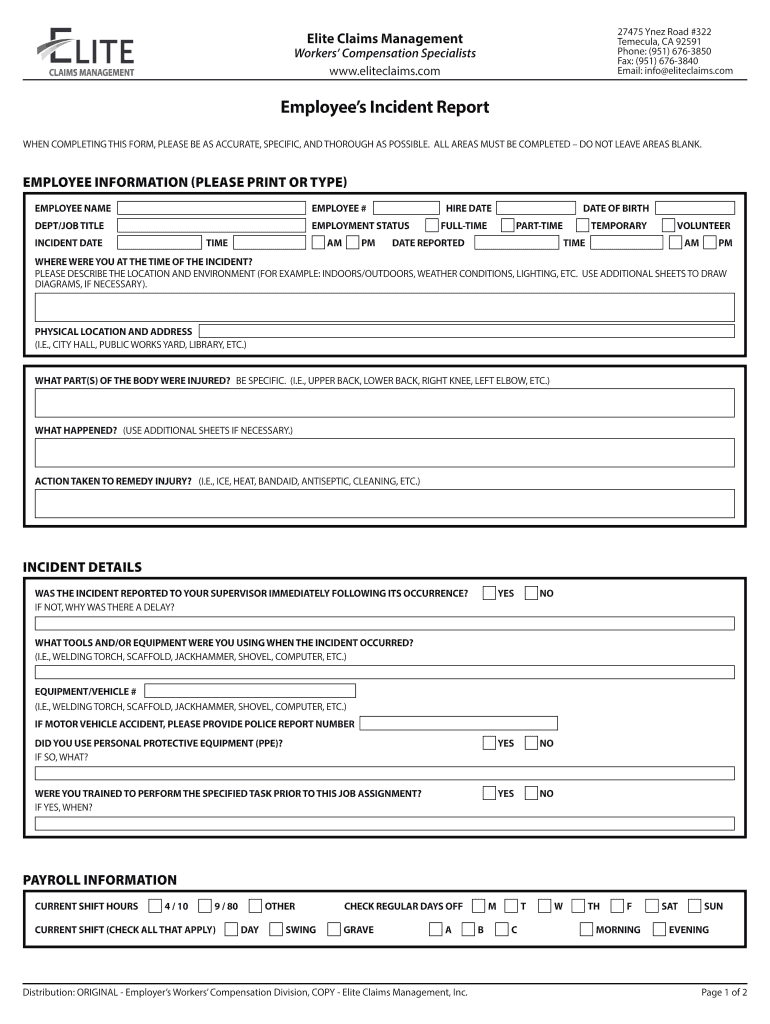
How to use or fill out 27475 Ynez Road #322 with our platform

- Click ‘Get Form’ to open the Employee’s Incident Report in the editor.
- Begin by filling out the 'Employee Information' section. Enter your name, employee number, department/job title, hire date, and employment status. Ensure all fields are completed accurately.
- Next, provide details about the incident. Fill in the incident date and time, as well as your date of birth. Describe where you were at the time of the incident, including specific location and environmental conditions.
- In the 'Incident Details' section, indicate whether you reported the incident to your supervisor immediately. Answer questions regarding personal protective equipment (PPE) usage and training for the task performed.
- Complete the 'Medical Information' section if applicable. Indicate if you have seen a doctor for your injury and any work restrictions prescribed.
- Finally, review all entries for accuracy before signing and submitting your form through our platform.
Start using our platform today to fill out your forms online for free!
It's free
Got questions?
How do I sign my 27475 Ynez Road #322 for free?
Most eSignature services require users to have a paid subscription. With DocHub, there are two ways for you to create an electronic signature to your 27475 Ynez Road #322 at no cost:
- You can do it during a 7-day trial period;
- You can sign up for a free plan.
The second option, however, has limitations on the number of signatures, sign requests, emails, and documents for editing available per month. You can check for full information here.
How do you fill out 27475 Ynez Road #322 on Android?
It is a no-brainer on a computer or via a mobile device to fill out a 27475 Ynez Road #322 with DocHub. All you need to do is open any installed web browser on your smartphone and go to the DocHub site. Once authenticated, add your document and open it in editing mode. Use our toolbar to make your edits and save changes. Optionally, keep your document in your files or send it to a recipient immediately.
Security and compliance
At DocHub, your data security is our priority. We follow HIPAA, SOC2, GDPR, and other standards, so you can work on your documents with confidence.
Learn more




