Type text, add images, blackout confidential details, add comments, highlights and more.

02. Sign it in a few clicks
Draw your signature, type it, upload its image, or use your mobile device as a signature pad.

03. Share your form with others
Send club participant via email, link, or fax. You can also download it, export it or print it out.

How to use or fill out club participant form with our platform
Ease of Setup
DocHub User Ratings on G2
Ease of Use
DocHub User Ratings on G2
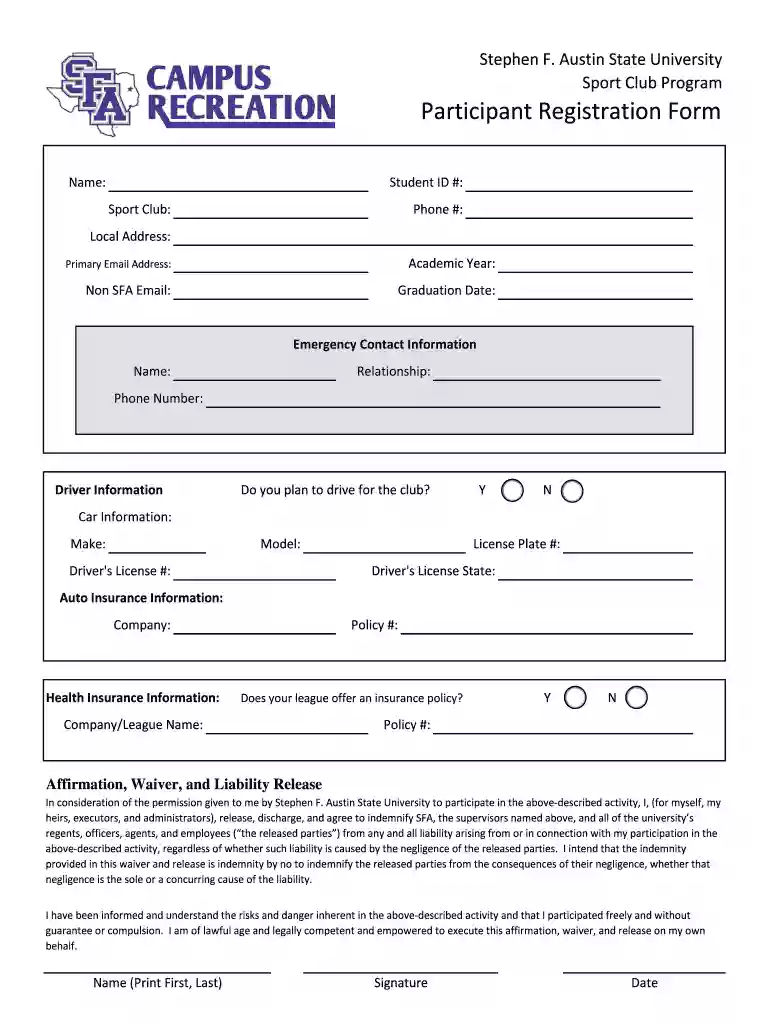
Click ‘Get Form’ to open the club participant registration form in the editor.
Begin by entering your personal information in the designated fields, including your name, student ID number, and contact details. Ensure accuracy for effective communication.
Fill out the academic year and graduation date sections. This helps the club understand your timeline and academic commitments.
Provide emergency contact information. Include a name, relationship, and phone number to ensure safety during club activities.
Indicate whether you plan to drive for the club by selecting 'Y' or 'N'. If yes, complete the car information section with details about your vehicle.
Review and complete the affirmation, waiver, and liability release section. Sign and date where indicated to acknowledge understanding of risks involved.
Finally, check all entries for completeness before submitting. Use our platform’s features to save or share your completed form as needed.
Start filling out your club participant form today for free using our editor!
Dues For Membership in Social or Athletic Clubs:tsbm8319s
Jul 15, 1983 The charge to each member is determined by the size of the members boat and the location of the docking and mooring facilities used. Even.Read more
Cookie consent notice
This site uses cookies to enhance site navigation and personalize your experience.
By using this site you agree to our use of cookies as described in our Privacy Notice.
You can modify your selections by visiting our Cookie and Advertising Notice.