Fire safety evacuation form template 2026

Get Form
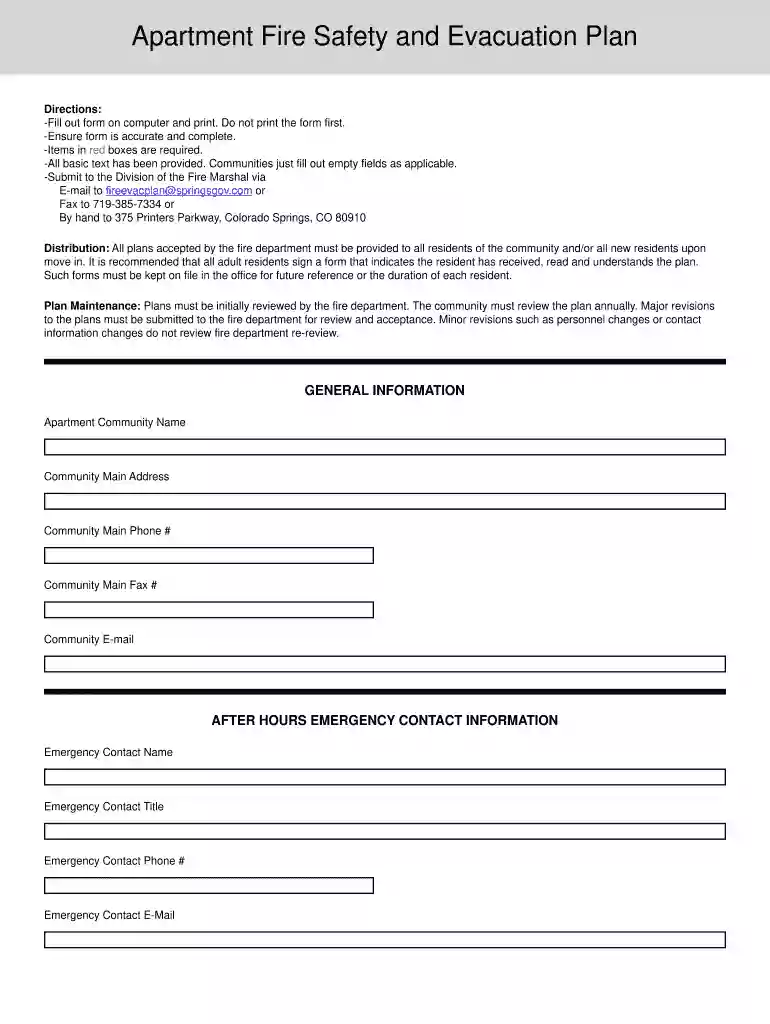
apartment fire plan Preview on Page 1

Here's how it works

01. Edit your apartment fire plan online
Type text, add images, blackout confidential details, add comments, highlights and more.

02. Sign it in a few clicks
Draw your signature, type it, upload its image, or use your mobile device as a signature pad.

03. Share your form with others
Send it via email, link, or fax. You can also download it, export it or print it out.

How to use or fill out fire safety evacuation form template with our platform

Form edit decoration
9.5
Ease of Setup
DocHub User Ratings on G2
9.0
Ease of Use
DocHub User Ratings on G2
  1. Click ‘Get Form’ to open the fire safety evacuation form template in the editor.
  2. Begin by filling in the 'General Information' section, including your apartment community name, address, and contact details. Ensure all required fields marked in red are completed.
  3. Proceed to 'After Hours Emergency Contact Information.' Fill out the names, titles, and contact information for emergency contacts. This is crucial for effective communication during emergencies.
  4. In 'Section 1 - Fire/Emergency Reporting,' provide clear instructions on how residents should report a fire or emergency. Make sure this section is easily understandable.
  5. Continue to 'Section 2 - Evacuation and Accountability.' Outline primary and secondary escape routes and emphasize safety protocols such as not using elevators during evacuations.
  6. Complete subsequent sections detailing occupancy hazards, floor plans, site plans, and emergency equipment locations. Be thorough to ensure all potential hazards are addressed.
  7. Once all sections are filled out accurately, review the document for completeness before saving or printing it directly from our platform.

Start using our platform today to streamline your fire safety evacuation form completion for free!

be ready to get more

Complete this form in 5 minutes or less

Get form

Got questions?

We have answers to the most popular questions from our customers. If you can't find an answer to your question, please contact us.
Contact us
Be sure to remember the Five Ps of Evacuation: People, Prescriptions, Papers, Personal Needs, and Priceless Items. - While your safety and your familys safety are most important, there are things you can do before evacuating that can help firefighters.
In order to make an evacuation plan using Microsoft Word, you will need to follow the following lengthy steps: Launch MS Word: Select a blank document and setup: Check on ruler and grid line options and scale-up: Select shapes and sizes: Insert the Text: Save your plan:
Capabilities to docHub the Goal The National Preparedness Goal describes five mission areas prevention, protection, mitigation, response and recovery and 32 activities, called core capabilities, that address the greatest risks to the nation. Each of these core capabilities is tied to a capability target.
What should be included in a fire evacuation plan? Clear evacuation procedures. Evacuation/escape routes. Assembly point locations. Key personnel contact information. A communication plan. A process to account for those who have evacuated. Documentation of critical tools/equipment. Training guidelines and log.
Grab these 6 Ps People and pets. Papers, phone numbers, important documents. Prescriptions, vitamins, and eyeglasses. Pictures and irreplaceable memorabilia. Personal computer hard drive and disk. Plastic (credit/debit cards) and cash.

Security and compliance

At DocHub, your data security is our priority. We follow HIPAA, SOC2, GDPR, and other standards, so you can work on your documents with confidence.

Learn more
ccpa2
pci-dss
gdpr-compliance
hipaa
soc-compliance