




01. Edit your materials consent online
Type text, add images, blackout confidential details, add comments, highlights and more.

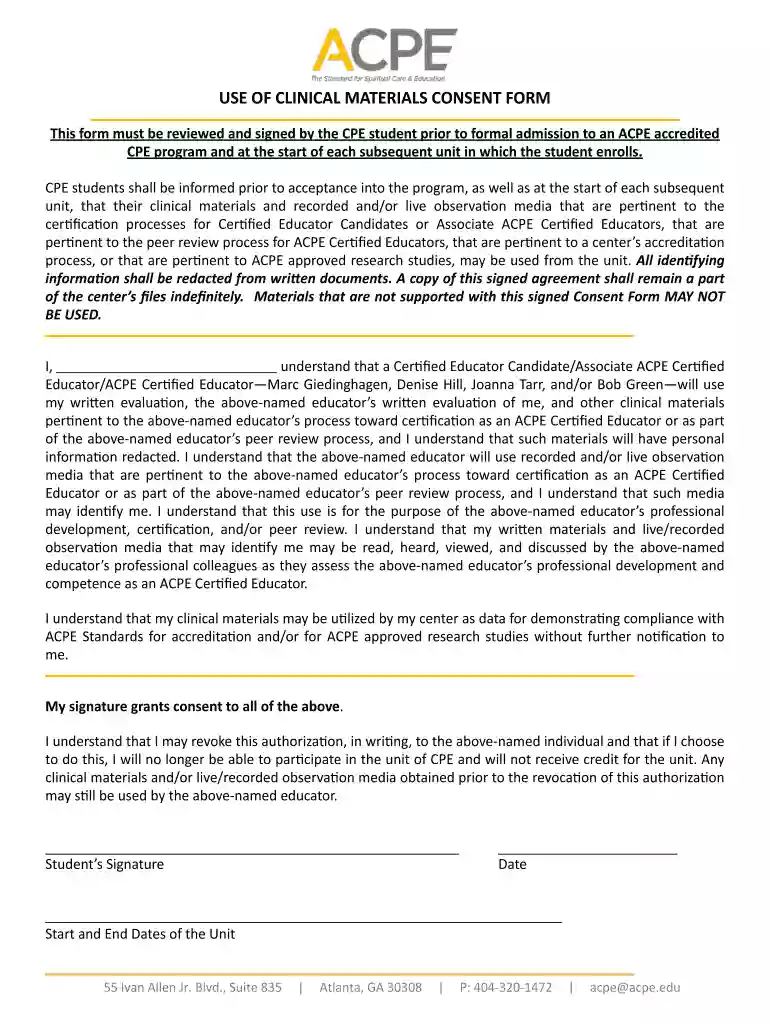
Type text, add images, blackout confidential details, add comments, highlights and more.

Draw your signature, type it, upload its image, or use your mobile device as a signature pad.

Send materials consent form via email, link, or fax. You can also download it, export it or print it out.

Start using our platform today to easily fill out and manage your materials consent form online, for free!
At DocHub, your data security is our priority. We follow HIPAA, SOC2, GDPR, and other standards, so you can work on your documents with confidence.
The consent of the Commissioner of Education or written authorization of the Regents must be obtained before becoming incorporated by the Department of State.Read more
You will be contacted regarding this by [date]. If we do not receive any response by [date], we will assume your consent to use the quoted material. Consent.Read more
This form must be reviewed and signed by the CPE student prior to formal admission to an ACPE accredited CPE program and at the start of each subsequent unit


