




Here's how it works



How to Use or Fill Out Credit Application with Our Platform

- Click ‘Get Form’ to open the credit application in the editor.
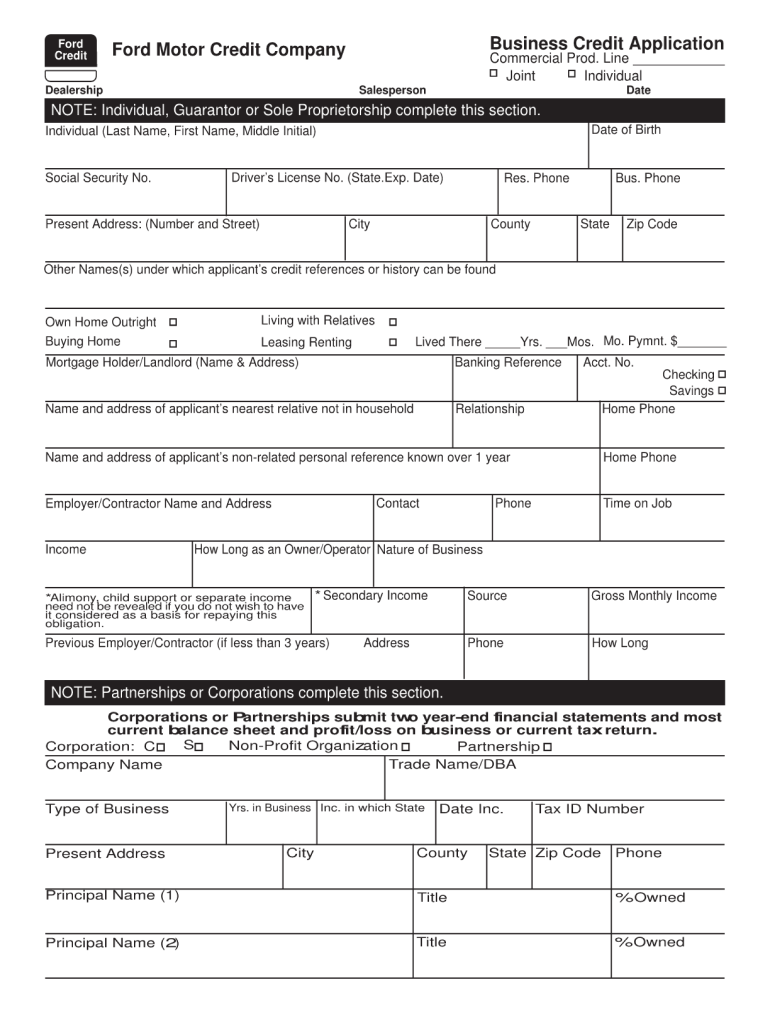
- Begin by entering your personal information in the designated fields, including your full name, address, and contact details. Ensure accuracy as this information is crucial for processing your application.
- Next, provide your financial details. This section typically includes your income, employment status, and any existing debts. Be thorough to give a complete picture of your financial situation.
- Review any additional sections that may require consent or acknowledgment. These often include terms and conditions related to the credit application process.
- Once all fields are filled out, utilize our platform’s features to save your progress or submit the application directly if you’re ready.
Start filling out your credit application today for free and experience seamless document management!
It's free
Got questions?
What is the simplest way to electronically sign my motor credit application form?
Many software solutions are available on the market for document modifying and signing. DocHub is one of the most popular online solutions that comply with all security and compliance standards and guarantees your electronically signed documentation is legally enforceable. All you need to try it out is to create an account, add your motor credit application form, fill out the required details, and click Sign. Create your electronic signature by typing, drawing it, uploading its picture to your template, or scanning a unique QR code.
How to complete credit application on the internet for free in 2024?
Having a swift editing platform like DocHub, you do not need anything but a web browser and internet connection to modify your credit application online swiftly. Add your file or get the appropriate form in DocHub’s catalog, open our editor with a single click, and finish it digitally. To revise your forms at any time, sign up a free account with DocHub.
Security and compliance
At DocHub, your data security is our priority. We follow HIPAA, SOC2, GDPR, and other standards, so you can work on your documents with confidence.
Learn more




