




Here's how it works



How to use or fill out affidavit iowa we with our platform

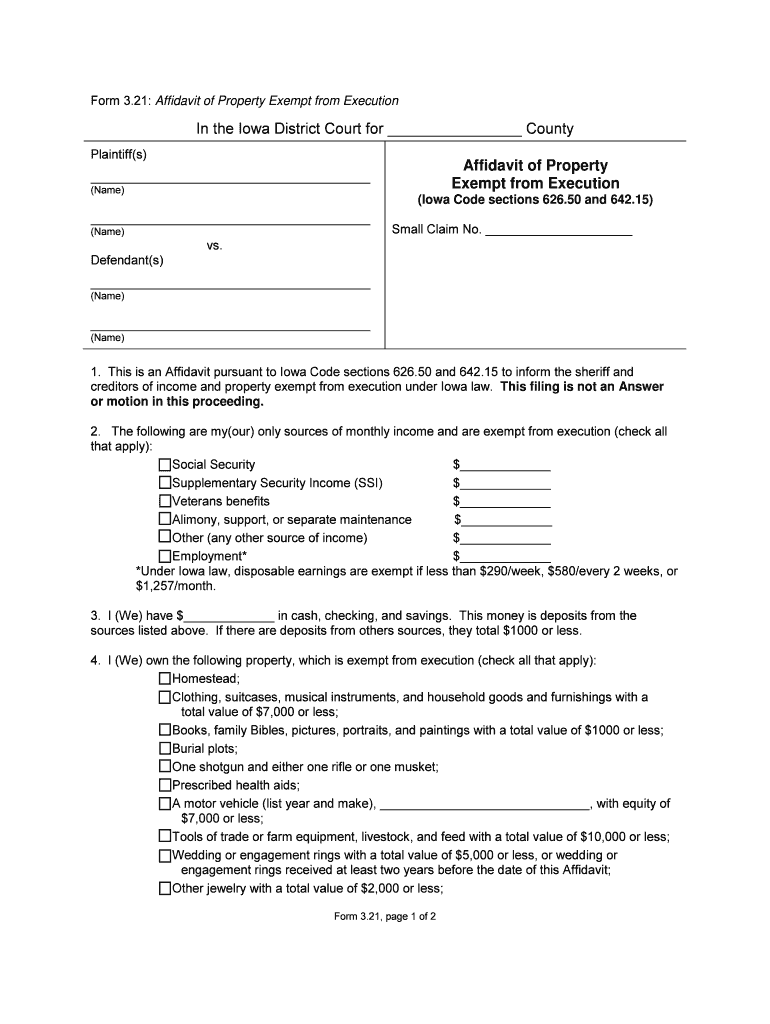
- Click ‘Get Form’ to open the Affidavit of Property Exempt from Execution in the editor.
- Begin by filling in the county name where the court is located, along with the names of the plaintiff(s) and defendant(s) at the top of the form.
- In Section 2, check all applicable sources of monthly income that are exempt from execution. Enter the amounts next to each source.
- Proceed to Section 3 and input your total cash, checking, and savings amounts. Ensure these funds are solely from the listed exempt sources.
- In Section 4, check all types of property you own that are exempt from execution. Fill in any specific details required, such as vehicle make and year.
- Finally, complete Section 5 by signing and dating the document. Include your printed name, mailing address, phone number, and email address.
Start using our platform today for free to easily fill out your affidavit!
It's free
Got questions?
Can I sign my exempt total iowa on a mobile?
Of course, you’ll find many different applications for this on the web. Nevertheless, if you need to eSign your exempt total iowa without installing extra software, DocHub is the best choice you can make. This robust editor works on mobile devices just as on desktops. Open our editor in any internet browser, register or log in to your account, and start managing your documents.
How do you edit affidavit iowa address on iOS?
You can easily edit and complete your affidavit iowa address on any iOS gadget. Open an internet browser of your liking, go to the DocHub website, authorize or create a new account, add your file for editing, and make your desired changes. Our service is mobile-friendly, so using its features on your smartphone will be a no-brainer, even on the first try.
What is the process of getting an affidavit?
How do I obtain an affidavit?
Who will provide an affidavit?
Security and compliance
At DocHub, your data security is our priority. We follow HIPAA, SOC2, GDPR, and other standards, so you can work on your documents with confidence.
Learn more




