




Here's how it works



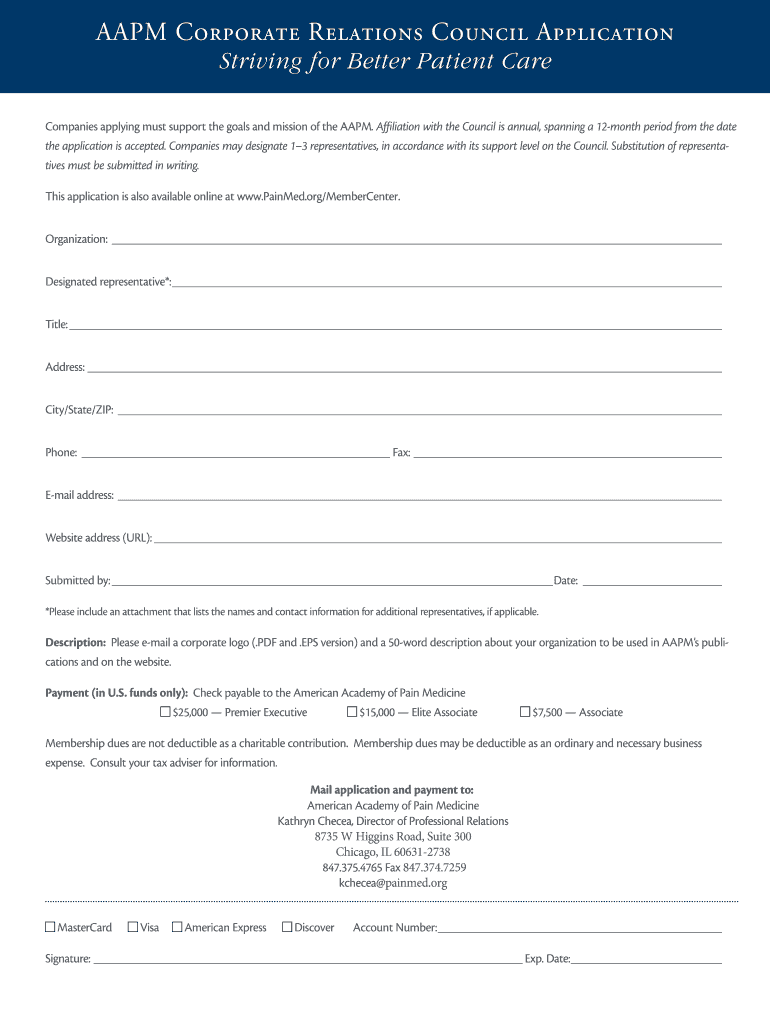
How to use or fill out AAPM Corporate Relations Council Application with our platform

- Click ‘Get Form’ to open the AAPM Corporate Relations Council Application in the editor.
- Begin by entering your organization’s name in the designated field. Ensure accuracy as this will represent your company.
- Fill in the designated representative's name, title, and contact information, including phone and email address. This is crucial for communication purposes.
- Provide your organization's address, including city, state, and ZIP code. Double-check for any typos to avoid delays.
- Select your support level by checking one of the payment options provided. If applicable, include an attachment listing additional representatives.
- Upload a corporate logo and a brief description of your organization using our platform’s file upload feature.
- Complete the payment section with credit card details or indicate if you are sending a check. Ensure all fields are filled accurately.
- Review all entered information for completeness before submitting the application through our platform.
Start filling out your AAPM Corporate Relations Council Application today for free using our platform!
It's free
Got questions?
Can I sign my AAPM Corporate Relations Council Application electronically?
As outlined by eSignature regulations, documents approved electronically have the same validity as traditionally approved ones. You can eSign almost any business and private paperwork. Four types of paperwork still require wet signatures only - wills and testamentary trusts, court orders and other court papers, state statutes governing divorce, adoption, or other family law, and notice of cancellation of utility services. If you follow the rules and utilize a reliable and compliant software solution, like DocHub, you can eSign your AAPM Corporate Relations Council Application without printing it.
Can I print my AAPM Corporate Relations Council Application and complete it by myself?
If you choose analog ways of completing your AAPM Corporate Relations Council Application, you can easily download your file for printing. Search DocHub’s Forms & Templates catalog to find the exact file template you need and open it for editing or download it on your gadget in the format of your liking. It is possible to complete your form electronically and put your handwritten signature on it after printing or eSign your file with DocHub.
Who is the CEO of AAPM?
Where is the AAPM Conference 2025?
How many members are there in the AAPM?
Security and compliance
At DocHub, your data security is our priority. We follow HIPAA, SOC2, GDPR, and other standards, so you can work on your documents with confidence.
Learn more




