Type text, add images, blackout confidential details, add comments, highlights and more.
02. Sign it in a few clicks
Draw your signature, type it, upload its image, or use your mobile device as a signature pad.
03. Share your form with others
Send it via email, link, or fax. You can also download it, export it or print it out.
How to use or fill out Student-Family Information pub with our platform
Ease of Setup
DocHub User Ratings on G2
Ease of Use
DocHub User Ratings on G2
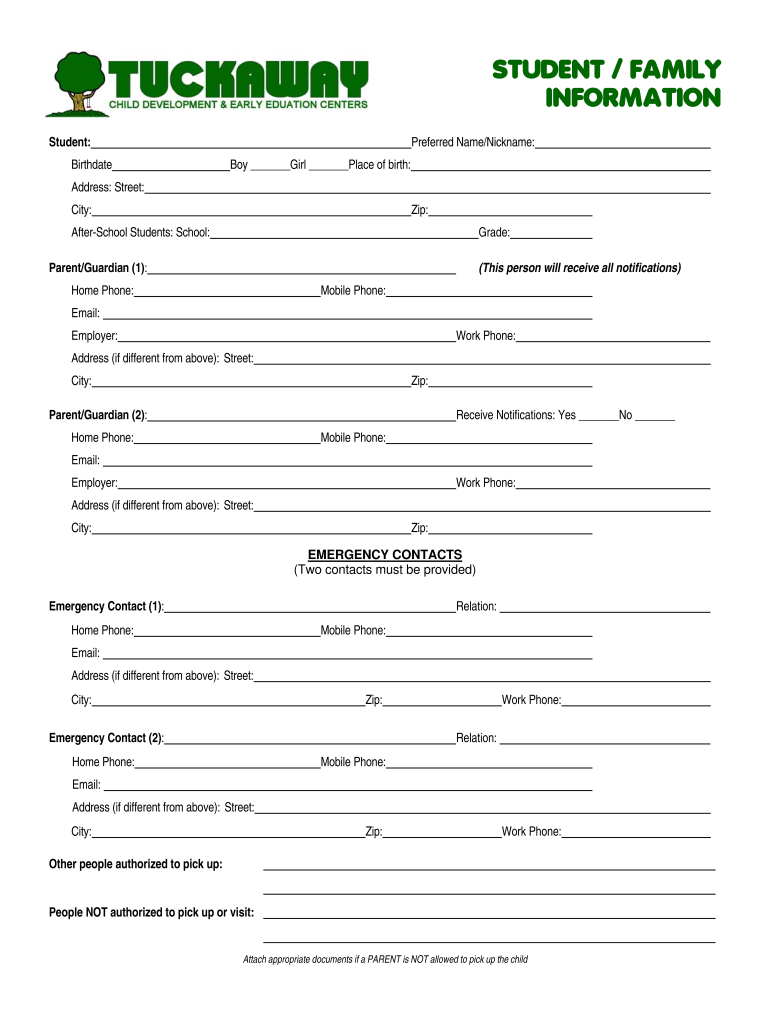
Click ‘Get Form’ to open the Student-Family Information pub in the editor.
Begin by filling out the student’s details, including their name, birthdate, and preferred name. Ensure you select the correct gender and place of birth.
Next, provide the address information. Fill in the street, city, and zip code accurately to ensure proper communication.
For after-school students, indicate their school and grade level. This helps in organizing their after-school activities effectively.
Complete the parent/guardian sections. Enter contact details for both guardians, ensuring that at least one guardian is marked to receive notifications.
Fill out emergency contacts. Provide two contacts with their relation to the student and all necessary phone numbers and emails.
Detail any emergency information such as allergies or medical conditions. This is crucial for your child's safety.
Review the agreements section carefully. Ensure both guardians sign and date where indicated to confirm understanding of policies.
Start using our platform today for free to streamline your document editing experience!
Fill out Student-Family Information pub online It's free
Student family information pub templateStudent family information pub loginDirectory information FERPANon directory information ferpaFamily Information Center White PlainsWhat is not directory information FERPADirectory information includes student pin numberNon directory information can be disclosed without the written consent of the student when
Security and compliance
At DocHub, your data security is our priority. We follow HIPAA, SOC2, GDPR, and other standards, so you can work on your documents with confidence.
by C Dunbar Cited by 148 Why Conduct a Functional Assessment? The purpose of a functional assessment is to gather information in order to understand a students problem behavior.Read more
Parents and families can stay informed through the Vice President for Student Affairs Parent Newsletter, social media updates, podcasts, mailings, and YouTubeRead more
Cookie consent notice
This site uses cookies to enhance site navigation and personalize your experience.
By using this site you agree to our use of cookies as described in our Privacy Notice.
You can modify your selections by visiting our Cookie and Advertising Notice.