




01. Edit your kansas employee evaluation form online
Type text, add images, blackout confidential details, add comments, highlights and more.

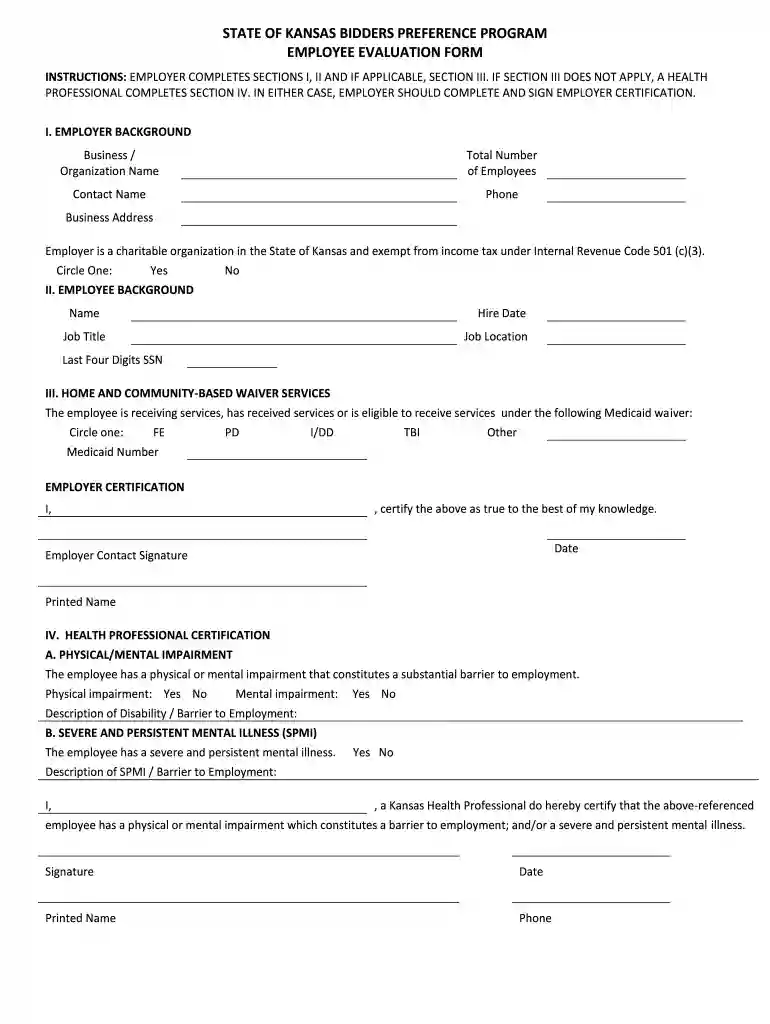
Type text, add images, blackout confidential details, add comments, highlights and more.

Draw your signature, type it, upload its image, or use your mobile device as a signature pad.

Send kansas preference program via email, link, or fax. You can also download it, export it or print it out.

Start using our platform today to easily fill out your Kansas Preference Program form for free!
At DocHub, your data security is our priority. We follow HIPAA, SOC2, GDPR, and other standards, so you can work on your documents with confidence.
Order in the app to earn rewards. Spend a dollar, get 10 points. Then redeem those points on over 20 delicious items. Plus access to exclusive discounts and
The Kansas Legislature enacted a Bidder Preference Program which created three (3) bid preferences: Bidder Preference #1: 10% for a CERTIFIED BUSINESS.Read more
Kansas State University honors interview preferences for qualified applicants who are veterans or individuals with disabilities. Eligible applicants who meetRead more


