




Here's how it works



How to use or fill out Smoke Detector Affidavit - Brighton - townofbrighton

- Click ‘Get Form’ to open it in the editor.
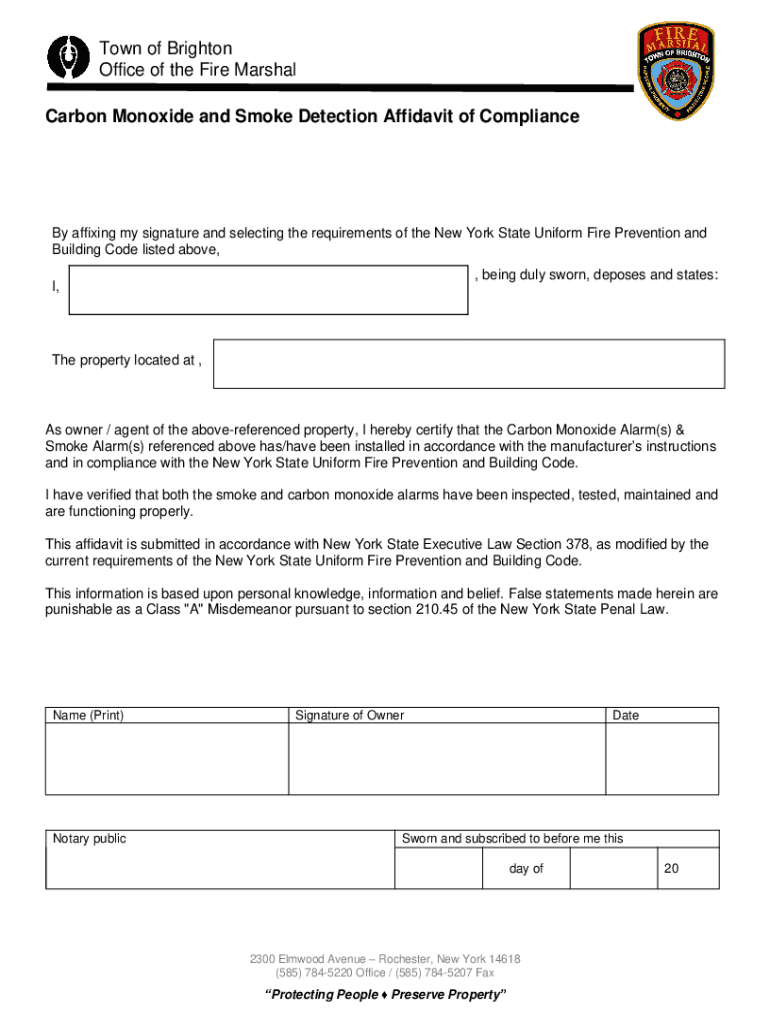
- Begin by entering your name and the property address in the designated fields. Ensure accuracy as this information is crucial for compliance.
- In the section regarding smoke alarms, confirm that smoke detectors are installed in all required locations. Check each box that applies based on your dwelling's layout.
- Next, move to the carbon monoxide detector section. Answer the checklist questions regarding potential carbon monoxide sources in your unit.
- Finally, review all entries for correctness. Once satisfied, sign and date the affidavit at the bottom of the form. This step certifies your compliance with New York State regulations.
Start using our platform today to complete your Smoke Detector Affidavit quickly and efficiently!
It's free
Got questions?
How can I sign my Smoke Detector bAffidavitb - Brighton - townofbrighton without printing?
Electronic signatures are an excellent replacement for traditional signing, as they save time, effort, and money people spend on printing, scanning, and paper delivery. You can eSign your Smoke Detector bAffidavitb - Brighton - townofbrighton using a reliable and robust online document processing services like DocHub. It complies with main eSignature regulations (ESIGN and UETA), so all forms approved there are legally binding and have the same validity as manually signed ones.
How do you get Smoke Detector bAffidavitb - Brighton - townofbrighton for my state?
If you are searching for a state-specific Smoke Detector bAffidavitb - Brighton - townofbrighton sample, you can find it in our DocHub Forms & Templates catalog. Use the search field, key in your form’s name, and search through the results for your state. You can also filter out irrelevant results while exploring our catalog by categories.
Security and compliance
At DocHub, your data security is our priority. We follow HIPAA, SOC2, GDPR, and other standards, so you can work on your documents with confidence.
Learn more




