

GMAT Test Accommodation Request Form - MBA 2026

Get Form
GMAT Test Accommodation Request Form - MBA Preview on Page 1

Here's how it works

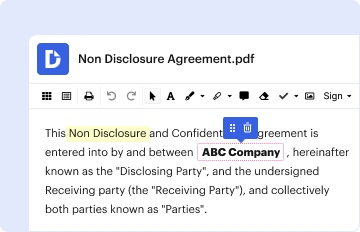
01. Edit your form online
Type text, add images, blackout confidential details, add comments, highlights and more.
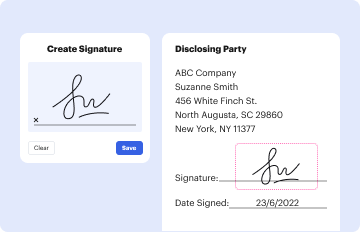
02. Sign it in a few clicks
Draw your signature, type it, upload its image, or use your mobile device as a signature pad.
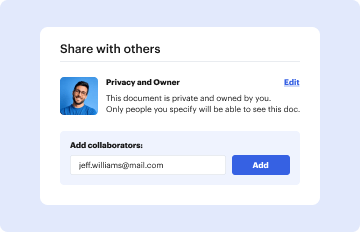
03. Share your form with others
Send it via email, link, or fax. You can also download it, export it or print it out.

How to use or fill out GMAT Test Accommodation Request Form - MBA with our platform

Form edit decoration
9.5
Ease of Setup
DocHub User Ratings on G2
9.0
Ease of Use
DocHub User Ratings on G2
  1. Click ‘Get Form’ to open the GMAT Test Accommodation Request Form in the editor.
  2. Begin by entering your personal information, including your GMAT ID Number, First Name, Last Name, and Date of Birth. Ensure that the name matches your government-issued ID.
  3. Fill in your contact details such as Address, City, State, Postal Code, and Telephone Numbers. Select your preferred method of communication for updates regarding your accommodation request.
  4. In Section A, check all applicable disabilities and provide specific diagnoses. Indicate when your disability was first diagnosed and the date of the most recent evaluation.
  5. Complete Sections B and C regarding previous accommodations received on standardized tests and in college. Be thorough in detailing any accommodations you have had.
  6. In Section D, select the accommodations you are requesting for the GMAT exam. If necessary accommodations are not listed, check 'other' and specify.
  7. Provide a rationale in Section E explaining how your disability affects your ability to take the exam and why each requested accommodation is necessary.
  8. Finally, review all information for accuracy before signing and dating the form in Section F. If someone else signs on your behalf, ensure they also provide their signature.

Start filling out your GMAT Test Accommodation Request Form today using our platform for a seamless experience!

be ready to get more

Complete this form in 5 minutes or less

Get form

Security and compliance

At DocHub, your data security is our priority. We follow HIPAA, SOC2, GDPR, and other standards, so you can work on your documents with confidence.

Learn more
ccpa2
pci-dss
gdpr-compliance
hipaa
soc-compliance
be ready to get more

Complete this form in 5 minutes or less

Get form