




Here's how it works



How to use or fill out Indiana Postnuptial Agreement with our platform

- Click ‘Get Form’ to open the Indiana Postnuptial Agreement in the editor.
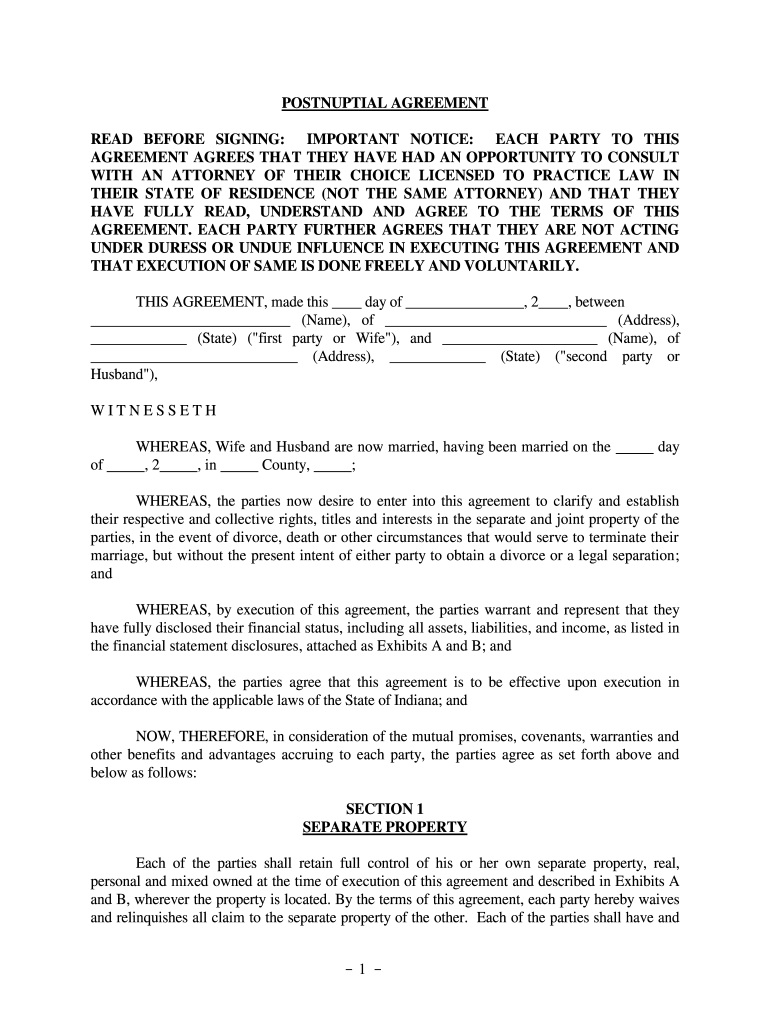
- Begin by filling in the date and names of both parties at the top of the agreement. Ensure that you accurately represent your legal names as they appear on official documents.
- In Section 1, list all separate properties owned by each party. Use Exhibits A and B to detail assets such as real estate, bank accounts, and vehicles. This section is crucial for establishing ownership rights.
- Proceed to Section 2 to define joint property. Clearly indicate any property that will be considered joint, ensuring both parties agree on these terms.
- In Section 3, outline how property will be divided in case of separation or divorce. Specify which assets are separate or joint based on your mutual understanding.
- Complete Sections 4 through 15 by addressing debts, waivers, and other relevant clauses. Make sure both parties understand their rights and obligations under this agreement.
- Finally, sign the document in front of a notary public as required for it to be legally binding.
Start using our platform today for free to streamline your Indiana Postnuptial Agreement process!
It's free
Got questions?
Can I type my electronic signature on my indiana postnuptial agreement?
Yes, a typed name is recognized as a valid electronic signature when you create it on your paperwork utilizing a compliant solution like DocHub. Simply import your indiana postnuptial agreement to our editor, click Sign in the top tool pane → Create your signature → Type your name in the appropriate tab, and decide how it will appear on your document.
How do you complete indiana postnuptial agreement online?
You can complete and sign your indiana postnuptial agreement online, even on a tight deadline. All you need to access high quality editing tools on any device is a DocHub account, which you can sign up in just a few moments. After you sign up, upload your document or find what you are looking for in our catalog, complete it utilizing the editing tools you want, and put your electronic signature on it at the end.
Security and compliance
At DocHub, your data security is our priority. We follow HIPAA, SOC2, GDPR, and other standards, so you can work on your documents with confidence.
Learn more




